

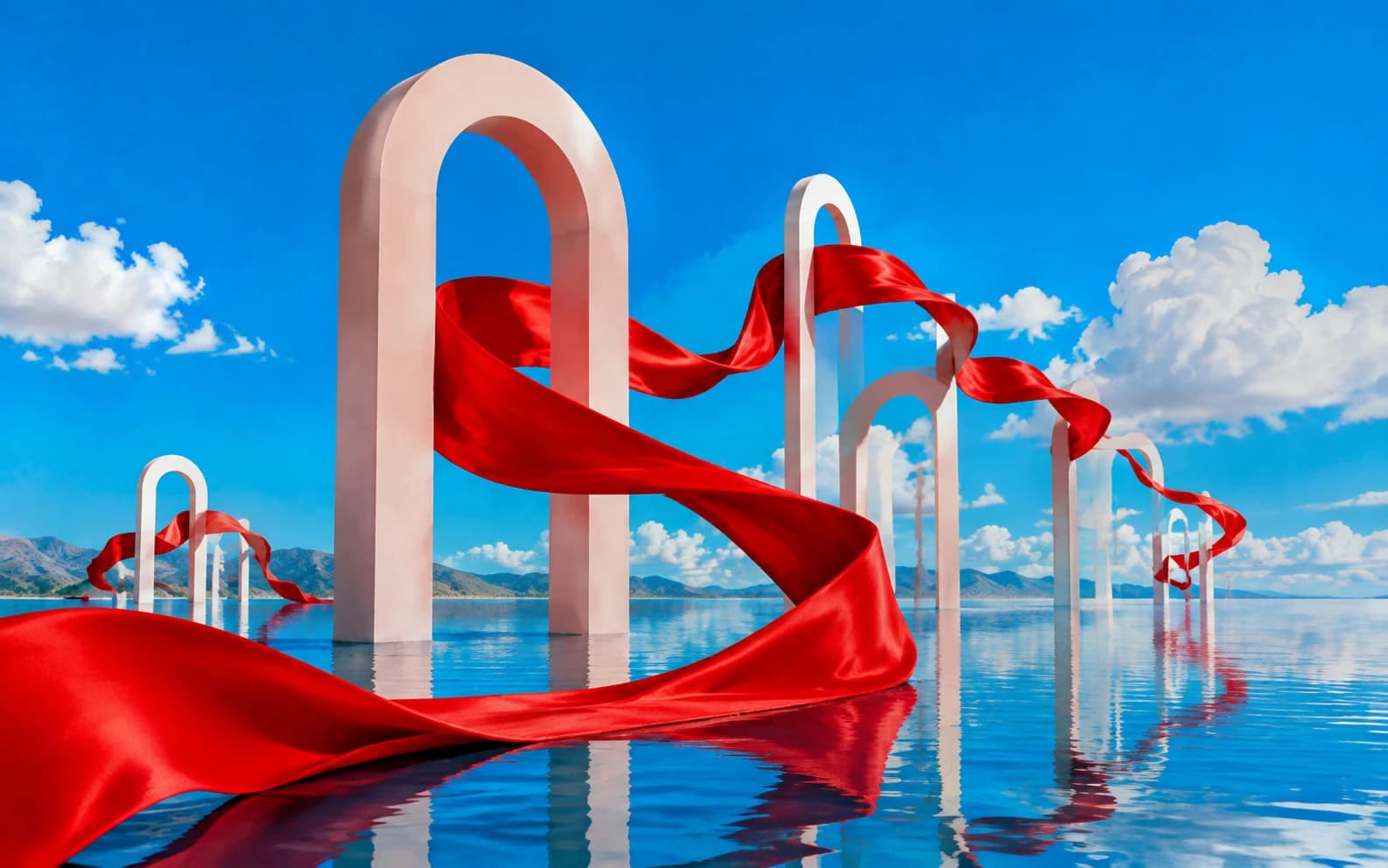
Wallpapers are the one AI image category where aspect ratio determines composition, not just crop. A landscape generated at 1:1 becomes a cropped mess on a 9:16 phone screen and a stretched disaster on a 21:9 ultrawide monitor. The aspect ratio is not a setting you adjust after generation. It changes how the model distributes visual weight, places focal points, and handles negative space. These 25+ prompts are designed for specific screen formats and optimized for the visual properties that make wallpapers look intentional rather than resized.
What this guide covers:
- 25+ copy-paste prompts across seven wallpaper categories (phone, desktop, ultrawide, nature, abstract, AMOLED dark, anime/illustrated)
- Aspect ratio composition guide with device-specific settings and prompt phrasing
- AMOLED optimization techniques for battery-saving dark wallpapers with true black pixels
- Lock screen composition rules for keeping clock widgets and notifications readable
- Nano Banana vs. Nano Banana 2 comparison for wallpaper-specific use cases
- 5 common mistakes that produce wallpapers that look cropped rather than composed
For a broader overview of all prompt categories, see our complete Nano Banana prompts guide. For model-specific techniques, see our Nano Banana 2 prompts guide. For related creative directions, explore Nano Banana prompts for aesthetic pictures, Nano Banana prompts for anime, and landscape-style prompts. Both Nano Banana and Nano Banana 2 are available on Morphed.
Why Does Nano Banana Handle Wallpapers Better Than Other AI Models?
Wallpapers expose every weakness in an AI model. They display at full screen with no surrounding UI to distract from artifacts. Gradients must be smooth across thousands of pixels. Compositions must hold visual weight at extreme aspect ratios. Fine details in distant textures, star fields, and geometric patterns must survive at 4K without banding or blurring.
Nano Banana maintains structural coherence across wide and tall formats, filling the frame with intentional detail rather than padding empty space with repeated patterns. Where most AI models lose composition at anything beyond 1:1, Nano Banana distributes visual elements across the full canvas. Gradients render smoothly. Atmospheric depth in landscapes carries across the full width of a 21:9 ultrawide without collapsing into a flat band of color.
Nano Banana 2 adds native 4K output, which is significant for wallpapers specifically. Desktop monitors at 2560x1440 and ultrawide displays at 3440x1440 expose upscaling artifacts that phone screens hide. NB2 also renders smoother gradient transitions, reducing the color banding that ruins minimalist and abstract wallpapers at large sizes. Both models are on Morphed.
| Feature | Nano Banana | Nano Banana 2 | Nano Banana Pro |
|---|---|---|---|
| Max resolution | 1K | 4K native | 2K |
| Aspect ratios supported | Standard set | 14 ratios including 21:9 | Standard set |
| Gradient smoothness | Good, occasional banding at large sizes | Smooth at 4K, no visible banding | Smooth |
| Composition at extreme ratios | Strong | Strong with sharper edge detail | Strongest for complex scenes |
| AMOLED true black accuracy | Good | Excellent, cleaner black levels | Excellent |
| Best wallpaper use | Phone lock screens, social sharing | Desktop, ultrawide, print | Complex multi-element scenes |
How Aspect Ratio Changes Composition (Not Just Crop)
Most people treat aspect ratio as a post-generation crop. This is the single biggest mistake in AI wallpaper creation. When you generate at 1:1 and crop to 9:16, you lose the sides of the image. When you generate at 9:16 from the start, the model composes for the vertical format: placing the focal point higher, using vertical elements like trees or towers, and distributing atmospheric depth top to bottom instead of left to right.
| Device | Aspect Ratio | Composition Strategy | Prompt Phrase |
|---|---|---|---|
| Smartphone (standard) | 9:16 | Tall subjects, central focal point, upper-third emphasis | "vertical composition, 9:16 aspect ratio, phone wallpaper" |
| Smartphone (tall screen) | 9:19.5 | Extra vertical space, gradient-heavy, avoid wide horizons | "tall vertical composition, extra tall phone format" |
| Desktop monitor | 16:9 | Horizontal sweeps, wide vistas, layered depth | "wide landscape composition, 16:9 desktop wallpaper" |
| Ultrawide monitor | 21:9 | Panoramic environments, extended horizons | "ultrawide panoramic composition, 21:9 format" |
| Dual monitor | 32:9 | Continuous panoramic scene, environment-heavy | "super ultrawide panoramic, seamless dual monitor wallpaper" |
| AMOLED phone | 9:16 + true blacks | Dark backgrounds, sparse highlights, minimal subjects | "AMOLED wallpaper, true black background, 9:16 vertical" |
The lock screen rule: Phone lock screens display time, date, and notifications over the upper portion of the wallpaper. Avoid placing the main focal point in the top-center area. Either use a gradient or atmospheric sky in the upper third (so text remains readable) or place the focal point in the lower half. Adding "minimalist upper area" or "clean sky in upper third" to your prompt helps keep lock screen elements legible.
Set the aspect ratio in Morphed before generating. The model will compose for the selected format rather than defaulting to square and requiring a crop.
Phone Wallpapers (9:16 Portrait)
Phone wallpapers need vertical composition with tall or centrally-placed subjects. The vertical frame rewards single focal points, atmospheric gradients, and subjects with natural height like trees, towers, mountains, or standing figures. Avoid wide panoramic scenes, which compress awkwardly into portrait orientation.
Prompt: "Vertical wallpaper of a lone cherry blossom tree on a hill at sunset, pink and orange sky gradient fading to deep blue at top, soft bokeh, minimalist composition with tree in lower third, 9:16 aspect ratio, phone wallpaper style"
A single focal point (the tree) placed in the lower third keeps the upper area clean for lock screen widgets. The sunset gradient fills the vertical space with natural color transition. "Minimalist" prevents the model from adding unnecessary ground detail that competes with home screen icons.
Prompt: "Portrait orientation wallpaper of aurora borealis over a frozen lake, green and purple lights sweeping vertically, stars in the upper sky, reflective ice surface in lower portion, ethereal and dreamy, phone background"
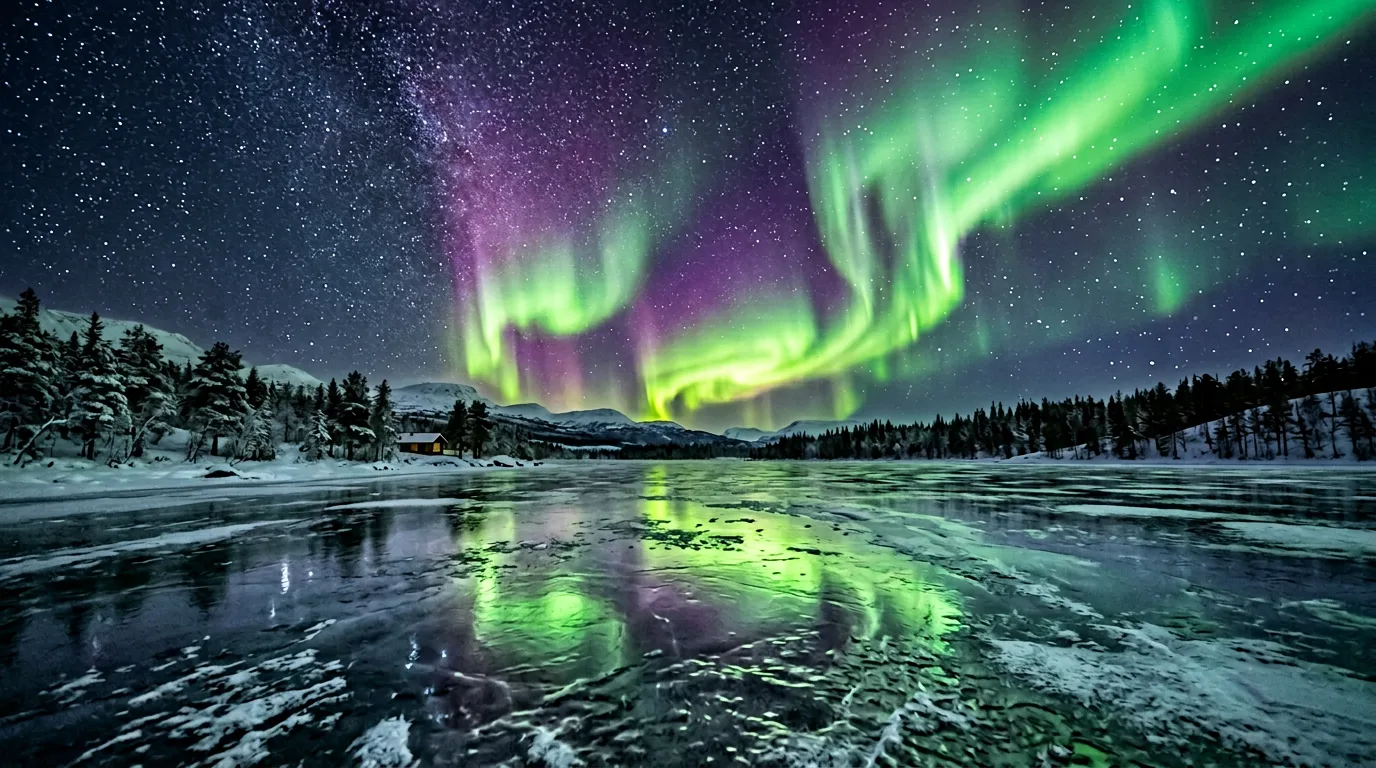
Aurora imagery is naturally vertical and dramatic. The sweeping lights fill the tall frame. The reflective lake in the lower portion doubles the visual impact without requiring additional subjects. Ethereal mood suits lock screen aesthetics where subtlety reads better than complexity.
Prompt: "Vertical phone wallpaper of a neon-lit alleyway at night, rain-soaked pavement reflecting cyan and magenta signs, narrow perspective leading into fog, moody cyberpunk atmosphere, 9:16 composition"
Narrow alleys are naturally vertical subjects. Rain reflections add depth and texture to the lower portion. The narrow perspective creates leading lines that pull the eye through the full height of the frame.
Prompt: "Minimalist phone wallpaper of a single koi fish in dark water, viewed from above, subtle ripple circles, warm orange and gold against deep navy, Japanese aesthetic, clean and serene, vertical format"
Single-subject wallpapers with generous negative space work well on phones because they do not compete with app icons. The dark water background keeps the lower half clean while the koi provides a focal point.
Desktop and Ultrawide Wallpapers (16:9 and 21:9)
Desktop wallpapers benefit from horizontal sweep, layered depth, and panoramic environments. The wider the format, the more the composition depends on environmental storytelling rather than a single subject. Ultrawide at 21:9 needs continuous visual interest across the full width, which makes landscapes, cityscapes, and abstract gradients the strongest categories.
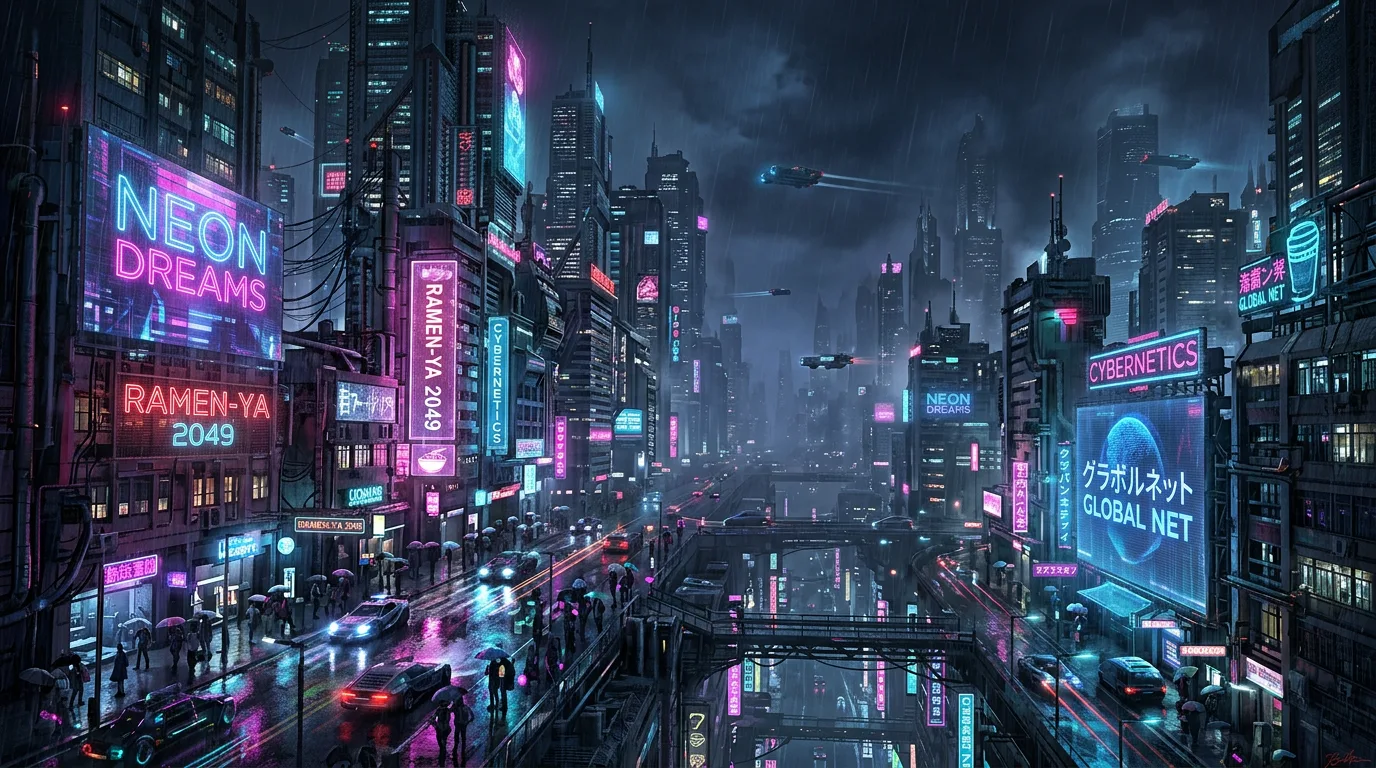
Prompt: "Cyberpunk cityscape at night, neon signs and holographic billboards, rain-soaked streets reflecting magenta and cyan light, towering skyscrapers receding into fog, 16:9 wide composition, cinematic desktop wallpaper, atmospheric depth"
Wide cityscapes fill desktop screens naturally because buildings, streets, and lights provide continuous horizontal detail. Neon and rain create depth through reflections. The fog adds atmospheric perspective that prevents the scene from feeling like a flat backdrop.
Prompt: "Ultrawide 21:9 wallpaper of a mountain range at golden hour, layers of peaks fading into warm haze, dramatic cumulus clouds with golden edges, foreground pine ridge silhouette, panoramic landscape photography style, no text or logos"
Ultrawide format needs panoramic, layered compositions. Mountain ranges provide natural horizontal sweep across the full 21:9 width. The foreground pine ridge anchors the left side while the peaks recede right, creating visual flow. "No text or logos" keeps the image clean for desktop use.
Prompt: "Wide desktop wallpaper of a minimalist ocean horizon, smooth gradient from deep indigo water to pale peach sky, single thin line of distant waves, calm and meditative, 16:9 composition, subtle noise texture"
Minimalist horizons work well for productivity-focused desktops where the wallpaper should not distract. The gradient and single horizon line create a clean, uncluttered look. "Subtle noise texture" prevents the flat, digital-looking gradients that plague minimalist AI wallpapers.
Prompt: "Ultrawide 21:9 panoramic wallpaper of a dense forest canopy viewed from above, morning mist filling the valleys between green ridges, golden sunlight on the horizon edge, aerial drone photography style, serene and vast"
Aerial perspectives work particularly well at ultrawide ratios because the overhead view naturally fills horizontal space with organic texture. Morning mist adds atmospheric layers that create depth without requiring a traditional foreground-to-background composition.
Nature and Landscape Wallpapers
Nature wallpapers are perennially the most popular category across all devices. Mountains, forests, oceans, and dramatic skies translate directly to wallpaper use because they provide atmosphere without demanding attention. The best nature wallpaper prompts use the three-layer depth technique described in our landscape prompts guide: foreground texture, mid-ground subject, background atmosphere.
Prompt: "Alpine meadow wallpaper, wildflowers in foreground with shallow depth of field, snow-capped mountains in mid-ground, soft golden hour clouds in background, three-layer depth, warm and peaceful, nature photography style, wide landscape composition"
Layered composition (foreground flowers, mid-ground mountains, far peaks with clouds) creates depth. Golden hour adds warmth and dimension. Shallow depth of field on the foreground wildflowers gives the image a photographic quality that flat AI landscapes lack.
Prompt: "Dense misty forest path wallpaper, tall trees on either side creating a natural tunnel, soft diffused light filtering through canopy, golden leaves on ground, mysterious and atmospheric, works for both vertical and horizontal composition"
Misty forests create atmosphere without requiring specific aspect ratio. The path creates leading lines, and the canopy tunnel works in both portrait (phone) and landscape (desktop) orientation. Regenerate the same prompt at different aspect ratios for a matched set across devices.
Prompt: "Tropical beach at sunset wallpaper, palm tree silhouettes framing the scene, turquoise water fading to deep orange horizon, wet sand reflecting sky colors in foreground, wide panoramic composition, vacation aesthetic"
Beach sunsets are universally appealing and work well as wallpapers because the gradient sky provides a clean upper area. Palm silhouettes add structural framing. The wet sand reflections fill the foreground without being distracting.
Prompt: "Dramatic storm clouds over lavender field wallpaper, purple and gray sky with single break of golden light, lavender rows creating leading lines to horizon, moody and powerful, fine art landscape photography"
The contrast between dark storm clouds and vibrant lavender creates visual drama. Lavender rows create strong leading lines. The single break of light provides a natural focal point that draws the eye without competing with desktop icons.
Abstract and Geometric Wallpapers
Abstract wallpapers offer bold patterns, gradients, and shapes that function as backgrounds without competing with on-screen content. The key advantage: abstract wallpapers are device-agnostic. A well-composed gradient or geometric pattern works at any aspect ratio without the composition problems that figurative subjects create.
Prompt: "Abstract geometric wallpaper, overlapping translucent circles and triangles in soft gradient from lavender to deep purple, no focal point, modern and minimal, subtle glass morphism effect, clean and contemporary"
Geometric shapes and gradients create visual interest without distraction. "No focal point" keeps the image suitable as a background layer. The glass morphism effect adds depth and modernity without complexity.
Prompt: "Liquid marble texture wallpaper, swirling cream and gold veins on deep black background, organic abstract pattern, luxurious and sophisticated, subtle metallic sheen on gold elements"
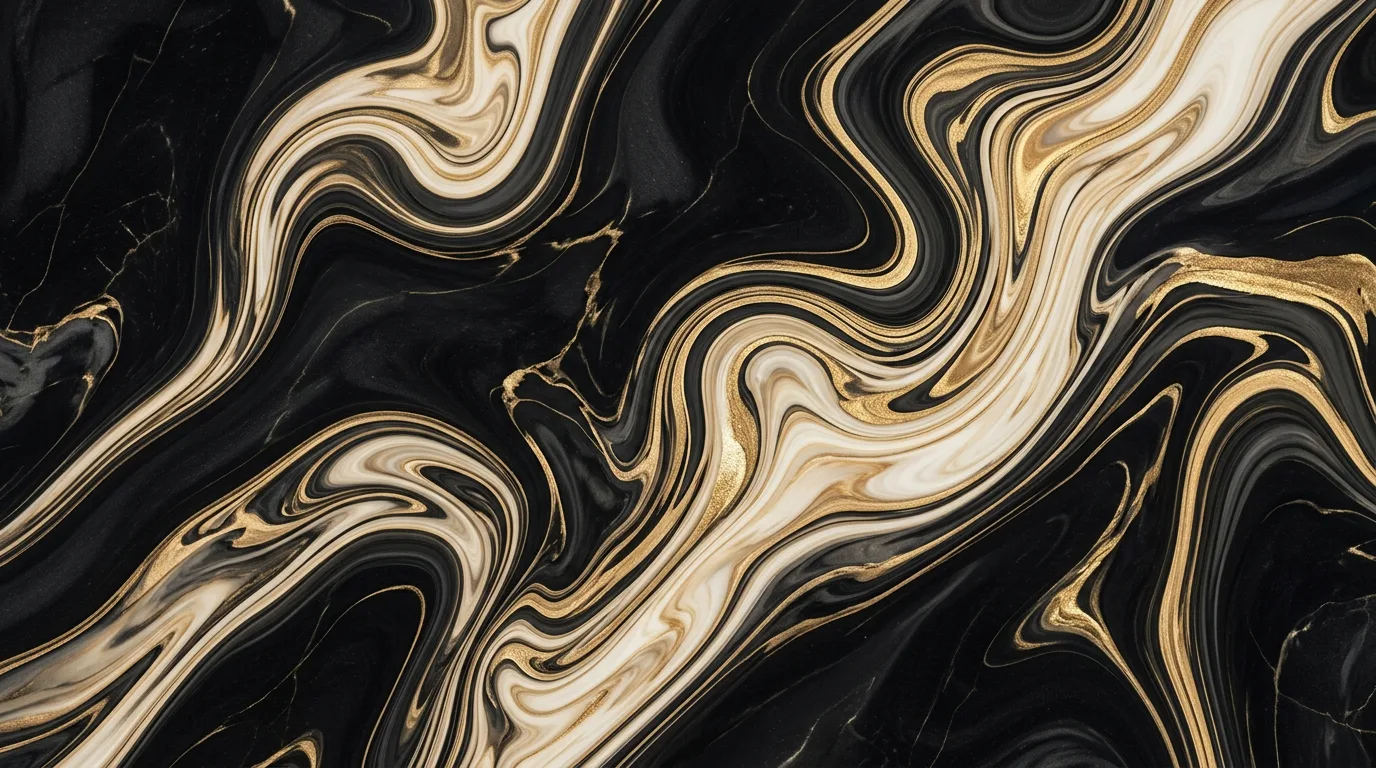
Marble textures add sophistication and work as wallpapers because the organic patterns create continuous visual interest at any crop. The dark background makes this dual-purpose: luxurious on any screen, and AMOLED-friendly on OLED phones.
Prompt: "Minimalist gradient wallpaper, smooth transition from warm coral to cool teal through soft neutral midtones, subtle noise texture overlay, no banding, calming and modern, desktop or phone"
Gradients are the most versatile wallpaper type. Subtle noise texture prevents the color banding that AI models often produce in smooth gradients. Specifying "no banding" as a negative instruction helps the model prioritize smooth transitions. For gradients specifically, use Nano Banana 2 for the smoothest results at 4K.
Prompt: "Abstract topographic map wallpaper, thin contour lines in muted sage green on off-white background, organic flowing shapes, cartographic aesthetic, minimalist and clean, subtle paper texture"
Topographic patterns are trending in wallpaper design because they provide structure and visual rhythm without being busy. The thin lines create texture that looks intentional at every zoom level.
Dark and AMOLED-Optimized Wallpapers
Dark wallpapers save battery on OLED and AMOLED screens because true black pixels (#000000) are physically turned off. But "dark wallpaper" and "AMOLED wallpaper" produce different results. A dark wallpaper might use dark grays, deep blues, or rich browns. An AMOLED wallpaper needs pure black (#000000) as the dominant color with strategic highlights.
Adding "true black background" or "AMOLED friendly" to the prompt consistently produces images dominated by pixels at or near pure black. Prompts that used only "dark background" or "black background" without the AMOLED qualifier tend to produce dark gray rather than true black, reducing the battery benefit on OLED screens.
Prompt: "AMOLED wallpaper, deep true black background with subtle constellation of stars, minimal white and soft blue dots scattered naturally, space theme, true black #000000, sparse and elegant"
True black backgrounds maximize OLED efficiency. Sparse stars provide interest without overwhelming. Specifying "true black #000000" gives the model a precise color target rather than an approximate "very dark."
Prompt: "Dark moody AMOLED wallpaper of a lone figure standing on a cliff edge, silhouette against lightning-lit sky, dramatic scale, rich blacks surrounding the figure, single bright lightning bolt as focal point, cinematic"
Silhouettes against dramatic skies work naturally for dark wallpapers because the subject is already defined by darkness. Lightning adds a focal point and a reason for the surrounding blackness. The single bright element against vast dark space is visually striking on OLED screens.
Prompt: "Minimalist AMOLED wallpaper, single glowing neon geometric shape on true black background, thin cyan or magenta line forming a perfect circle or hexagon, sleek and modern, cyberpunk accent, no other elements"
Single accent elements on black create striking, battery-friendly wallpapers. The geometric simplicity means the wallpaper works at any aspect ratio. Neon accents pop dramatically against true black.
Prompt: "AMOLED dark wallpaper of bioluminescent jellyfish in deep ocean, soft blue and purple glow against absolute black water, organic light trails, ethereal and mysterious, true black surroundings"
Bioluminescent subjects are ideal for AMOLED wallpapers because they provide natural justification for a dark background. The organic glow against true black creates a sense of depth that flat dark wallpapers lack.
Anime and Illustrated Wallpapers
Anime and illustrated wallpapers offer stylized, artistic alternatives to photorealism. These prompts work best when you reference a specific art style (Studio Ghibli, Makoto Shinkai, watercolor anime) rather than generic "anime style," which produces inconsistent results. For character-focused anime wallpapers, see our dedicated Nano Banana prompts for anime.
Prompt: "Anime wallpaper of a girl standing on a rooftop at sunset, city skyline stretching to horizon, wind in her hair, soft watercolor sky blending orange and purple, Studio Ghibli inspired, warm and nostalgic, vertical composition for phone"
Rooftop and city skyline are classic anime wallpaper motifs. The Studio Ghibli reference evokes soft, nostalgic aesthetics with hand-painted sky textures. Vertical composition with the figure in the lower third keeps the sky clean for lock screen elements.
Prompt: "Anime landscape wallpaper, cherry blossom trees along a winding path, petals floating in the air, soft pink and blue palette, dreamy and peaceful, Makoto Shinkai inspired lighting with dramatic clouds, wide 16:9 desktop composition"
Cherry blossoms are iconic in anime aesthetics. The winding path creates leading lines. Makoto Shinkai is a specific enough reference to produce the dramatic cloud formations and light-through-atmosphere effects his films are known for.
Prompt: "Illustrated fantasy wallpaper of a castle on a floating island above clouds, waterfalls pouring off edges into mist below, golden hour light, detailed anime art style, epic and whimsical, warm earth and sky tones"
Fantasy and floating islands suit illustrated wallpapers because they can fill unusual aspect ratios without realism constraints. The waterfalls add vertical motion and the clouds below provide natural negative space.
Prompt: "Lo-fi anime wallpaper of a cozy room at night, window showing rain and city lights, desk with glowing laptop and plant, warm interior light against cool blue exterior, relaxing and intimate, detailed background art"
Lo-fi room scenes are popular wallpapers because they create a sense of warmth and comfort. The window creates a natural frame-within-frame composition. The contrast between warm interior and cool exterior rain is visually rich.
Nano Banana vs. Nano Banana 2 for Wallpapers
Comparing Nano Banana and Nano Banana 2 on Morphed across phone, desktop, ultrawide, AMOLED, abstract, and anime wallpaper prompts at 9:16, 16:9, and 21:9 surfaces a few consistent differences.
Gradient quality: The largest difference. Nano Banana 2 produces visually smooth gradients at 4K on gradient-heavy prompts (abstract, minimalist, sunset sky). Nano Banana can show visible color banding on the same prompts when viewed at full resolution on a large monitor. On phone screens, both look comparable.
Composition at extreme ratios: Both models handle 9:16 and 16:9 well. At 21:9 ultrawide, Nano Banana 2 distributes detail more evenly across the full width. Nano Banana can concentrate detail in the center third with less visual interest at the edges, which is noticeable on ultrawide monitors.
AMOLED black accuracy: Nano Banana 2 produces cleaner true blacks than the original. The difference is visible on OLED screens, where the original's near-black areas can show a faint gray glow.
Anime and illustrated styles: Comparable quality. Both models respond well to Studio Ghibli and Makoto Shinkai references. NB2 renders slightly sharper line work in geometric anime backgrounds, but the difference is subtle.
Recommendation: Use Nano Banana for quick phone wallpaper generation and social media sharing. Use Nano Banana 2 for desktop wallpapers, ultrawide formats, gradient-heavy designs, and any wallpaper where you need 4K output without upscaling. For AMOLED wallpapers specifically, NB2's cleaner black levels make a visible difference on OLED phones.
5 Mistakes That Produce Wallpapers That Look Cropped Instead of Composed
1. Generating at 1:1 and Cropping Afterward
The most common mistake. A 1:1 composition places subjects centrally with balanced negative space on all sides. Cropping to 9:16 cuts the sides; cropping to 16:9 cuts top and bottom. The result always looks like a cropped photo rather than an intentional wallpaper. Always set the target aspect ratio before generation.
2. Busy Compositions for Lock Screens
Phone lock screens overlay time, date, and notifications on the wallpaper. A complex, detail-heavy image becomes unreadable when text sits on top of it. Reserve the upper third of phone wallpapers for gradients, sky, or negative space. "Minimalist upper area" or "clean sky in upper third" in the prompt solves this.
3. Using "Dark" Instead of "True Black" for AMOLED
"Dark background" produces dark grays and deep colors. "True black background" or "AMOLED true black" produces the #000000 pure black that actually saves battery on OLED screens. The difference is invisible on LCD screens but significant on OLED devices.
4. Ignoring the Icon Grid on Home Screens
Home screen wallpapers display behind a grid of app icons. Wallpapers with strong geometric patterns, grid-like structures, or evenly-spaced elements create visual interference with the icon grid. Abstract, organic, or gradient-based wallpapers avoid this. Add "no grid patterns, organic composition" if you encounter this issue.
5. Skipping Resolution for Desktop
Phone wallpapers at 1K look fine because phone screens are small. Desktop wallpapers at 1K look soft on a 2560x1440 monitor and blurry on a 4K display. For any desktop or ultrawide wallpaper, use Nano Banana 2 for native 4K output, or use Morphed's built-in upscaler after generating with Nano Banana.
When AI Wallpapers Are Not the Right Choice
AI-generated wallpapers work well for personal use, social sharing, and custom device backgrounds. There are specific cases where they fall short:
Brand or commercial use requiring exact color matching. If a wallpaper needs to match a brand's hex codes precisely (#1A73E8, not approximately blue), AI models interpret color descriptions approximately. Generate close and color-correct in post-production, or use a design tool for brand-critical backgrounds.
Multi-monitor seamless wallpapers. AI models generate a single image per prompt. Creating a wallpaper that spans two or three monitors seamlessly requires either a single ultrawide generation (32:9 for dual monitors, which pushes composition limits) or manual stitching in an editor. Single ultrawide generation works for simple scenes but struggles with complex subjects.
Wallpapers with readable text overlays. If you need text as part of the wallpaper (motivational quotes, calendar integrations), generate the background image and add text in a design tool. Even Nano Banana 2 handles only short text (1-4 words) reliably. For text-heavy wallpapers, use Canva or Figma with an AI-generated background.
Pixel-perfect geometric patterns. Tiling patterns, precise grids, and mathematical geometries require exact repetition that AI models cannot guarantee. A hexagonal pattern will look approximately hexagonal but not mathematically precise. Use vector tools for pattern-based wallpapers.
Tips for Stronger Wallpaper Prompts
-
Set aspect ratio before generating. On Morphed, select 9:16, 16:9, or 21:9 before hitting generate. Add the ratio to your prompt text as well. The model composes differently for each format.
-
Keep lock screen areas clean. For phone wallpapers, place focal points in the lower half and use gradients, sky, or atmospheric elements in the upper third where clock and notification widgets appear.
-
Use "true black" for AMOLED. "Deep black background," "true black #000000," or "AMOLED friendly" produce wallpapers that save battery on OLED screens. "Dark background" alone produces dark grays.
-
Add "no text, no logos, no watermarks." This negative instruction prevents the model from adding unwanted elements that ruin wallpaper usability. Especially important for illustrated and graphic styles.
-
Reference specific art styles for illustrated wallpapers. "Studio Ghibli inspired," "Makoto Shinkai lighting," "lo-fi anime room," and "watercolor illustration" each steer the model toward distinct aesthetics. "Anime style" alone is too vague.
-
Specify texture for gradients. "Subtle noise texture" or "fine grain overlay" prevents the flat, digitally-smooth gradients that look obviously AI-generated. This is the single most effective trick for making abstract wallpapers look professional.
-
Match mood to use case. Calm, minimal imagery for productivity desktops; bold and dramatic for gaming setups; warm and cozy for phone home screens. Consider where and when the wallpaper will be seen most.
-
Generate multiple variations. AI wallpapers benefit from iteration. Generate 4-6 variations of the same prompt and select the one with the best composition for your specific device. Often the third or fourth generation outperforms the first.
Frequently Asked Questions
What aspect ratio should I use for phone wallpapers?
Use 9:16 (portrait) for standard smartphones. Newer tall-screen phones (Samsung Galaxy S series, iPhone 15/16 series) use closer to 9:19.5, but 9:16 works for all devices with minor cropping. Add "vertical composition" or "9:16 aspect ratio" to your prompt. On Morphed, select the aspect ratio before generating so the model composes for the format rather than cropping afterward.
Can Nano Banana create wallpapers for ultrawide monitors?
Yes. Use "21:9 ultrawide" or "wide panoramic composition" in your prompt and select the 21:9 aspect ratio on Morphed. Panoramic landscapes, cityscapes, and abstract gradients work best at ultrawide ratios because they provide continuous visual interest across the full width. Nano Banana 2 is recommended for ultrawide because its 4K output retains sharpness without upscaling.
How do I make AMOLED-friendly dark wallpapers?
Use prompts with "deep black background," "true black," or "AMOLED friendly." Avoid large bright areas. Favor silhouettes, single neon accents, bioluminescent subjects, or sparse star fields on black. True black pixels (#000000) turn off completely on OLED screens, saving battery. "Dark background" without the AMOLED qualifier often produces dark gray instead of true black.
What resolution do I need for desktop wallpapers?
For 1080p monitors, 1920x1080 is sufficient. For 1440p monitors, generate at 2560x1440 or higher. For 4K displays, you need 3840x2160. Nano Banana generates at up to 1K, which works for phones but looks soft on desktops. Nano Banana 2 generates at native 4K. Alternatively, generate with Nano Banana and use Morphed's built-in upscaler.
How do I keep my lock screen readable with an AI wallpaper?
Place the main focal point in the lower half of the image. Use gradients, soft sky, or atmospheric haze in the upper third where the clock and notifications display. Add "minimalist upper area" or "clean gradient in upper portion" to your prompt. Avoid busy, high-contrast patterns in the top section that make white text unreadable.
Generate Wallpapers on Morphed
Set your device's exact aspect ratio on Morphed and generate wallpapers that fit without cropping. Try the same prompt at 9:16 and 16:9 to see how the model recomposes the scene for each format. A forest path that works as a phone wallpaper produces a completely different (and equally compelling) wide composition for desktop.
Related guides: Nano Banana prompts for aesthetic pictures | Nano Banana prompts for anime | Nano Banana prompts for landscape photography | Nano Banana 2 prompts guide | Complete Nano Banana prompts guide