

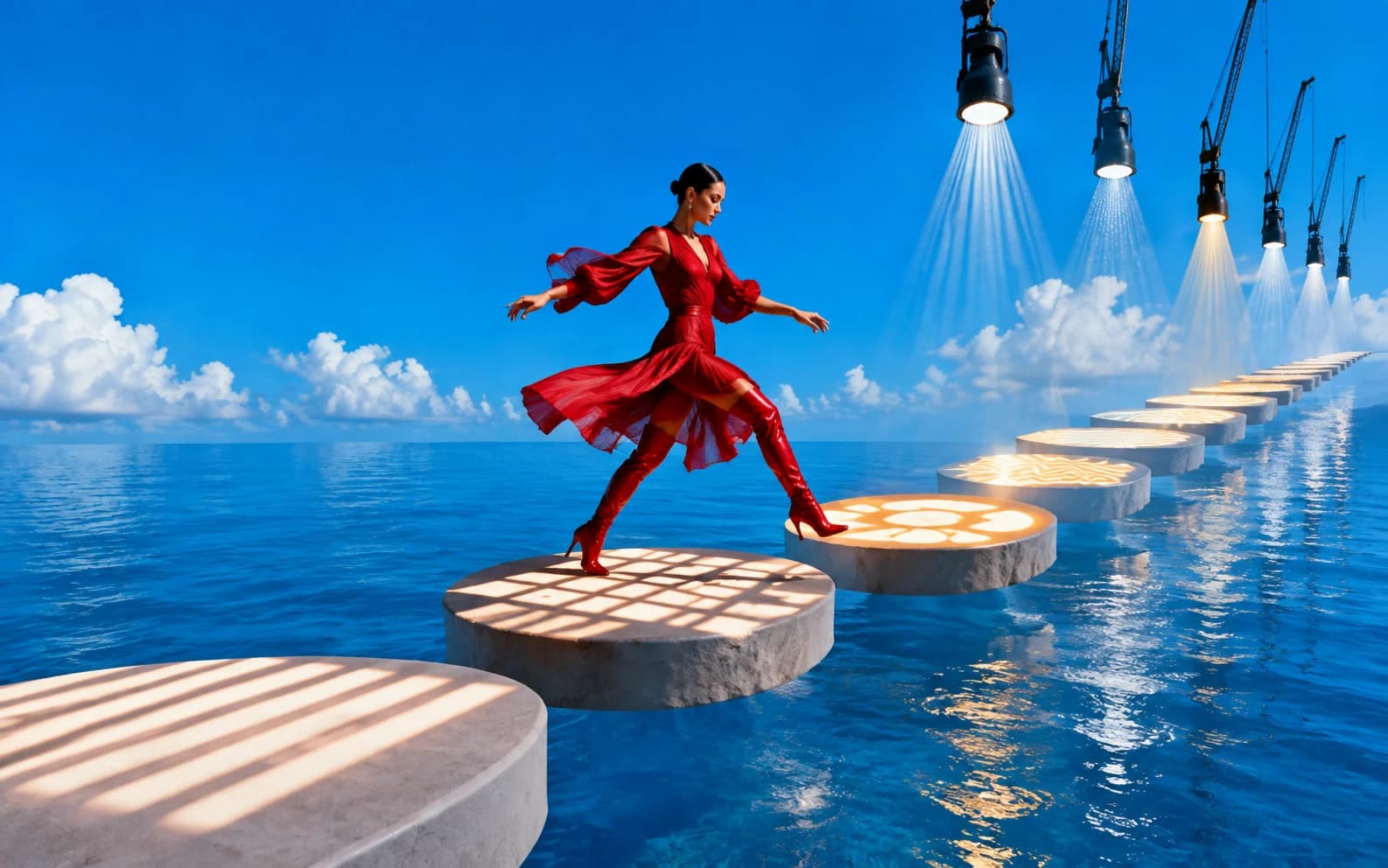
The best Seedance 2.0 prompts read like shot direction, not image captions. Start with subject and action, add one camera move, describe the environment, then add sound or cut timing. Use Seedance 2.0 on Morphed for final renders and Seedance 2.0 Fast for quick drafts.
Seedance 2.0 is strongest when you give it a scene to direct. A weak prompt says "cinematic product video, beautiful lighting." A stronger prompt says "A matte black speaker sits on wet concrete as rain beads on the grille, slow push-in, low thunder and water hiss."
That tiny difference changes everything. The first prompt is a mood. The second prompt is a job. Seedance can stage it, light it, move the camera, and place audio against it.
Use this page as a prompt library, but do not copy blindly. Pick the category closest to your clip, then adjust the subject, camera move, aspect ratio, and duration. The point is not to memorize one magic sentence. It is to learn the shape of prompts that survive generation. For the full structure behind these examples, read the Seedance 2.0 prompt guide. If you are starting from a still image, use the Seedance image-to-video workflow.
Update, August 2026: Seedance 2.5 is now live on Morphed with 30-second single takes, audio generated in the same pass, and reference briefs of up to 50 assets. Every prompt structure on this page still works on 2.5, and the new capabilities have their own dedicated guide: Seedance 2.5 prompts.
Before You Start
Think of Seedance as a small production crew. It needs the same things a real crew would need: what is in frame, what changes, where the camera is, how long the beat lasts, and what the viewer hears. If you only describe the final image, Seedance has to invent the motion by itself. That is when clips become floaty, over-edited, or weirdly static.
For every prompt below, you can safely swap the subject while keeping the structure. A shoe can become a perfume bottle. A cafe can become a studio. A cyclist can become a runner. The important part is the motion logic.
| If You Want | Start With | Avoid |
|---|---|---|
| A clean product clip | one object, one camera move, one surface | three locations and five actions |
| A cinematic scene | shot labels and an emotional turn | a paragraph of style words |
| A vertical social clip | VERTICAL 9:16 and centered action | wide compositions with tiny subjects |
| A reference workflow | one job per reference | asking every file to control everything |
What Prompt Structure Works Best?
The most reliable Seedance 2.0 prompt structure is subject, action, camera, environment, sound, and cut timing. For a 4-6 second clip, keep it to one shot. For 8-15 seconds, use labeled shots so the model knows where each cut belongs.
| Prompt Part | What To Write | Example |
|---|---|---|
| Subject | Who or what is in frame | a silver running shoe |
| Action | One clear movement | lands in a shallow puddle |
| Camera | One camera behavior | low-angle slow-motion tracking shot |
| Environment | Physical scene details | wet asphalt, blue-hour street light |
| Sound | Useful audio cue | water splash and rubber squeak |
| Cuts | Shot labels for sequences | Shot 1, Shot 2, Shot 3 |
Cinematic Seedance Prompts
These work best at 8-15 seconds on the standard model when you want stronger resolution and more room for cuts. Cinematic prompts need an arc. Even a short clip should feel like it moves from setup to reveal, pressure to release, stillness to motion.
Rain Courier
What it does: a moody night-delivery shot with a simple three-beat structure. The rain, neon, and wheel splash give Seedance physical material to animate instead of just a vague "cyberpunk" look.
Shot 1: A lone courier rides a bicycle through a rain-soaked alley at night, neon signs reflecting in the puddles, handheld camera following from behind.
Shot 2: Low side-tracking shot as the wheel cuts through water, spray hitting the lens.
Shot 3: The courier stops under a red lantern and looks up, traffic hum and rain filling the street.
Best settings: 16:9, 8-10 seconds, 720p for drafts, 1080p for final.
Why it works: each shot has one visual task. The first establishes motion, the second gives tactile detail, and the third lands on a quiet pause. Seedance tends to do better with this rhythm than with three unrelated action beats.
Desert Runner Reveal
A desert runner crests a dune at sunrise, wind pulling sand across the frame, wide anamorphic composition, slow drone pullback, low ambient wind.
Best settings: 21:9 or 16:9, 6-8 seconds.
Why it works: the subject is small but readable, the camera move is slow, and the environment has one clear motion source: wind. This is a good prompt when you want atmosphere without making the model juggle characters.
Chef Plating Sequence
Shot 1: A chef places a single white plate under a warm pass light.
Shot 2: Close-up as sauce falls in a clean spiral, the camera pushes in slowly.
Shot 3: Steam rises from the dish as the kitchen noise fades into a soft room tone.
Best settings: 16:9, 8-10 seconds.
Why it works: food prompts succeed when they are about texture and timing. The spiral sauce, steam, and pass light are concrete enough to produce a premium restaurant feel without asking for too much.
Parking Garage Turn
A vintage car turns into an empty parking garage, headlights sweeping across concrete pillars, low front-mounted camera, tire echo and engine rumble.
Best settings: 16:9, 6-8 seconds.
Why it works: headlights are doing half the visual work. Seedance can use the moving light to make a simple turn feel cinematic.
Storm Skybridge
A woman in a structured red coat crosses a glass skybridge during a storm, lightning flashes outside, locked-off symmetrical frame, distant thunder.
Best settings: 16:9 or 9:16, 6-8 seconds.
Why it works: the locked frame prevents the prompt from becoming visually busy. The storm adds motion without forcing complex body choreography.
Product Video Prompts
Product prompts should preserve shape, material, and brand readability. Keep the motion simple unless the product is already familiar.
The trick with product clips is to resist the temptation to make the product do too much. A bottle does not need to fly through three rooms. It needs light, surface, texture, and a camera move that makes the object desirable.
Ceramic Mug
A matte ceramic coffee mug rotates slowly on a walnut table, morning light sliding across the curved surface, steam rising, soft spoon clink.
Best settings: 1:1 or 16:9, 6-8 seconds.
Why it works: the prompt gives the mug three gentle motions: rotation, light movement, and steam. That creates a premium loop without changing the product.
Headphone Case Reveal
Shot 1: A black wireless headphone case opens on a brushed metal table.
Shot 2: The earbuds lift slightly as blue LED reflections move across the surface.
Shot 3: Tight macro shot of the texture, clean studio silence with a soft electronic tone.
Best settings: 16:9, 8-10 seconds.
Why it works: unboxing and reveal formats are reliable because the action is easy to understand. The LED reflection gives the second shot a reason to exist.
Skincare Bottle
A skincare bottle stands on wet stone beside eucalyptus leaves, slow vertical dolly from label to cap, water droplets rolling down the glass.
Best settings: 9:16 for ads, 1:1 for feed posts.
Why it works: the vertical dolly is perfect for bottles because it turns label reading into the motion of the clip.
Running Shoe Splash
A running shoe hits a rain puddle in slow motion, low camera beside the sole, water splash frozen for a beat, city lights behind it.
Best settings: 16:9 or 9:16, 4-6 seconds.
Why it works: the splash hides small motion errors and makes the clip feel expensive. This is one of the easiest product formats to adapt.
Watch Macro
A stainless steel watch lies on black slate, the second hand starts moving, camera orbit at table height, subtle mechanical tick.
Best settings: 1:1, 6-8 seconds.
Why it works: the second hand gives the model a precise motion cue. The orbit and tick make the product feel alive without asking it to transform.
UGC And Ad Prompts
Use Seedance for short performance ads when you need a natural action beat, not a perfect talking-head script.
UGC prompts should feel handheld and slightly imperfect. Do not over-polish them. The point is to create a believable creator moment that can sit inside an ad account or TikTok feed without feeling like a glossy brand film.
Desk Lamp Before/After
Shot 1: A creator holds a small desk lamp in a messy home office, looking tired.
Shot 2: She switches it on and the room becomes warmer and cleaner.
Shot 3: Close-up of her smiling as the desk surface brightens, soft click and room tone.
Best settings: 9:16, 8-10 seconds.
Why it works: this uses the classic ad structure: problem, product action, payoff. The switch click gives Seedance a clean timing anchor.
Fitness Bag Moment
A fitness creator drops a gym bag on a bench, pulls out a shaker bottle, quick handheld camera, bright locker-room lighting, zipper and bottle snap sounds.
Best settings: 9:16, 4-6 seconds.
Why it works: it feels like a real phone-shot clip. The motion is simple and the sound cues are all tied to visible actions.
Cafe Study Reset
Shot 1: A student opens a laptop at a crowded cafe, overwhelmed by notes.
Shot 2: The screen glow reflects on their face as the workspace becomes organized.
Shot 3: They lean back and smile, cafe noise soft behind them.
Best settings: 9:16 or 1:1, 8-10 seconds.
Why it works: the transformation is emotional rather than literal. The viewer can understand the "before and after" without text on screen.
Home Cook Steam Shot
A home cook lifts a lid from a pan, steam rolls toward camera, handheld phone-style framing, natural kitchen light, sizzling sound.
Best settings: 9:16, 4-6 seconds.
Why it works: steam and sizzling make the clip sensory. This is the kind of prompt that feels better with native audio enabled.
Small Business Packing Clip
A small business owner seals a cardboard package with branded tape, close handheld shot, tape pull and box tap sound, warm warehouse light.
Best settings: 9:16, 4-6 seconds.
Why it works: it is specific enough to feel real but generic enough to adapt for almost any ecommerce brand.
TikTok, Reels, And Shorts Prompts
For vertical clips, tell the model the frame is vertical and keep the subject centered. Morphed's TikTok video guide covers more platform-specific workflows.
Short-form prompts need to respect the phone screen. A beautiful wide shot can collapse into a tiny, unreadable subject in 9:16. Keep the action close to camera, use one visual hook in the first second, and give the ending a loopable pose or impact.
Outfit Beat Change
VERTICAL 9:16. A creator steps from a dim hallway into bright sunlight, outfit changes on the beat, camera tracks backward, quick confident energy.
Best settings: 9:16, 6-8 seconds.
Why it works: the transition is tied to the beat and the lighting change. Seedance has a clear before/after moment to hit.
Notification Snap Zoom
VERTICAL 9:16. A phone on a desk lights up with a notification, the camera snap-zooms in, background room blurs, soft buzz sound.
Best settings: 9:16, 4 seconds.
Why it works: simple object motion plus camera motion. This is useful for app launches, newsletter hooks, and SaaS product teasers.
Drink Splash Macro
VERTICAL 9:16. A drink can drops into ice water, splash rises toward camera, fast macro shot, crisp fizz and ice crackle.
Best settings: 9:16, 4-6 seconds.
Why it works: the splash creates instant motion in frame. It is strong for thumbnails because the subject fills the vertical crop.
Fashion Turn
VERTICAL 9:16. A fashion model turns in front of a plain wall, fabric catches the light, smooth orbit camera, clean studio rhythm.
Best settings: 9:16, 6-8 seconds.
Why it works: a plain background protects the outfit. The fabric movement makes the clip feel like video instead of a moving photo.
Train Window Travel Shot
VERTICAL 9:16. A travel creator opens a train window as mountains pass outside, handheld follow shot, wind and rail sound.
Best settings: 9:16, 6-8 seconds.
Why it works: the moving background gives energy even if the person is mostly still. It is a strong travel-reel format.
Image-To-Video Prompts
For image-to-video, the image carries identity. The prompt should describe how it moves.
This is where many prompts go wrong. People upload a perfect source image, then ask Seedance to redesign the whole thing. Do the opposite. Let the image own the look. Let the prompt own time.
Product Orbit From A Still
Use the uploaded image as the exact product identity. The camera slowly orbits clockwise around the product, soft studio light moving across the surface, no shape change.
Best settings: 1:1 or 16:9, 6-8 seconds.
Why it works: "no shape change" is not magic, but it tells the model that product fidelity matters more than visual invention.
Portrait With Subtle Life
Use the uploaded portrait as the exact character reference. The subject turns slightly toward the window, hair moves in a light breeze, subtle blink, soft room tone.
Best settings: 9:16 or 1:1, 4-6 seconds.
Why it works: subtle portrait animation survives better than exaggerated expression changes. The face stays readable.
Food Steam Push-In
Animate the uploaded food photo with steam rising naturally, a slow push-in toward the center of the plate, warm restaurant ambience.
Best settings: 1:1, 4-6 seconds.
Why it works: steam is forgiving. It gives motion without forcing the food itself to deform.
Car Headlight Reveal
Use the uploaded car image as the exact vehicle. The headlights turn on, camera lowers toward the front grille, rain beads on the hood.
Best settings: 16:9, 6-8 seconds.
Why it works: the clip has three physical events: lights, camera drop, rain texture. The vehicle design can stay stable.
Interior Sunlight Move
Use the uploaded interior design image. Sunlight shifts across the floor, curtains move gently, camera glides forward through the room.
Best settings: 16:9, 6-8 seconds.
Why it works: interior clips look better when the room itself stays calm and only light/fabric/camera move.
Reference-To-Video Prompts
Reference prompts work when each file has one job. Seedance 2.0 reference-to-video can use images, video clips, and audio clips, but overlapping instructions reduce control.
The cleanest reference prompts read like a small production note. One file is cast. One file is choreography. One file is soundtrack. If you try to make every reference control identity, lighting, camera, motion, and sound at once, the model has no hierarchy.
Product Beat Sync
@Image1 defines the product shape and material. @Video1 defines the slow orbit camera movement. @Audio1 defines the beat timing.

Shot 1: The product from @Image1 sits on black glass as the camera begins the orbit from @Video1.
Shot 2: Light sweeps across the surface on the first beat from @Audio1.
Shot 3: Final macro close-up lands exactly on the last beat.
Best settings: 16:9, 8-10 seconds, audio enabled.
Why it works: the prompt assigns a hierarchy. Image controls product, video controls movement, audio controls timing.
Character And Palette Mix
@Image1 is the character identity and outfit. @Image2 is the color palette. Keep the face and clothing consistent.

Shot 1: The character from @Image1 walks through a narrow city street using the warm colors from @Image2.
Shot 2: The camera tracks beside them at shoulder height.
Shot 3: They stop at a storefront and look toward the reflection.
Best settings: 9:16 or 16:9, 8-10 seconds.
Why it works: the second image is not competing for identity. It only controls palette, which makes the instruction easier to follow.
Dance Rhythm Transfer
@Video1 defines the handheld camera rhythm. @Audio1 defines the percussion timing.

A dancer moves through a plain rehearsal room, following the camera energy of @Video1. Each turn lands on the percussion accents from @Audio1.
Best settings: 9:16, 6-8 seconds.
Why it works: a plain room removes background complexity, so the motion and rhythm can carry the clip.
Fast Fixes For Bad Outputs
If the output looks like a moving still, add a stronger verb: steps, turns, pours, opens, lands, pulls, drifts. If the camera feels random, remove extra style words and name one camera move. If the subject changes identity, switch to image-to-video or reference-to-video and tell the prompt which reference owns identity.
| Problem | Fix |
|---|---|
| Scene feels static | Add one physical action and one camera move |
| Too many messy cuts | Use fewer shots or longer duration |
| Product shape changes | Use image-to-video and say "no shape change" |
| Audio feels unrelated | Add a short concrete sound cue |
| Character drifts | Use reference images and identity instructions |