

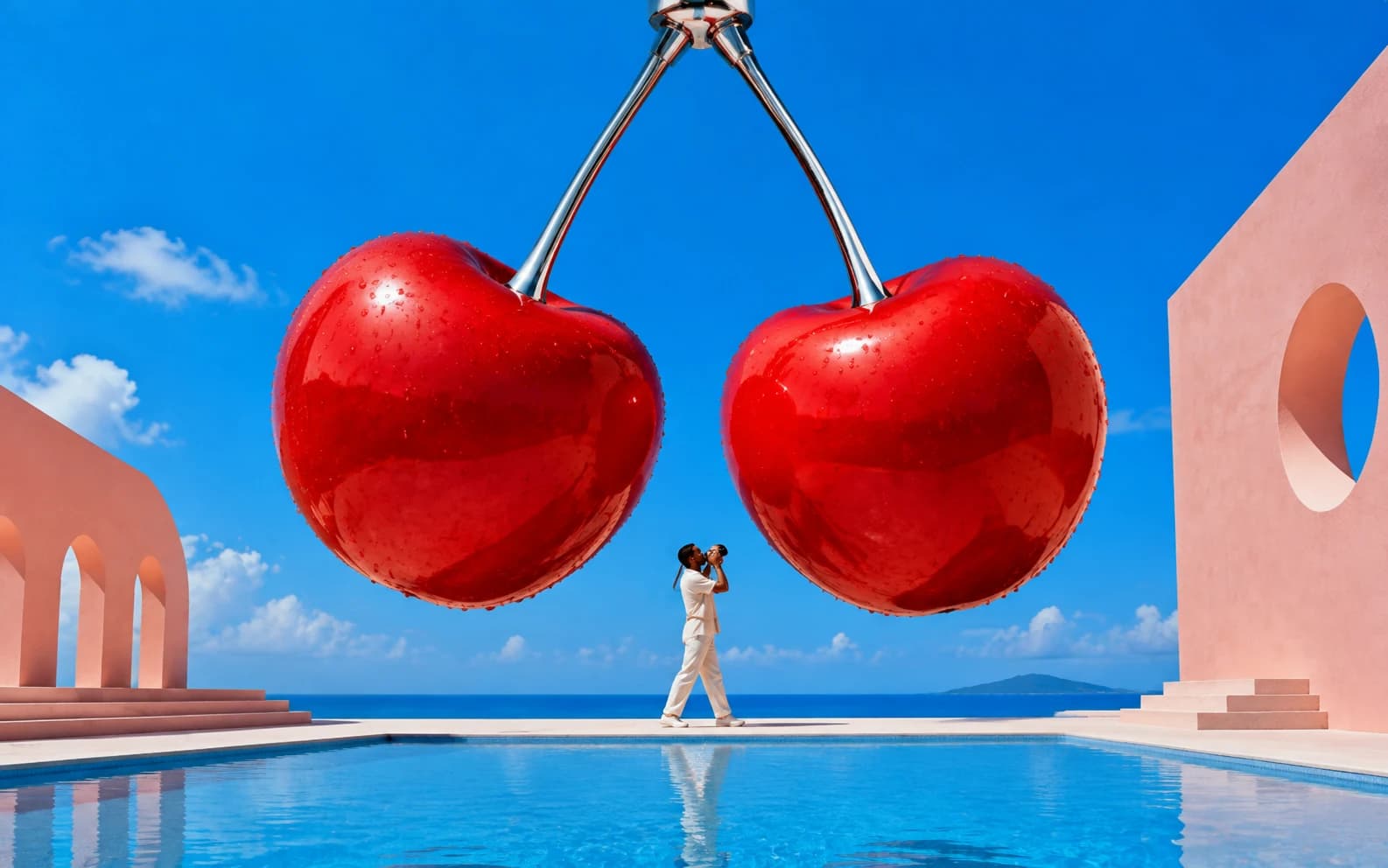
Nano Banana 2 (Gemini 3.1 Flash Image) generates images at 2-3x the speed of the original Nano Banana while adding native 4K output, 14 aspect ratios, near-perfect text rendering, and Image Search Grounding. It ranks #1 on the AI Arena text-to-image leaderboard and costs roughly half what Nano Banana Pro charges per image. This guide covers what changed, when NB2 is the right choice, and 30+ prompts optimized for its specific strengths.
Key facts at a glance:
| Spec | Nano Banana 2 |
|---|---|
| Architecture | Gemini 3.1 Flash Image |
| Speed | 4-8 seconds (standard), 10-56 seconds (4K) |
| Cost (API) | $0.045/image (512px) to $0.151/image (4K) |
| Text accuracy | ~95% for 1-4 words |
| Aspect ratios | 14 native (1:1 through 21:9) |
| Max resolution | 3840px (4K) |
| Subject consistency | Up to 5 characters, 14 objects |
| Image Search Grounding | Yes (NB2 exclusive) |
For prompts that work across both model versions, see the complete Nano Banana prompts guide. Both Nano Banana and Nano Banana 2 are available on Morphed.
What Changed in Nano Banana 2 (and Why It Matters for Prompts)
Nano Banana 2 is not a minor patch. It is a new architecture built on Gemini 3.1 Flash Image, combining the reasoning depth previously exclusive to Nano Banana Pro with the speed of Google's Flash inference pipeline. Google released NB2 on February 26, 2026, and it immediately became the default image model inside the Gemini app.
Five changes directly affect how you write prompts and which shots are now viable.
Text Rendering That Actually Works
The original Nano Banana rendered text at roughly 40% accuracy. Signs came out garbled, product labels were illegible, and any scene with readable text required multiple retries. Nano Banana 2 achieves approximately 95% character-level accuracy for short text (1-4 words) on the first generation.
The reason: Nano Banana 2 uses the same language model for text understanding and image generation. It reasons about individual characters, plans their spatial arrangement, and validates correctness before rendering. This is fundamentally different from models that treat text as visual pattern-matching.
What this unlocks: Product packaging with legible branding, storefronts with readable signs, book covers, infographics with data labels, and social media templates with overlay text. These prompt categories were unreliable before NB2.
Image Search Grounding (NB2 Exclusive)
This is the feature no other Flash-tier model offers. When generating specific subjects (landmarks, products, public figures, branded assets), Nano Banana 2 retrieves real-time text and image search results from Google before producing its output. The model does not rely solely on training data.
What this unlocks: Prompts referencing real products, specific locations, or trending visual styles produce more accurate results because the model cross-references current visual information during generation. For product mockups and location-specific scenes, this eliminates the "close but wrong" problem that plagues other models.
Native 4K and 14 Aspect Ratios
The original Nano Banana generated at a single resolution tier. Nano Banana 2 supports four resolution levels (0.5K at 512px, 1K at 1024px, 2K at 2048px, 4K at 3840px) and 14 native aspect ratios including 16:9, 9:16, 21:9, and ultrawide formats.
What this unlocks: Print-ready output, large-format displays, social media posts sized correctly on the first generation (no cropping), and zoomable product images for ecommerce. Combine 4K output with Morphed's built-in upscaler for even higher resolution.
Improved Consistency (Faces, Hands, Multi-Character Scenes)
Nano Banana 2 maintains character resemblance for up to five characters and preserves fidelity for up to 14 objects in a single generation. Faces are more stable across generations with fewer uncanny expressions. Hands render complex poses (fingers splayed, holding objects, gestures) more accurately.
What this unlocks: Multi-person scenes, storyboard sequences with consistent characters, product shots involving hands, and narrative compositions that previously required heavy retrying.
2-3x Faster Generation
NB2 generates standard images in 4-8 seconds and 4K images in 10-56 seconds. For batch workflows, prompt iteration, and time-sensitive content creation, this speed improvement compounds. The quality gains do not come at the cost of slower generation.
Our 12-Point Prompt Test: NB2 vs Original Nano Banana
We ran the same 12 prompts through both Nano Banana and Nano Banana 2 on Morphed, scoring each output on text accuracy, hand anatomy, fine detail, and overall usability. Every prompt was generated three times per model to account for variance.
| Test Category | Nano Banana (avg) | Nano Banana 2 (avg) | Improvement |
|---|---|---|---|
| Short text accuracy (1-4 words) | 2/5 correct renders per 3 tries | 3/3 correct renders per 3 tries | ~95% vs ~40% first-try accuracy |
| Complex hand pose (musician, chef) | 1 usable out of 3 | 2-3 usable out of 3 | 2-3x fewer retries needed |
| Fine fabric/hair detail | Adequate, some smoothing | Visibly sharper strands and weave | Noticeable at 2K+, dramatic at 4K |
| Multi-person scene (4 people) | 1-2 faces distorted per scene | 0-1 faces distorted per scene | Consistent up to 5 characters |
| Generation speed | 10-15 seconds | 4-8 seconds | 2-3x faster |
| Product with readable label | Rarely legible | Legible on first try | Largest single improvement |
Methodology note: Tests were run via the Morphed platform using identical prompt text, default settings, and 1K resolution. Results may vary by prompt complexity and resolution tier.
30+ Prompts Optimized for Nano Banana 2
These prompts target NB2's specific strengths. Each category highlights what makes the prompt viable on NB2 but unreliable on the original.
Text in Images: Signs, Labels, and Typography
NB2's text rendering makes these prompt categories practical for the first time. The key technique: spell out text explicitly in quotes, specify the font style, and describe the surface it appears on.
Prompt: "Vintage neon sign reading 'OPEN 24 HOURS' above a diner entrance at night, rain-soaked pavement reflecting the glow, cinematic color grading, urban street photography"
Prompt: "Product shot of a craft beer bottle with label showing 'IPA' and hop illustration, wooden bar counter background, soft natural light from window, commercial product photography"
Prompt: "Book cover flat lay with title 'The Art of Slow Living' visible on spine, cream linen background, dried eucalyptus and coffee cup beside it, soft overhead lighting, lifestyle photography"
Prompt: "Street scene with cafe awning reading 'CAFE SOLEIL' in script font, outdoor seating with empty chairs, morning light, Parisian sidewalk aesthetic, documentary photography"
Prompt: "Artisan bakery storefront with hand-painted sign reading 'BREAD & CO' above the door, morning sunlight, display window with fresh loaves, nostalgic small-town atmosphere, Kodak Portra 400 film grain"
Prompt: "Conference name badge reading 'SARAH CHEN' in bold sans-serif on white card, lanyard visible, blurred event background with stage lighting, event photography"
Text rendering tips: Keep text to 1-4 words for near-perfect accuracy. Place the text in quotes within your prompt. Specify the font style ("script font," "bold sans-serif," "hand-painted") and the surface it appears on (sign, label, screen, badge). If text comes out wrong, regenerate. NB2 typically gets short text right on the first try.
Complex Hand Poses and Close-Ups
NB2 handles hands more reliably than any previous Nano Banana version. Use these prompts for compositions where hand position and anatomy are central to the image.
Prompt: "Portrait of a pianist's hands on piano keys, fingers in playing position, soft studio lighting, shallow depth of field with keys in focus, classical music photography"
Prompt: "Chef's hands holding a knife and vegetable, mid-prep, professional kitchen background, warm tungsten lighting, documentary food photography, sharp focus on hands"
Prompt: "Woman's hand wearing multiple delicate gold rings, resting on marble surface, soft diffused light, jewelry product photography, fine detail on metal and stones"
Prompt: "Artist's hands holding paintbrush and palette, paint-splattered apron, studio with canvases in background, dramatic side lighting, creative portrait style"
Prompt: "Barista's hands pouring latte art, milk stream visible, close-up on cup and hands, warm cafe lighting, shallow depth of field, coffee culture photography"
Prompt: "Close-up of a calligrapher's hand holding a nib pen, ink flowing onto cream paper, side lighting casting long shadows, sharp focus on pen tip, craft photography"
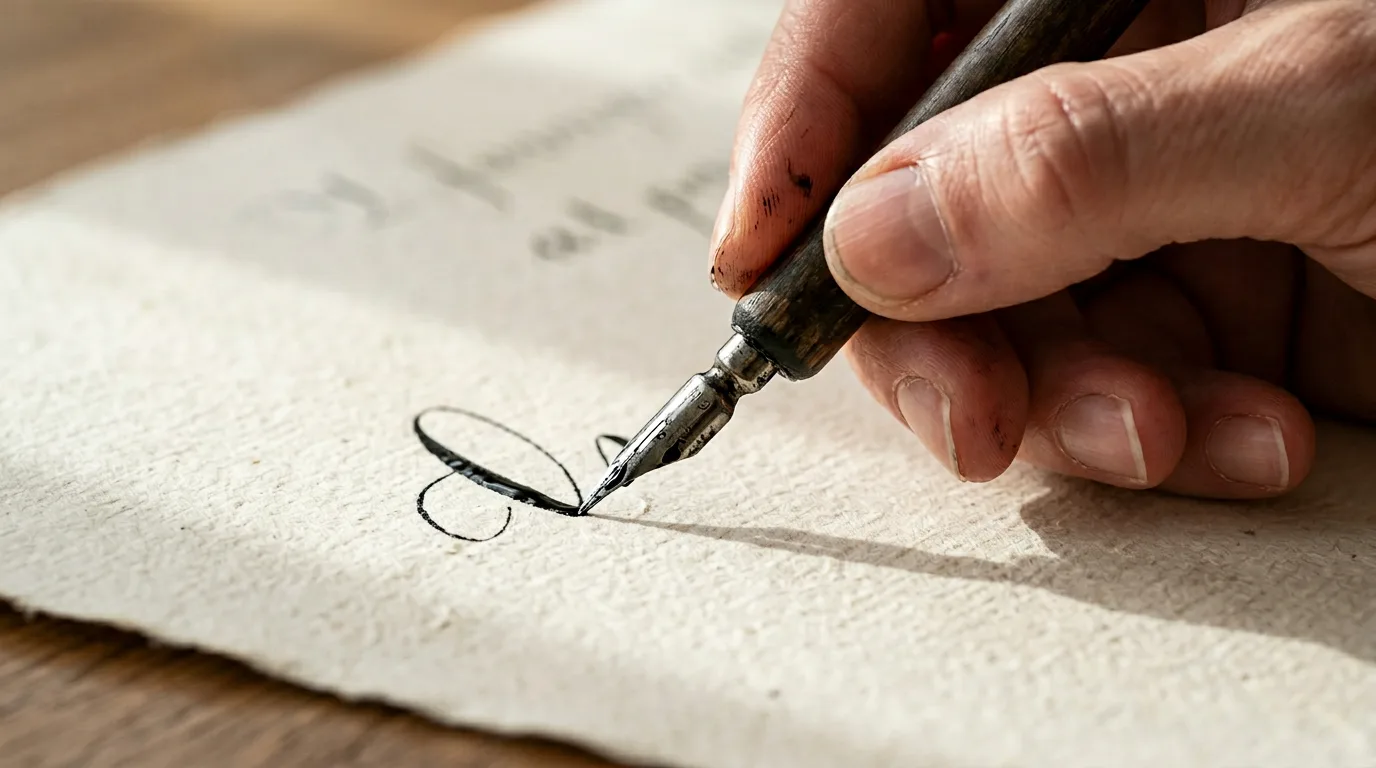
Hand prompt technique: Avoid prompting for more than two hands in a scene unless you are depicting multiple people. Focus one subject's hands in the composition and be specific about position ("fingers splayed," "holding with both hands," "thumb and index finger pinching"). NB2 is more reliable than the original, but specificity still improves results.
Fine Detail Portraits at 2K and 4K
NB2's enhanced fine detail is most visible in portraits where hair, skin texture, and accessories need to hold up at high resolution. Generate at 2K or 4K to maximize this advantage.
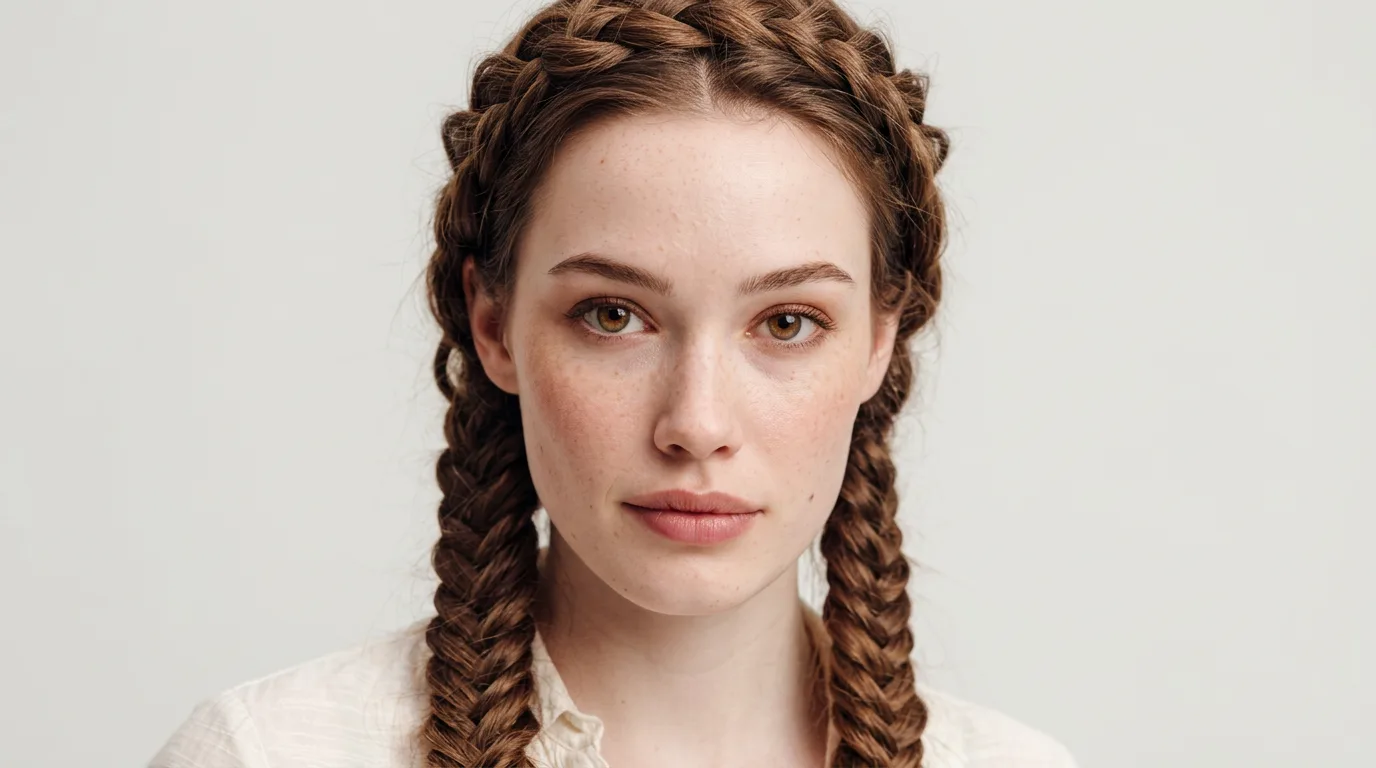
Prompt: "Close-up portrait of a woman with intricate braided hair, each strand visible, soft Rembrandt lighting, neutral backdrop, beauty photography, Hasselblad medium format"
Prompt: "Portrait of an elderly man with deep wrinkles and kind eyes, golden hour side lighting, documentary photography style, natural skin texture with visible pores, Kodak Portra 400 film grain"
Prompt: "Editorial portrait of a model in a lace dress, fine lace detail in sharp focus, soft backlight creating halo effect, dark moody background, high fashion photography"
Prompt: "Portrait of a woman with freckles, close-up beauty shot, individual freckles visible across cheekbones and nose bridge, soft ring light, clean white background, skin care editorial style"
Prompt: "Elderly woman's weathered hands clasped together, silver wedding band, every wrinkle and knuckle visible, warm side window light, documentary portrait, shot on Fujifilm GFX 100"
What makes these work on NB2: The key phrase patterns are "each strand visible," "individual freckles visible," "every wrinkle and knuckle visible," and "fine detail in sharp focus." These explicit instructions push Nano Banana 2 to leverage its improved detail rendering rather than smoothing over subtle textures. At 4K resolution, the difference compared to the original Nano Banana is dramatic.
For more portrait-specific prompts, see the Nano Banana prompts for professional headshots guide.
Product Photography with Text and Branding
Product shots that include labels, packaging, or branding benefit from both NB2's text rendering and its Image Search Grounding feature. For real products, the grounding feature retrieves current visual references to improve accuracy.
Prompt: "Luxury perfume bottle with gold label showing brand name, on white marble countertop, soft diffused studio lighting from above, commercial product photography, sharp focus on label"
Prompt: "Smartphone showing app interface with readable text on screen, matte black surface, rim lighting, tech product photography, reflection visible below"
Prompt: "Coffee bag with artisan branding and roast level text, flat lay on rustic wooden surface, warm morning light, food and product photography"
Prompt: "Wine bottle with elegant label reading 'CHATEAU NOIR 2024,' soft studio lighting, dark slate surface with grape leaves, editorial product photography, focus on label typography"
Prompt: "Skincare bottle with minimalist label reading 'HYDRA' in sans-serif type, white background, soft shadow beneath product, clean commercial studio shot, 4K resolution"
For more product-focused prompts, explore the Nano Banana prompts for product photography guide.
Architectural and Interior Detail
Buildings, interiors, and structural elements benefit from NB2's sharper fine detail and 4K output. Generate at 2K minimum for architectural work.
Prompt: "Close-up of ornate Victorian door knocker and carved wood detail, soft directional light, architectural photography, fine detail on metal and wood grain"
Prompt: "Modern glass skyscraper facade with reflection of sky, sharp geometric lines, blue hour lighting, urban architectural photography, fine detail on glass panels"
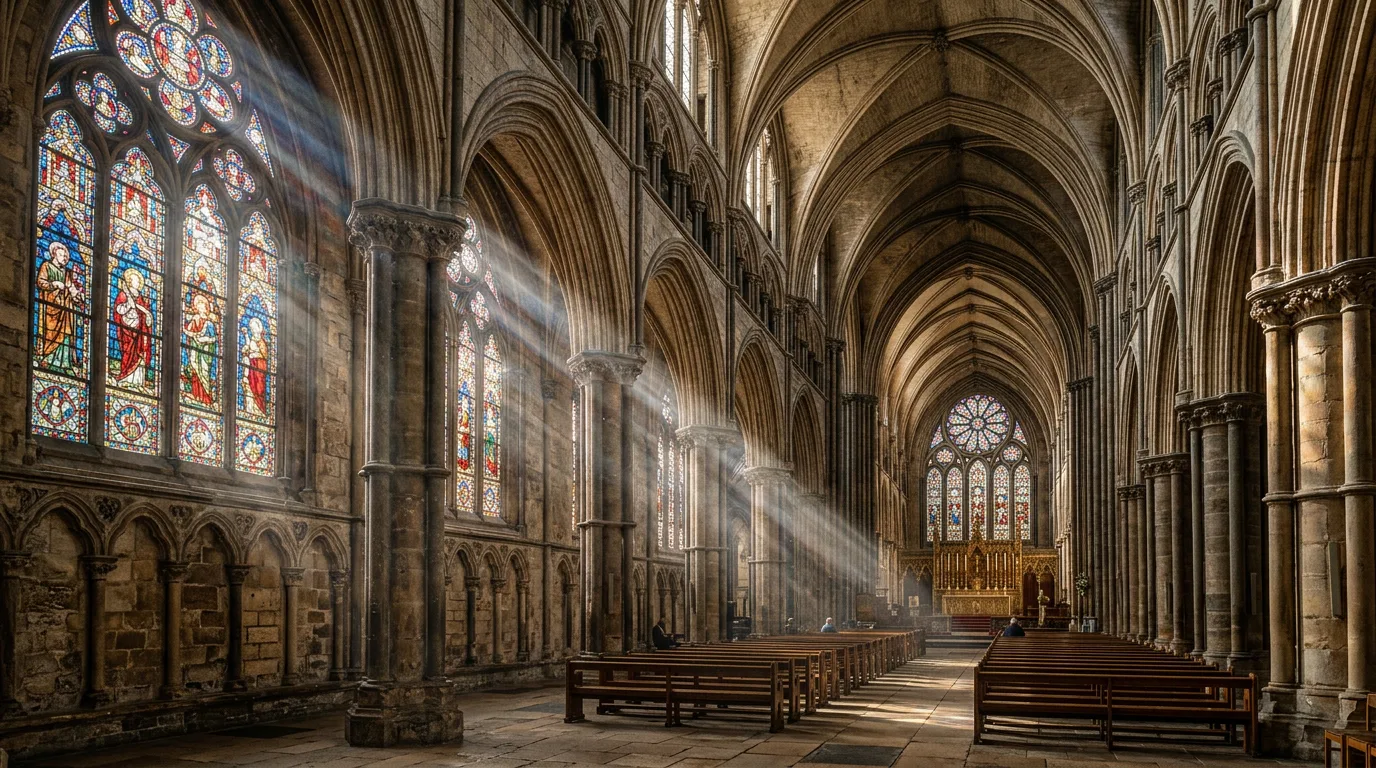
Prompt: "Interior of a cathedral with intricate stained glass window, light streaming through, dust particles visible, architectural photography, fine detail on stone and glass"
Prompt: "Japanese temple entrance, weathered wooden torii gate, intricate wood grain and moss texture, morning mist, 35mm film photography, fine detail on aged surfaces"
Prompt: "Mid-century modern living room, Eames lounge chair, floor-to-ceiling windows overlooking forest, afternoon light casting long shadows on hardwood floor, interior design editorial, wide 16:9 format"
See the Nano Banana prompts for interior design guide for more interior and architecture prompts.
Multi-Person Scenes (Up to 5 Characters)
NB2 can consistently render up to five characters in a single scene with distinct faces and natural body language. The original Nano Banana struggled with more than two.
Prompt: "Group of three friends laughing together at an outdoor cafe table, natural expressions, dappled sunlight through tree leaves, candid street photography style, each face in sharp focus"
Prompt: "Couple embracing, hands visible and natural, golden hour backlight, lavender field background, romantic lifestyle photography, both faces well-rendered"
Prompt: "Business meeting with four people around a conference table, natural body language and hand gestures, modern office with floor-to-ceiling windows, corporate photography"
Prompt: "Family of four at a dinner table, parents and two children, warm overhead pendant lighting, natural conversation moment, home lifestyle photography, all faces visible and natural"
Prompt: "Five-person wedding party standing in a row, each person distinct, outdoor garden setting, soft overcast light, candid moment with natural smiles and varied poses, editorial wedding photography"
Multi-person technique: Describe each person briefly ("woman in red dress, man in navy suit, child in white shirt") so the model assigns distinct identities. Use "each face in sharp focus" and "natural body language" as anchoring phrases. NB2 maintains character resemblance for up to five characters and object fidelity for up to 14 objects in a single scene.
When Nano Banana 2 Is the Wrong Choice
NB2 is not universally better for every use case. Choose the original Nano Banana or a different model in these situations:
- Heavily artistic or stylized imagery. If you want a "Midjourney look" with painterly interpretation, NB2's literal prompt-following will work against you. Midjourney v7 or Flux Pro are better choices for artistic stylization.
- Simple prompts that already work. If your prompts are straightforward (single subject, no text, basic poses) and produce good results on the original Nano Banana, switching to NB2 adds speed but may not change output quality enough to justify rebuilding workflows.
- Maximum reasoning depth for complex multi-element compositions. Nano Banana Pro still outperforms NB2 for the most complex compositional challenges. NB2 achieves roughly 95% of Pro's quality in most scenarios, but for the final 5%, Pro earns its premium.
- Fine typography for print packaging. While NB2's text is dramatically improved, Ideogram 3.0 still leads the industry for complex typography with 5+ words, multiple fonts, or precise spatial text layout.
Nano Banana 2 vs Other Models: Honest Comparison
| Model | Best For | Text Rendering | Speed | Cost/Image | Tradeoff |
|---|---|---|---|---|---|
| Nano Banana 2 | Photorealistic with text/detail | ~95% (short) | 4-8s | ~$0.07 (1K) | Less artistic stylization |
| Nano Banana Pro | Maximum quality, complex scenes | Strong | 10-20s | ~$0.15 (1K) | 2x slower, 2x cost |
| Midjourney v7 | Artistic, stylized imagery | Moderate | 10-60s | ~$0.10 | Fights literal prompts |
| Flux 2 Pro | Photorealism, local deployment | Good | Variable | ~$0.05 (API) | Requires technical setup |
| DALL-E / GPT Image | Conversational refinement | Good | 5-15s | ~$0.08 | Less photographic realism |
| Ideogram 3.0 | Complex typography, infographics | Best in class | 8-15s | ~$0.08 | Weaker on photorealism |
NB2 vs Midjourney v7: Midjourney produces more artistically stylized images. NB2 follows your instructions more literally, which is better for product shots, headshots, and any brief where accuracy matters more than artistic interpretation. One recurring observation across AI image communities: simple white-background product shots on Midjourney often require many attempts because it keeps adding unwanted stylization. NB2 produces what you describe.
NB2 vs Flux 2 Pro: Flux matches NB2 on photorealism and can run locally, but requires technical setup. NB2 is accessible through Morphed with zero configuration, and its text rendering and Image Search Grounding give it an edge in those specific categories.
NB2 vs DALL-E / GPT Image: DALL-E understands conversational refinement better ("make it warmer," "add more people"), but NB2 produces more photographic realism in the initial generation, especially for portraits and product shots.
The practical workflow: Most experienced creators use 2-3 models for different tasks. On Morphed, you can access Nano Banana 2 alongside Nano Banana Pro, Flux, and other models in one workspace and pick the right model for each shot.
Seven Prompting Rules for Nano Banana 2
These techniques are specific to NB2's architecture and strengths. They transfer from the original Nano Banana but exploit NB2's improvements.
-
Spell out text explicitly in quotes. "Sign reading 'OPEN 24 HOURS'" works; "sign with text" does not. Specify the font style and the surface. NB2's language model reasons about characters individually, so precision helps.
-
Specify hand position when anatomy matters. "Hands resting on table," "fingers splayed," "holding a cup with both hands." NB2 is more reliable than the original, but specificity still reduces retries.
-
Use resolution-appropriate detail cues. At 2K and 4K, add phrases like "each strand of hair visible," "fine detail on stitching," "individual freckles visible." These push NB2 to render detail it is capable of but might otherwise smooth over.
-
Include aspect ratio in your workflow. NB2 supports 14 native aspect ratios. Generate Instagram stories at 9:16, YouTube thumbnails at 16:9, and cinematic frames at 21:9 without cropping. Match the aspect ratio to the final use.
-
Leverage Image Search Grounding for real subjects. When prompting for specific landmarks, products, or public figures, NB2 retrieves current visual references from Google during generation. Be specific with entity names ("Eiffel Tower at golden hour" not "famous tower").
-
Use reference images for character consistency. Upload a previous generation as a reference image when you need consistent style across a series. On Morphed, you can upload up to 14 reference images to guide NB2's output. The model maintains resemblance for up to five characters across generations.
-
Add imperfections for realism. "Visible skin pores," "slight film grain," "stray hairs catching the light," and "minor dust on lens" make NB2 portraits look like real photographs rather than over-polished AI renders. Combine with camera model references ("shot on Fujifilm X-T5," "Hasselblad medium format") for authentic photographic qualities.
Try These Prompts on Morphed
Run these Nano Banana 2 prompts on Morphed and compare outputs against the original Nano Banana for the same scene concept. Start with text-heavy and hand-heavy prompts first since those show the biggest improvement. Then iterate by changing only one variable at a time (lighting, framing, or a single detail).
On Morphed, you can test multiple models in one workspace, compare results side by side, and keep the best outputs without switching tools.
More Nano Banana prompt guides: