

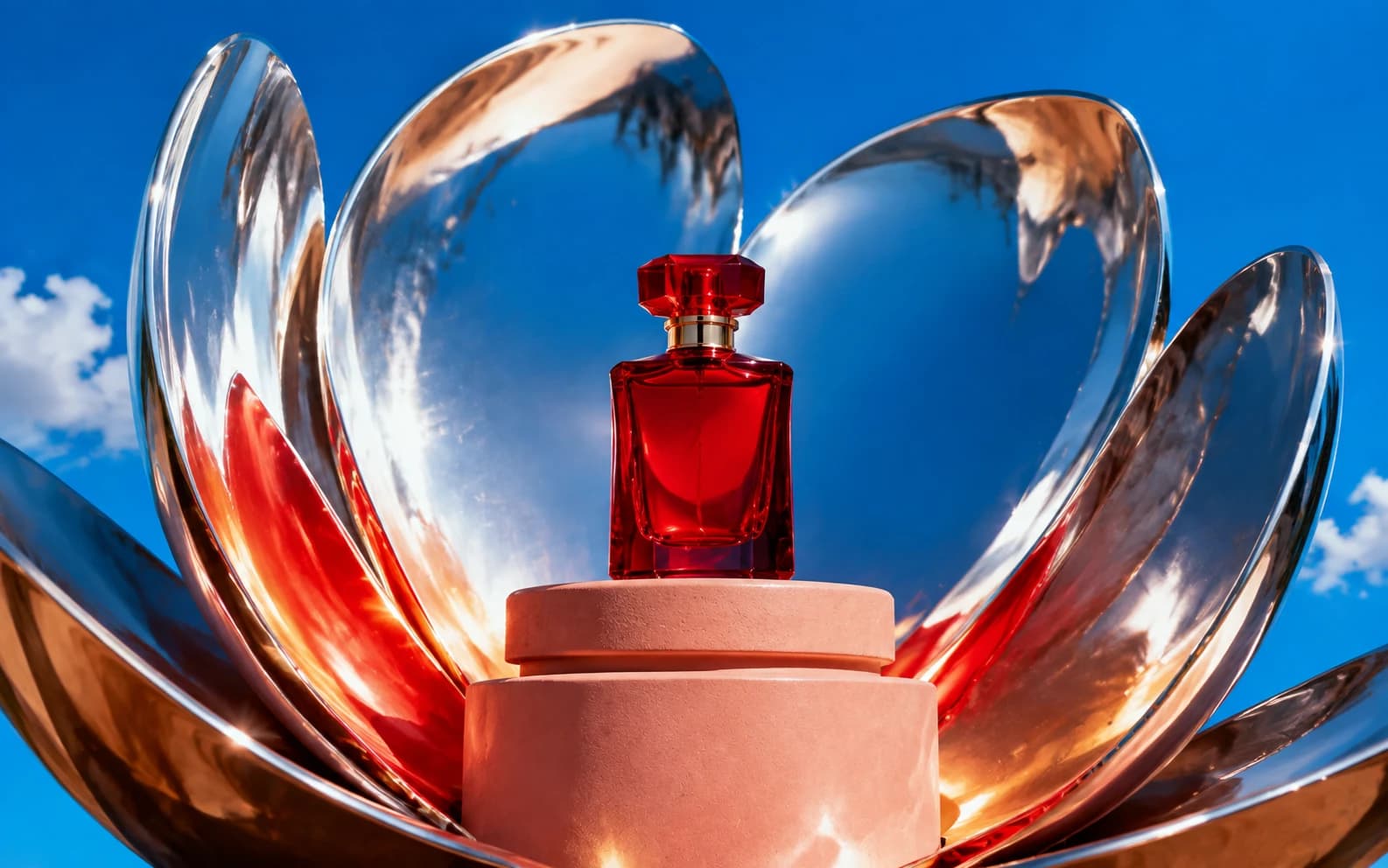
Nano Banana generates studio-quality product photos from text prompts at $0.02-0.10 per image, compared to $500-2,000 per traditional product shoot. These 25+ prompts are written for Morphed's Nano Banana 2 model and cover clean studio shots, lifestyle scenes, flat lays, tech, beauty, and food products with specific lighting setups for each material type.
What this guide covers:
- 25+ copy-paste prompts across six product categories (studio, lifestyle, flat lay, tech, beauty, food)
- Material-specific lighting setups for glass, metal, fabric, leather, food, and white products
- Marketplace specs for Amazon, Shopify, Etsy, and eBay (resolution, background, aspect ratio)
- 6 common mistakes that produce flat, unconvincing product images
- Model comparison notes on Nano Banana vs. Midjourney for product shots
For the full model overview and prompts across all categories, see our complete Nano Banana prompts guide. For food-specific techniques, see Nano Banana prompts for food photography. If you need text on packaging, see our Nano Banana 2 prompts guide.
How Does Nano Banana Handle Product Materials?
Product photos live or die on material accuracy. Metal needs to look metallic, glass needs real reflections, fabric needs visible weave. Nano Banana distinguishes between these materials convincingly because it was trained on a dataset heavy in commercial photography. The same prompt produces a chrome watch that looks polished and a leather bag that looks textured rather than both looking generically shiny.
Nano Banana 2 adds readable text on packaging labels, rendering short text (1-4 words) far more reliably than the original model. For products with branding, ingredients lists, or size labels, NB2 is the better choice. Both models are available on Morphed.
What Makes Nano Banana Better Than Midjourney for Product Shots?
This is not marketing. There is a real technical difference in how each model handles literal instructions.
Midjourney applies artistic interpretation to everything it generates. When you ask for a "white background product shot," Midjourney often adds color grading, dramatic shadows, or environmental context that you did not request. One Reddit user on r/StableDiffusion reported needing 23 attempts for a basic white-background product shot because Midjourney kept adding unwanted stylization.
Nano Banana follows your brief more literally. When you specify "pure white seamless backdrop" and "soft diffused key light from upper left at 45 degrees," it renders exactly that. For product photography where precision and marketplace compliance matter, this literal accuracy is the differentiator.
| Feature | Nano Banana | Midjourney v6 | DALL-E 3 |
|---|---|---|---|
| White background accuracy | High (first try) | Low (adds stylization) | Medium (slight color cast) |
| Material distinction | Chrome vs. matte vs. fabric rendered differently | Tends toward uniform sheen | Decent but inconsistent |
| Prompt literalness | Follows exact lighting specs | Artistic interpretation applied | Moderate adherence |
| Text on packaging (NB2) | Reliable on short text | Frequently garbled | Inconsistent |
| Best for | Marketplace-ready catalog shots | Creative/editorial product art | Social media product visuals |
Nano Banana vs. Midjourney vs. DALL-E 3 in Practice
Generating the same product prompts (tech, beauty, food) through Nano Banana, Midjourney v6, and DALL-E 3 with identical prompt language — pure white backgrounds, 45-degree key lighting, specific material descriptions — shows a consistent pattern.
White background compliance: Nano Banana reliably produces marketplace-ready white backgrounds (RGB 250-255) on the first try. Midjourney frequently adds color casts or environmental context instead of a clean white background. DALL-E 3 falls in between: more consistent than Midjourney, but still less reliable than Nano Banana.
Material accuracy: On reflective products (chrome, glass), Nano Banana renders distinct specular highlights more consistently. Midjourney tends to apply a uniform metallic sheen regardless of material type. On fabric products, Nano Banana shows visible weave texture more often than Midjourney.
Turnaround: Nano Banana on Morphed is built for fast generation, well under the 30-60 seconds Midjourney often takes per image. For a 100-SKU catalog, that speed difference adds up across the full shoot.
Material-Specific Lighting Cheat Sheet
Every product material reflects light differently. Using the wrong lighting for a material type is the fastest way to produce unconvincing AI product shots. Bookmark this table.
| Material | Best Lighting | Why | Prompt Phrase |
|---|---|---|---|
| Glass/transparent | Soft diffused backlight | Makes liquid glow, reveals transparency | "Soft backlight from behind" |
| Metal/chrome | Large soft source, avoid hot spots | Prevents blown-out reflections | "Large softbox from upper left, no harsh highlights" |
| Matte surfaces | Directional side light | Reveals texture and surface detail | "Side light from the left at 45 degrees" |
| Fabric/leather | Raking side light | Creates shadows that show texture | "Directional side light creating texture shadows" |
| Food products | Side or backlight, warm tones | Creates appetite appeal, shows steam/moisture | "Warm side lighting" |
| White products | Soft even light, subtle shadows | Prevents product disappearing into background | "Soft even lighting with subtle shadow definition" |
The lighting phrase you include in your prompt matters more than any other element. "Good lighting" produces generic results. "Soft diffused key light from upper left at 45 degrees with subtle fill to eliminate harsh shadows" produces studio-quality output because it gives the model specific geometric instructions.
Studio Shots on White and Neutral Backgrounds
These prompts produce the classic ecommerce look: isolated product on a neutral background with controlled lighting. This is the format required for Amazon main images and recommended for most marketplace listings.
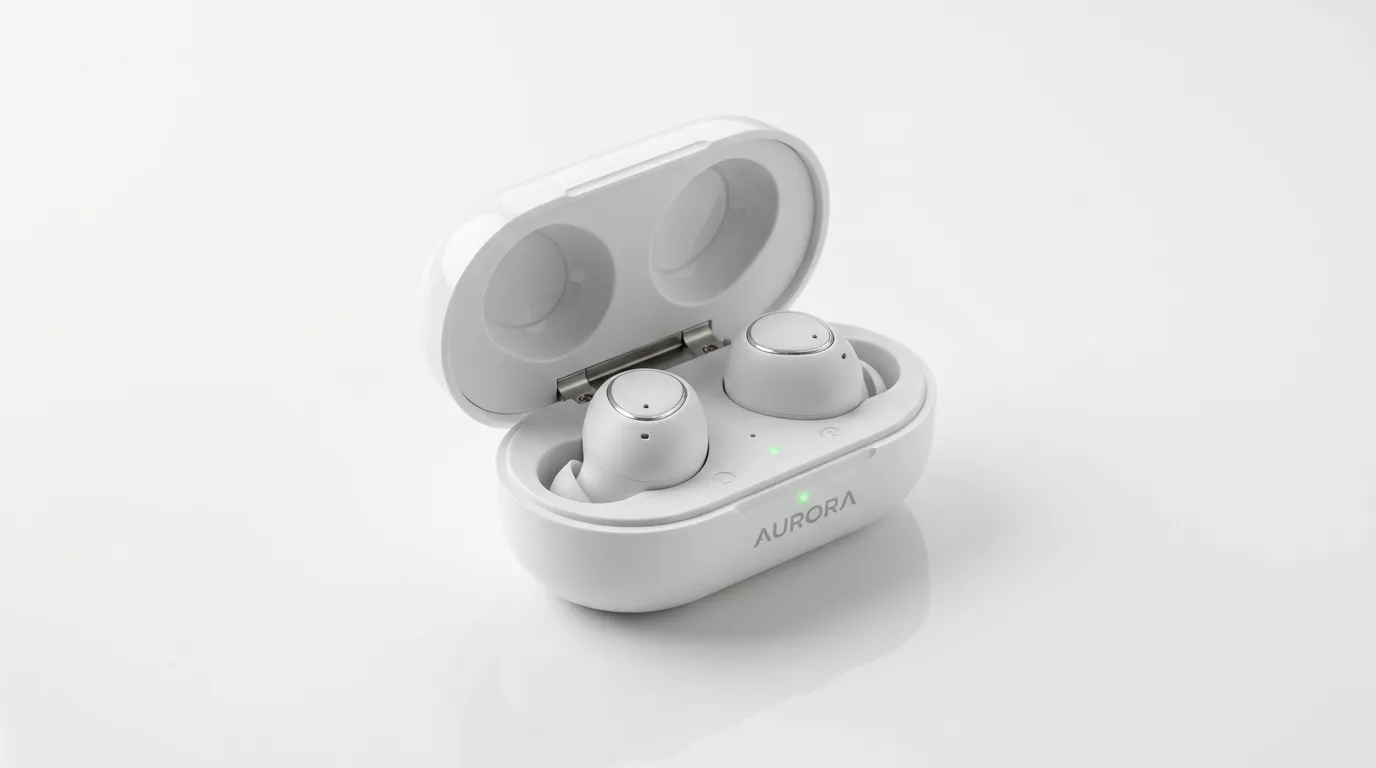
Prompt: "Wireless earbuds in matte black charging case, centered on pure white seamless backdrop, soft diffused key light from upper left at 45 degrees with subtle fill to eliminate harsh shadows, sharp focus on product, commercial product photography, shot on Canon EOS R5 100mm macro"
The 45-degree key light creates dimension without overexposing reflective surfaces. The macro lens reference ensures crisp detail. Pure white backgrounds are required for Amazon and most marketplaces.
Prompt: "Glass perfume bottle with gold cap on white marble surface, soft overhead softbox creating gentle specular highlights on glass, minimal negative space around product, luxury beauty product photography, shallow depth of field with creamy bokeh"
Glass and metal need soft, diffused light to avoid blown-out highlights. "Specular highlights" tells the model to add realistic reflections without washing out the material.
Prompt: "Leather wallet in cognac brown, laid flat on light gray gradient backdrop, single soft key light from camera left creating subtle texture shadows in the leather grain, top-down 3/4 angle, ecommerce product shot, sharp focus on stitching details"
Leather benefits from directional light that reveals texture. Including "stitching details" pushes the model to render fine craftsmanship.
Prompt: "Running shoes on clean white background, slight shadow underneath for grounding, three-quarter view showing both the side profile and top of shoe, mesh texture visible, studio product photography, even soft lighting"
The grounding shadow is critical. Products floating without any shadow look digitally pasted onto the background. "Three-quarter view" is the standard ecommerce angle that shows the most product information in a single frame.
How to Create Lifestyle Product Scenes
Lifestyle shots place products in context and perform well in ads and social media because they help buyers visualize ownership. These prompts add environmental elements while keeping the product as the clear focal point.
Prompt: "Premium coffee maker on a minimalist kitchen counter with white subway tile backsplash, morning sunlight streaming through window from the left, steam rising from a fresh cup beside it, warm and inviting atmosphere, lifestyle product photography for ads"
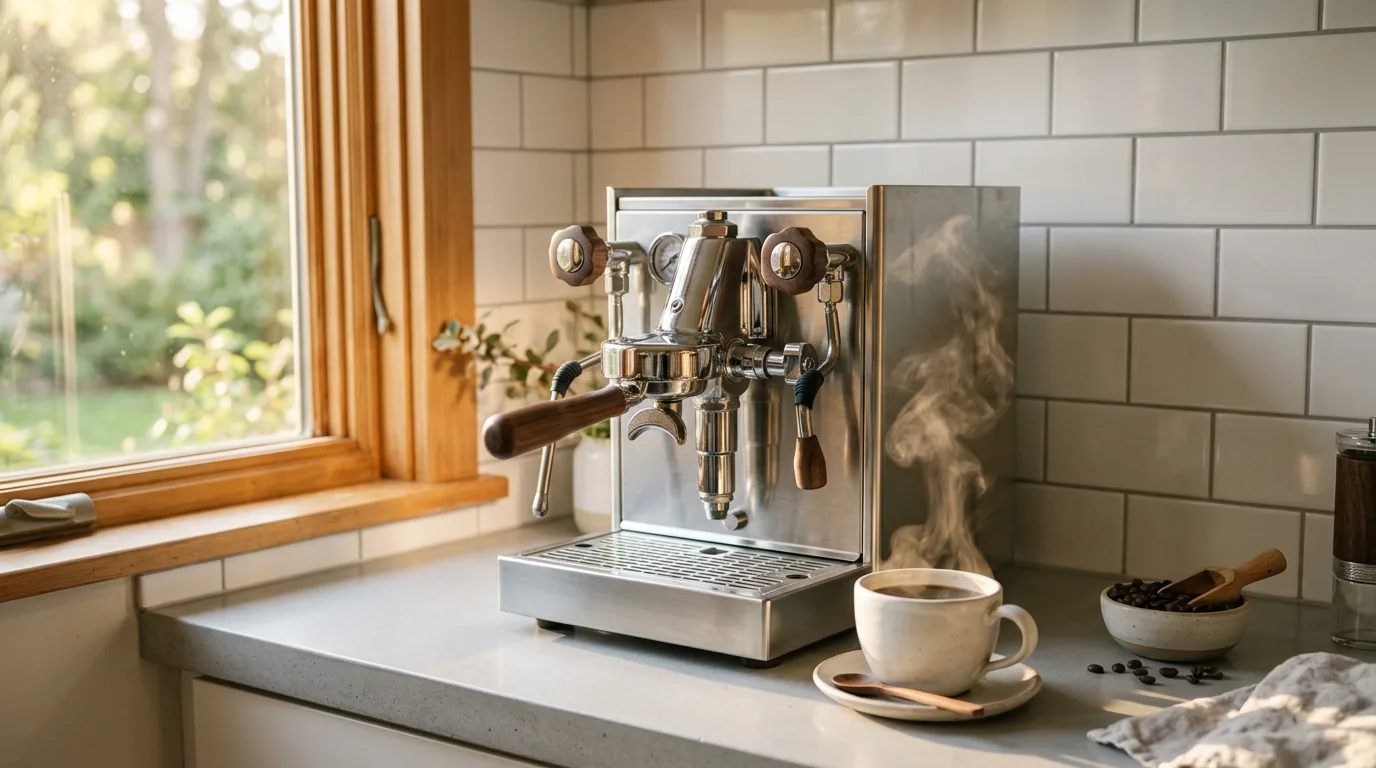
Context sells. Showing the coffee maker with steam and morning light suggests the experience of using it. The steam is a food styling trick that signals "freshly made." This format works especially well for Amazon image positions 2-5 and Facebook/Instagram ad creatives. For more lifestyle and social media angles, see our Nano Banana prompts for social media.
Prompt: "Skincare serum bottle on a marble bathroom vanity with a small potted succulent, soft natural light from frosted window, reflection visible in mirror behind, clean and aspirational, beauty brand advertisement style"
Prompt: "Bluetooth speaker on a wooden picnic table outdoors, golden hour sunlight from the side, grass and trees softly blurred in background, casual and relaxed mood, lifestyle product shot for social media ads"
Prompt: "Laptop open on a clean desk with a cup of coffee and a notebook, morning window light, shallow depth of field with screen content visible but blurred, remote work lifestyle, warm and productive atmosphere"
What Angles Work Best for Flat Lay Product Compositions?
Flat lays are overhead shots of products arranged on a surface. They are Instagram's most popular product format and work well for product bundles, skincare routines, and gift sets.
Prompt: "Flat lay of skincare routine: cleanser, toner, serum, and moisturizer bottles arranged in a diagonal line on cream linen fabric, soft diffused overhead lighting, pastel pink and white color palette, minimal shadows, beauty flat lay for ecommerce"
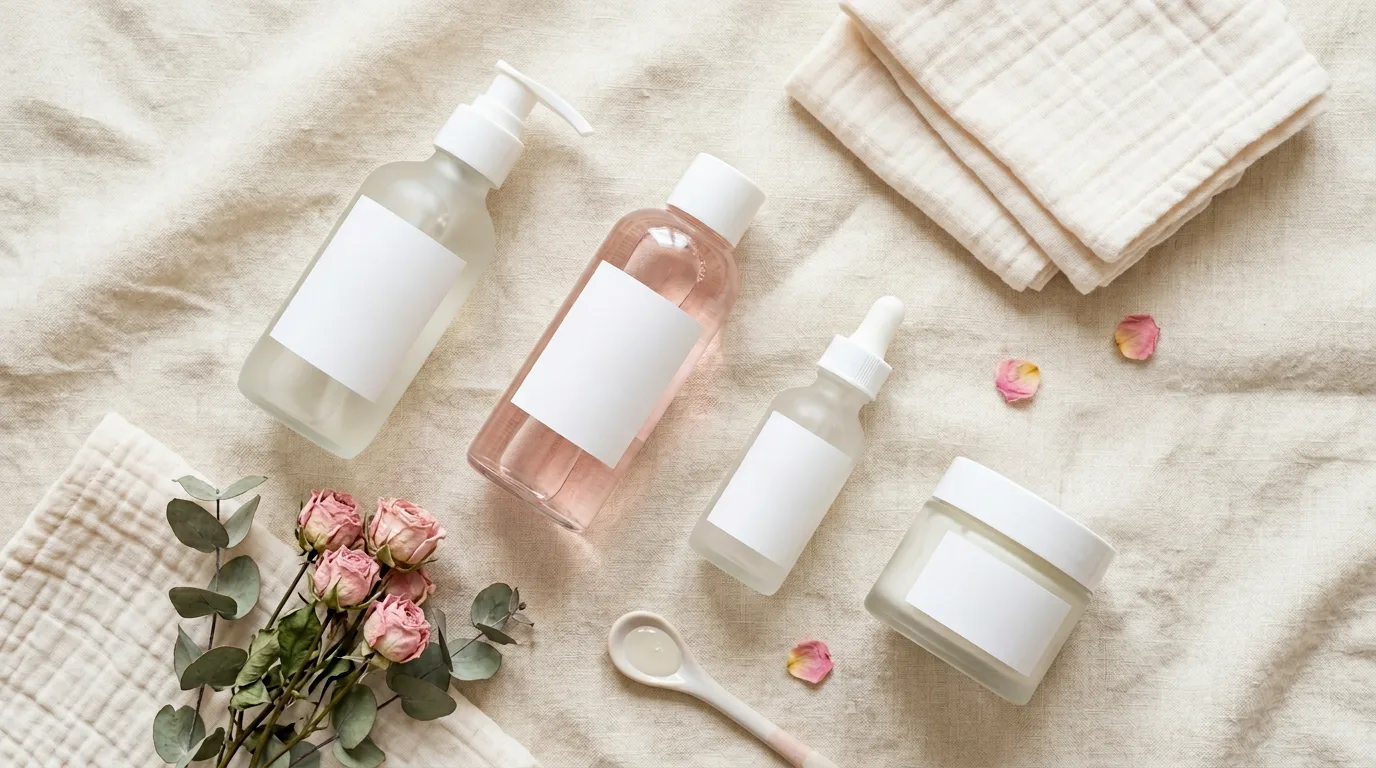
Diagonal arrangements create visual flow and prevent the static, grid-like look that makes flat lays feel like clip art. Naming the specific products (cleanser, toner, serum, moisturizer) gives Nano Banana concrete elements rather than leaving it guessing.
Prompt: "Overhead shot of artisan chocolate bars and packaging on rustic wooden cutting board, warm tungsten lighting from above, shallow depth of field with front products sharp and back slightly soft, food and gift product flat lay"
Prompt: "Tech accessories flat lay: phone, earbuds, charger, and cable on dark slate surface, cool blue accent lighting from one corner, products arranged in asymmetric grid, modern minimalist tech aesthetic for ads"
Tech Product Prompts with Accurate Material Rendering
Tech products need sharp detail, accurate material distinction between aluminum, glass, and plastic, and a modern aesthetic. The key challenge is rendering screens and reflective surfaces without blown-out highlights.
Prompt: "Smartphone in space gray on matte black surface, single rim light creating a thin highlight along the metal edge, screen showing abstract gradient wallpaper, reflection of product in glossy surface below, tech product photography, shot on Sony A7IV 90mm"
Rim lighting separates the product from dark backgrounds and emphasizes the metal frame. The reflection adds depth and a premium feel.
Prompt: "Laptop closed on a desk with minimalist workspace: notebook, pen, and coffee mug, soft window light from the left, shallow depth of field, professional tech lifestyle shot for brand campaigns"
Prompt: "Smartwatch on a wrist, close-up detail shot showing the watch face and band texture, soft diffused studio light, neutral gray background, commercial product photography for ecommerce listing"
Beauty and Cosmetics Product Prompts
Beauty products require flawless material rendering across glass, metal, cream textures, and pigment colors. Aspirational lighting and editorial framing elevate these shots from catalog filler to ad-ready assets.
Prompt: "Luxury lipstick in gold bullet case on white marble with subtle veining, soft key light from upper right creating a delicate highlight on the metal cap, product slightly angled toward camera, beauty product photography, editorial quality"
Prompt: "Foundation bottle with pump dispenser on a vanity mirror surface, soft diffused lighting eliminating harsh reflections, droplet of product on the pump tip, clean and clinical beauty shot for skincare ads"
The droplet detail suggests freshness and precision, a real food styling trick adapted for beauty photography. Small details like this separate stock-looking images from ad-ready shots.
Prompt: "Eyeshadow palette open showing matte and shimmer pans, laid on velvet fabric in deep burgundy, warm directional light creating subtle sheen on shimmer shades, beauty flat lay for social media and ecommerce"
For fashion product shots including clothing and accessories, see our Nano Banana prompts for fashion photography.
Food Product Styling Prompts
Food products need appetizing lighting, visible texture, and color accuracy. The goal is making the viewer hungry enough to buy. For a full deep-dive with 20+ additional prompts covering plated dishes, drinks, and restaurant-style compositions, see our Nano Banana prompts for food photography.
Prompt: "Artisan honey jar with wooden dipper on a rustic wooden table, warm morning sunlight from the left casting soft shadows, honey dripping from dipper, golden amber tones, food product photography for ecommerce"
Prompt: "Gourmet olive oil bottle with pour spout, glass catching soft backlight to show golden liquid color, arranged with fresh herbs and a slice of bread on a stone slab, Mediterranean aesthetic, lifestyle food product shot"
Prompt: "Packaged granola in a glass jar with wooden spoon, oats and dried fruit visible inside, on a light wood surface with soft window light, clean and healthy food product photography"
Transparency in food packaging (showing the contents through glass) builds trust with buyers. It signals that the brand has nothing to hide about ingredient quality.
6 Mistakes That Ruin AI Product Photography
1. Front-Lighting Reflective Products
Front lighting (light from the camera position) creates flat, featureless images on metal and glass. It blows out reflections and removes dimensionality. Always use side or 45-degree lighting for reflective surfaces. Add "no direct flash, no front lighting" to your prompt if you keep getting flat results.
2. Missing Ground Shadows
Products floating on a white background with zero shadow look digitally pasted rather than photographed. Every product needs grounding. Add "slight shadow underneath for grounding" or "soft contact shadow on surface" to your prompt.
3. Relying on Generic Adjectives
Empty adjectives like "beautiful," "professional," and "high-quality" waste prompt tokens and produce generic results. Replace with specific instructions: material type, lighting direction and angle, background surface, camera angle, and lens reference.
4. Using the Wrong Camera Angle
Different products need different angles. Watches and phones need three-quarter views. Shoes need side profiles. Flat items (wallets, books) need top-down. Bottles need front or slight angle. Using the wrong angle hides the product's most important features and reduces conversion rates.
5. Inconsistent Lighting Across a Catalog
If your first product has warm side lighting and your second has cool overhead lighting, your catalog looks disjointed and unprofessional. Use the same lighting and background description for every product in a collection: "pure white seamless backdrop, soft diffused key light from upper left at 45 degrees."
6. Ignoring Marketplace Image Requirements
Amazon requires a minimum of 1000x1000 pixels with a pure white background (RGB 255, 255, 255) for main images. Shopify recommends 2048x2048. Generate at the highest resolution available and use Morphed's built-in upscaler if needed. Failing to meet these specs means your listing gets flagged or suppressed.
Marketplace Image Requirements by Platform
Each ecommerce platform has different image specifications. Generating the wrong size or background means rework.
| Platform | Main Image Background | Min Resolution | Aspect Ratio | Notes |
|---|---|---|---|---|
| Amazon | Pure white (RGB 255,255,255) | 1000x1000 | 1:1 (square) | Product must fill 85% of frame |
| Shopify | Any (white recommended) | 2048x2048 | 1:1 (square) | Consistent ratio across catalog |
| Etsy | Any | 2000x2000 | Flexible | Lifestyle shots convert better here |
| eBay | White or neutral | 500x500 | Flexible | Lower bar but quality still matters |
For main product images (position 1), use the clean studio prompts with "pure white seamless backdrop." For supporting images (positions 2-7), use lifestyle and flat lay prompts to show the product in context, demonstrate scale, and highlight details. Morphed's built-in upscaler handles resolution requirements if your initial generation falls short.
When AI Product Photography Is the Wrong Choice
AI product photos work extremely well for most ecommerce use cases, but there are specific scenarios where they are the wrong tool:
Products that must match exactly. If your product has a very specific pattern (like a particular fabric print or unique wood grain), AI will generate a plausible version, not an exact match. For products where the buyer expects to receive exactly what they see in the photo, use real photography for your primary image and AI for supplementary lifestyle shots.
Regulated product categories. Supplements, pharmaceuticals, and certain food products have labeling regulations that require the actual label to be visible and accurate. AI-generated labels, even with Nano Banana 2's improved text rendering, are not legally compliant substitutes for photographs of real labels.
Products with complex mechanical detail. Watches with specific movement complications, tools with precise mechanisms, and electronics with many ports/buttons can lose functional details in AI generation. The AI may add or remove ports, change button placement, or alter dial configurations.
When your competitors use real photography and buyers expect it. In categories like luxury goods and fine jewelry, buyers are accustomed to real product photography with certification images. Switching entirely to AI can erode trust in these specific categories.
For everything else, including general ecommerce, DTC brands, Amazon FBA, dropshipping, social media ads, and creative campaigns, AI product photography is faster, cheaper, and produces results that are indistinguishable from studio shots. For broader AI product photography tool comparisons, see our best AI product photography generators roundup.
7 Tips for Writing Better Product Photography Prompts
-
Specify lighting direction and quality. "Soft diffused key light from upper left at 45 degrees" produces consistent results. "Good lighting" does not.
-
Name the materials explicitly. "Matte black plastic," "polished chrome," "raw linen" help the model render convincing surfaces instead of generic shininess.
-
Include camera and lens references. "Shot on Canon EOS R5 100mm macro" for small products. "Sony A7IV 90mm" for tech. Macro lenses render fine detail; longer focal lengths add natural compression.
-
Use negative space intentionally. Ecommerce needs clean isolation with the product filling most of the frame. Ad creatives can afford more environmental context and breathing room.
-
Match the style to your channel. "Commercial product photography" for catalog listings. "Lifestyle product shot for ads" for paid campaigns. "Flat lay for social media" for Instagram and Pinterest.
-
Add one dynamic element. A droplet, steam, or slight motion adds life to static shots and increases ad engagement. Static products on white backgrounds are necessary for marketplaces but boring for ads.
-
Use Nano Banana 2 for products with text. Labels, packaging, and branded elements render far more reliably on Nano Banana 2 than on the original. If your product has any visible text, start with NB2.
Frequently Asked Questions
Why use Nano Banana for product photography instead of Midjourney?
Nano Banana follows product photography instructions literally without adding unwanted artistic interpretation. When you specify a pure white background and 45-degree key light, it renders exactly that. Midjourney often adds color grading, dramatic shadows, or environmental context you did not request, which fails marketplace compliance requirements. Nano Banana produces marketplace-ready white backgrounds far more consistently than Midjourney, which frequently adds color casts or unwanted stylization.
Can I use AI-generated product photos on Amazon listings?
Yes. Amazon accepts AI-generated product photos as long as they accurately represent the product. Generate with "pure white seamless backdrop" for main images, upscale to at least 1000x1000 pixels using Morphed's built-in upscaler, and use lifestyle prompts for supporting images in positions 2-7. The product must fill at least 85% of the image frame for Amazon's main image slot.
What lighting works best for AI product photography prompts?
Soft, diffused key light from 45 degrees is the most versatile starting point. For reflective products (glass, metal), avoid direct harsh light and use large soft sources. For textured products (leather, fabric), use directional side light to reveal surface detail. For food products, warm side or backlight creates appetite appeal. See the material-specific lighting cheat sheet table above for exact prompt phrases.
How do I get consistent product shots across an entire catalog?
Use the same lighting, background, and style description for every product. Only swap the product description. Example base prompt: "pure white seamless backdrop, soft diffused key light from upper left at 45 degrees, commercial product photography, shot on Canon EOS R5 100mm macro." Save this as a template and prepend your product description to it for each SKU.
What is the cost difference between AI and traditional product photography?
A traditional single-product shoot costs $500-2,000 when you factor in a photographer, studio rental, lighting equipment, and retouching. AI product photography on Morphed costs $0.02-0.10 per image. For a 100-SKU catalog needing 5 images per product, traditional photography runs $250,000-1,000,000 versus under $2,500 with AI. The break-even is roughly one product.
Where can I run these Nano Banana product photography prompts?
On Morphed with both Nano Banana and Nano Banana 2. The platform includes built-in upscaling to meet marketplace resolution requirements, background removal for clean product isolation, and batch generation for high-volume catalog workflows. For an overview of all AI tools in this space, see our AI product photography generators comparison.
Start Generating Product Photos on Morphed
Generate studio-quality product photography for your ecommerce store or ad campaigns using these Nano Banana prompts on Morphed. Both Nano Banana and Nano Banana 2 are available, with built-in upscaling to meet marketplace resolution requirements and background removal for clean isolation. Instead of paying $500-2,000 per product for traditional photography, generate unlimited variations until you find the perfect shot.
Related guides: Nano Banana prompts (complete guide) | Nano Banana 2 prompts | AI product photography generators | Best AI image generators | Best AI background removers | Best AI photo enhancers and upscalers