

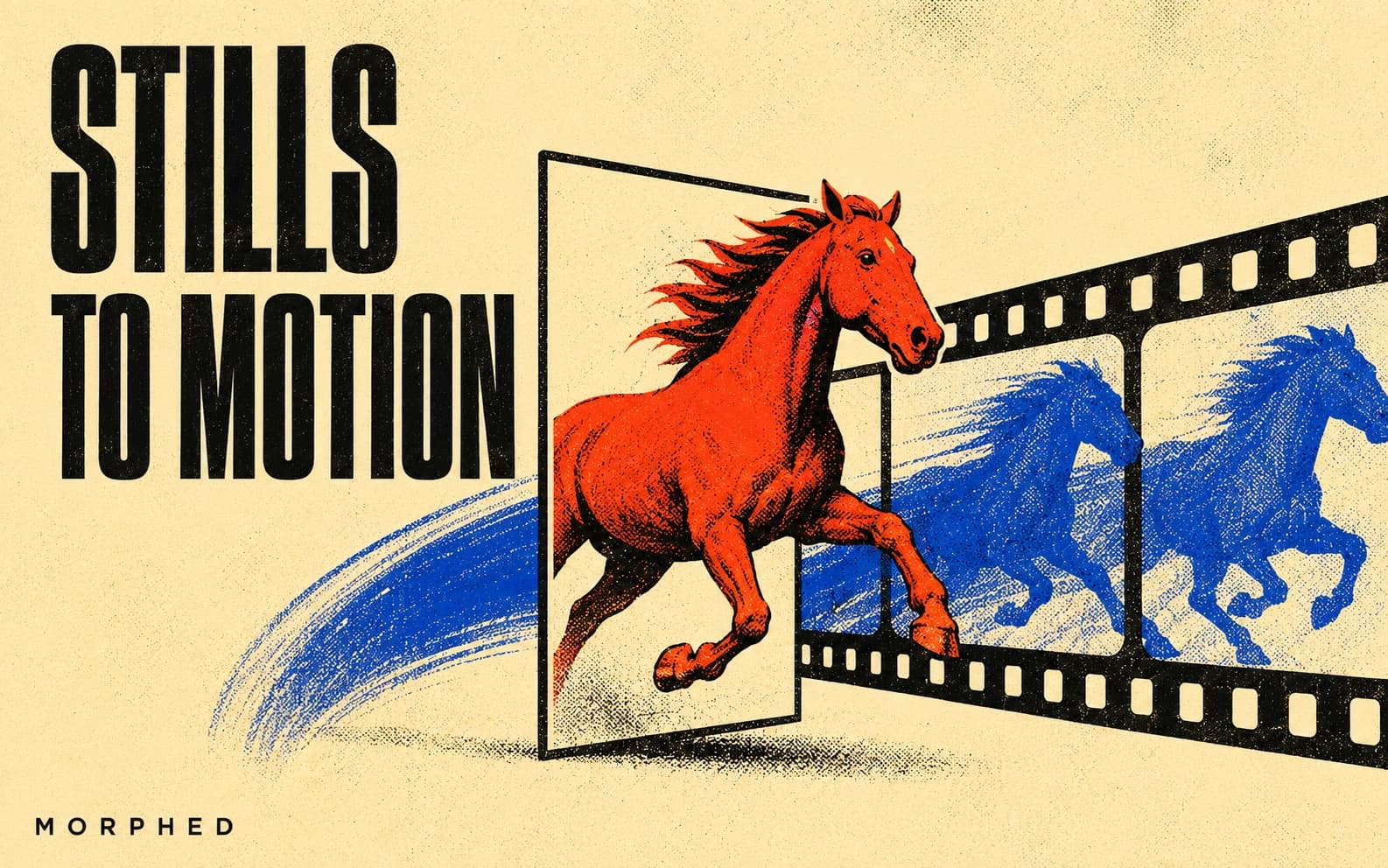
Image-to-video AI converts a still photograph or illustration into a moving video clip. Upload a product shot and watch it rotate on a turntable. Feed in a headshot and see the subject blink, smile, and turn. Give it a landscape and watch clouds drift across the sky while water catches the light.
The category has grown fast — the AI video generation market reached $18.6 billion in 2026, with image-to-video accounting for a significant share. Ecommerce brands using AI-generated product video report 156% higher listing engagement, and 52% of B2B marketers now call AI video their most-adopted new marketing technology. The reason is simple: image-to-video eliminates the camera, actors, and editing software from the production chain.
We tested the 10 leading image-to-video tools on what creators actually care about — motion naturalness, visual consistency with the source image, prompt control over the animation, output resolution, cost per usable second, and audio capabilities. If you'd rather start animating right away, the image to video AI page walks through model selection, motion prompts, and per-second costs. For text-based generation instead, see our best text-to-video AI generators. For a broader comparison including text-to-video tools, check the best AI video generators. Looking for free options? See our best free AI video generators.
How We Tested
We animated five source images through each tool: a close-up portrait, a product on a table, a landscape with moving water, a full-body fashion shot, and an illustrated character. We scored across six axes:
- Motion naturalness — do hair, fabric, and liquids move convincingly?
- Source fidelity — does the output stay true to the original image's colors, composition, and details?
- Prompt responsiveness — does the camera move where you told it to?
- Output stability — no flicker, morphing, or identity drift?
- Resolution ceiling — native 4K, 1080p, or upscaled?
- Cost per usable second — what does a production-ready clip actually cost after failed generations and re-rolls?
Audio sync was evaluated separately for tools that support it. Total testing: 150+ clips across all platforms over 8 days.
Quick Comparison: Image-to-Video AI Tools (2026)
| Tool | Motion Quality | Source Fidelity | Native Resolution | Audio | Max Length | Cost/Second | Free Option |
|---|---|---|---|---|---|---|---|
| Morphed | Excellent (multi-model) | High | Up to 4K 60fps | Yes | Varies | Varies | Yes |
| Runway Gen-4.5 | Best in class | Very high | 4K | Via Aleph | 60 sec | ~$0.15-0.20 | No |
| Kling 3.0 | Cinematic | High | 4K 60fps native | Native 6-lang | 15 sec+ | ~$0.07 | Trial |
| Google Veo 3.1 | Very good | Very high | Up to 4K | Native | 8 sec | ~$0.05-0.08 | Yes (3/day) |
| Luma Ray3.14 | Very good | High | Native 1080p, 4K HDR | No | 5 sec | ~$0.10 | Yes |
| Sora 2 | Very good | High | 1080p | Native sync | 20 sec | Via subscription | Via Plus |
| Seedance 2.0 | Good (ref-driven) | High | 2K native | Lip-sync | 10 sec | Varies | Via Jimeng |
| Minimax Hailuo 02 | Good (great physics) | High | 1080p | No | 10 sec | ~$0.28/video | Trial |
| Pika 2.2 | Good | Moderate | 1080p | No | 10 sec | Free tier avail. | Yes |
| Magic Hour | Good | High | 1080p | No | 10 sec | Limited free | Limited |
1. Morphed — Best Multi-Model Image-to-Video Platform
Morphed lets you upload an image and generate video from it using multiple AI models — selecting the best engine for each type of content. A portrait might animate most naturally with one model, while a product shot might look better with another. Having multiple options in one workspace eliminates the guesswork that comes with committing to a single platform.
The workflow is especially powerful when you generate the source image on Morphed first. Create a photorealistic portrait with Nano Banana 2, then immediately animate it into a video — all in the same platform, maintaining perfect consistency between the still and the motion. This end-to-end pipeline is something no single-model tool can replicate. Need AI-generated headshots as your starting point? See our best AI headshot generators.
Key image-to-video features:
- Multiple animation models for different content types (Kling 3.0, Wan 2.6, Veo 3, Seedance 2.0)
- Seamless image generation to video animation workflow — no exporting between tools
- Character Lock to preserve identity during animation
- Camera motion controls (pan, zoom, dolly, orbit)
- Audio generation and voice cloning on animated clips
- Built-in upscaling for source images before animation
Pros:
- Multiple animation models in one platform — pick the best engine per content type
- End-to-end workflow from image generation to animation to audio, with no exports in between
- Character Lock preserves identity consistency during animation
Cons:
- Animation quality varies by underlying model — not every engine matches Runway's fidelity
- Multi-model choice can be overwhelming for beginners who just want one good result
- Maximum clip length depends on which model you select
Best for: Creators who want to generate images and animate them in the same workspace, with model choice for each step.
2. Runway Gen-4.5 — Best Motion Quality From Images
Runway Gen-4.5 produces the most natural motion when animating still images. Hair sways realistically, fabric folds naturally during movement, and subtle details like eye blinks and hand gestures look convincing. The model maintains exceptional fidelity to the source image — colors, textures, and composition remain consistent as motion is added.
Gen-4.5 now supports multi-shot sequences up to 60 seconds with style consistency across cuts, which is a significant upgrade from the 10-second single-clip limit of earlier versions. The Aleph editor adds a layer of control that no other tool matches: after generating the animation, you can modify specific elements within the video without regenerating the entire clip. Comparing alternatives? See our Runway alternatives roundup.
Pros:
- Best-in-class motion quality — hair, fabric, and subtle gestures look remarkably natural
- Multi-shot sequences up to 60 seconds with cross-cut consistency
- Aleph editor allows post-generation modifications without regenerating the entire clip
Cons:
- No free tier — plans start at $12/month
- Cost per second (~$0.15-0.20) is among the highest in the category
- Audio requires separate Aleph integration rather than native generation
Best for: Professional creators who need the highest quality image animation with post-generation editing.
Pricing: From $12/month (~$0.15-0.20/sec effective).
3. Kling 3.0 — Best Native 4K Image Animation
Kling 3.0 is the first image-to-video model to generate native 4K at 60fps with 16-bit HDR — not upscaled, but rendered at the pixel level during diffusion. The difference is visible: sharper textures, more accurate grain structures, and better preservation of fine details like hair strands and fabric weave compared to tools that generate at 1080p and upscale.
The multi-shot feature supports up to 6 shots per clip with consistent character appearance across angle changes. Upload 3-5 reference images and Kling locks visual traits — same face, same outfit, same props — regardless of camera movement. Native lip-sync works in six languages (English, Chinese, Japanese, Korean, Spanish, and more). For more options in this space, check our Kling alternatives comparison.
Pros:
- Native 4K 60fps with 16-bit HDR — genuinely higher detail than upscaled competitors
- Multi-shot sequences (up to 6 cuts) with locked character consistency
- Most cost-effective premium tool at ~$0.07/sec
Cons:
- Extended clips can lose coherence past 15 seconds
- Smaller English-language community and documentation than Runway
- Free trial is limited; ongoing use requires a paid plan
Best for: Production work that demands native 4K resolution and multi-shot consistency from a single source image.
Pricing: From $6.99/month (~$0.07/sec effective).
4. Google Veo 3.1 — Best Free Image-to-Video Quality
Veo 3.1 is the strongest free option for image-to-video generation. The free tier through Gemini allows 3 videos per day at 1080p, and the quality rivals paid tools — particularly for physical coherence. Skin textures, fabric drape, water reflections, and atmospheric lighting all hold up under scrutiny.
The "Ingredients to Video" feature lets you provide up to three reference images of a person, character, or product, and Veo preserves the subject's appearance in the output. You can also specify first and last frames for precise compositional control over the shot. Native audio generation is included — ambient sounds, dialogue, and music that match the visual scene.
Pros:
- Best free-tier quality — 3 videos/day at 1080p through Gemini
- Reference-based generation preserves subject appearance across clips
- First/last frame control gives precise shot composition
- Native audio generation included
Cons:
- Maximum 8-second clips (extendable to 60 seconds with paid tier)
- Full 4K output requires paid API access
- Less granular camera controls than Runway or Kling
Best for: Creators who want high-quality image animation without a subscription, and teams exploring AI video before committing to a paid tool.
Pricing: Free tier (3/day). Paid via Google AI API.
5. Luma Ray3.14 — Best for Fast Iteration and HDR Production
Luma's Ray3.14 (the January 2026 update to Ray3) generates animations 4x faster than its predecessor with native 1080p output — no upscaling needed. Generation speed is noticeably faster than competitors, making it practical for iterating on animations until you get the right feel.
For high-end production, Ray3.14 is the only tool that outputs in true 16-bit HDR ACES2065-1 EXR format, which integrates directly into professional film and advertising color pipelines. The iOS app makes Luma the most accessible mobile option for animating photos on the go. Exploring alternatives to Luma? See our Luma Dream Machine alternatives.
Pros:
- Fastest generation speed in this roundup — 4x faster than Ray3, practical for rapid iteration
- True 16-bit HDR EXR output for professional color pipelines
- Native 1080p without upscaling; iOS app for mobile workflows
Cons:
- Maximum 5-second clips are shorter than most competitors
- No native audio generation or sync
- Motion complexity falls behind Runway and Kling on detailed action sequences
Best for: Creators who need fast iteration on image animations, HDR production workflows, or mobile-first editing.
Pricing: From $7.99/month (~$0.10/sec effective).
6. OpenAI Sora 2 — Best Audio-Synced Image Animation
Sora 2 is the strongest option when your animation needs synchronized audio without separate production. Animate a street photo and hear traffic sounds. Bring a musician portrait to life and hear them play. The model generates dialogue, sound effects, and music that match the visual scene — a capability no other tool in this list handles natively from image input.
At up to 20 seconds per clip, Sora 2 also generates longer output than most competitors, making it practical for scenes that need time to develop. Integration with the ChatGPT ecosystem means you can refine prompts conversationally.
Pros:
- Only tool that generates synchronized audio (dialogue, SFX, music) directly from image input
- Up to 20-second clips — above average for the category
- Conversational prompt refinement via ChatGPT
Cons:
- Requires ChatGPT Plus or Pro subscription — no standalone pricing
- Motion quality is very good but not quite Runway-level on complex actions
- Limited camera control compared to tools with explicit dolly/orbit settings
Best for: Animations that need matching audio without separate audio production.
Pricing: Via ChatGPT Plus ($20/month) or Pro ($200/month).
7. Seedance 2.0 — Best Reference-Driven Image Animation
Seedance 2.0, released by ByteDance in February 2026, introduced a reference system that sets it apart: tag specific elements in your prompt (characters, objects, styles, sounds) and bind them to uploaded reference materials. You can feed up to 9 reference images, 3 video clips, and 3 audio clips alongside your text prompt in a single generation pass.
For product photography and architectural visualization, Seedance 2.0's image-to-video output has a handcrafted quality — it preserves shape, texture, stitching, and surface details with unusual precision. Output is native 2K resolution (2048x1080 landscape or 1080x2048 portrait) with 30% faster generation than its predecessor. For settings and copy-paste examples, see the Seedance 2.0 image-to-video guide and best Seedance 2.0 prompts.
Pros:
- Reference tagging system binds specific visual/audio elements to prompt keywords
- Strongest results for product and architectural content — preserves fine surface detail
- Native 2K resolution with fast generation
Cons:
- Limited availability outside ByteDance ecosystem (free via Jimeng/CapCut)
- 10-second maximum clip length
- Fewer camera control options than Runway or Kling
Best for: Product videos, architectural visualization, and any use case where precise reference matching matters more than cinematic camera work.
Pricing: Free via Jimeng. Paid API available.
8. Minimax Hailuo 02 — Best Physics in Image Animation
Hailuo 02 excels at physics-driven animations. Give it an image of flowing water, a waving flag, or billowing fabric, and the physics simulation looks more natural than tools costing five times as much. Water refraction, fire flicker, smoke dispersion, and fabric drape all behave with convincing weight and momentum.
At approximately $0.28 per video, it is the most cost-effective option for animations where physics matter more than character performance.
Pros:
- Best physics simulation for the price — water, fabric, fire, and smoke look convincingly natural
- Extremely cost-effective at ~$0.28 per video
- Strong prompt adherence for physics-driven scenes
Cons:
- Human motion and facial expressions are less refined than Runway or Sora
- No audio sync or generation
- Shorter clip lengths (up to 10 seconds) with limited extension options
Best for: Budget animations that rely on natural physics — water, fabric, hair, smoke, fire.
Pricing: ~$0.28 per video.
9. Pika 2.2 — Best for Social Media Animations
Pika 2.2 has significantly improved since earlier versions, now generating 10-second clips at 1080p — up from the 4-second limit of Pika 1.0. The Pikaframes feature lets you use multiple images as keyframes, with Pika generating seamless transitions between them. This is particularly useful for before/after content, product transformations, and storytelling sequences.
Seven aspect ratio presets (16:9, 9:16, 1:1, 4:5, 5:4, 3:2, 2:3) cover every major social platform natively. The creative effects suite — Pikaffects, Pikascenes, Pikadditions, and Pikaswaps — make it the most versatile tool for quick social content. See our Pika alternatives comparison for more options.
Pros:
- 10-second 1080p clips with keyframe-based animation via Pikaframes
- Seven aspect ratio presets for every social platform
- Free tier available for testing; creative effects for rapid social content
Cons:
- Motion fidelity to the source image is moderate, not best-in-class
- No audio generation or synchronization
- Less suited for professional production than Runway, Kling, or Veo
Best for: Social media creators who need quick, platform-ready animations from existing images.
Pricing: Free tier available. Paid from $8/month.
10. Magic Hour — Best for Batch Image Animation
Magic Hour has processed over 10 million videos and supports batch image animation — uploading multiple images and generating videos from all of them in one workflow. For ecommerce sellers with product catalogs or content creators with image libraries, the batch processing saves significant time. AI-generated product videos reduce per-video costs by approximately $1,500 compared to traditional production.
Pros:
- Batch animation from multiple images in a single workflow
- Over 10 million videos processed — proven at scale
- Strong for ecommerce product animation at volume
Cons:
- Motion quality is good but not as refined as Runway or Kling
- Free tier is very limited in credits
- No audio support
Best for: High-volume image animation for ecommerce and content libraries.
Pricing: Free limited tier. Paid plans for higher volume.
Native 4K vs. Upscaled: Why Resolution Method Matters
Not all "4K" output is created equal. Most image-to-video tools generate at 720p or 1080p and upscale to 4K using AI super-resolution. Kling 3.0 and Google Veo 3.1 are the only tools in this list that generate native 4K — rendering detail at the pixel level during diffusion rather than interpolating it afterward.
The practical difference: native 4K preserves fine-grained texture, depth, and clarity that upscaling fundamentally cannot add. Artifacts that are invisible at 1080p on a laptop screen become apparent at native 4K on a professional monitor. For social media at phone-screen resolution, the difference is negligible. For broadcast, advertising, or large-format display, native generation matters.
If your source images need enhancement before animation, see our best AI photo enhancers and upscalers.
Best Practices for Image-to-Video Generation
Start with high-quality source images. AI animation amplifies everything in the source — sharp images animate better than soft ones. Use Morphed's built-in upscaling to enhance images before animating. For creating source images from scratch, explore the best AI image generators or best AI image generators from text.
Describe the motion, not just the scene. "Camera slowly orbits left while the subject turns to face the camera" gives the model clear motion direction. Vague prompts produce generic panning.
Match the motion to the content. Portraits look best with subtle movement (blinking, breathing, slight head turns). Landscapes benefit from environmental motion (clouds, water, wind). Products suit smooth rotation or dolly shots.
Use the right model for the content. On Morphed, test the same image across different models. A portrait might animate best with one engine, while a product shot works better with another. This multi-model approach is the single biggest advantage of a platform over a single-tool workflow.
Mind the cost-per-second math. A $12/month plan that gives you 30 seconds of usable 4K costs $0.40/sec. A $7/month plan delivering 300 seconds of 1080p costs $0.02/sec. Calculate effective cost per usable second after accounting for failed generations and re-rolls — it changes the value equation significantly.
For source image creation, check out our Nano Banana prompts for product photography, Nano Banana prompts for professional headshots, and Nano Banana prompts for social media.
Frequently Asked Questions
What is image-to-video AI?
Image-to-video AI is a category of generative AI that takes a static image (photograph, illustration, or AI-generated picture) and produces a video clip from it. The model analyzes the image content — subjects, environment, lighting, depth — and generates plausible motion, camera movement, and optionally audio that bring the still frame to life. Most tools produce clips between 4 and 20 seconds from a single source image.
What is the best image-to-video AI tool in 2026?
Morphed offers the most flexibility with multiple animation models in one workspace — you can pick the best engine for each image type. For single-model quality, Runway Gen-4.5 produces the highest-fidelity animations. For native 4K resolution, Kling 3.0 leads. For the best free option, Google Veo 3.1 offers 3 videos per day at 1080p.
Can I animate any image with AI?
Most images work well. Photos with clear subjects, good lighting, and sharp focus animate best. Low-resolution or heavily compressed images may produce lower quality animation — upscale your source images first for best results. Illustrated and AI-generated images also animate well, particularly when they have clear depth cues and defined subjects.
How long are AI image-to-video animations?
Most tools generate 4-20 second clips from a single image. Kling 3.0 extends to multi-shot sequences. Runway Gen-4.5 supports up to 60 seconds via multi-shot. Sora 2 generates up to 20 seconds. Pika 2.2 and Hailuo 02 produce 10-second clips. Luma Ray3.14 generates 5-second clips.
Which image-to-video AI tools support audio?
Three tools generate native audio from image input: Sora 2 (dialogue, SFX, and music), Kling 3.0 (lip-sync in 6 languages), and Google Veo 3.1 (ambient and dialogue). Morphed provides audio generation through its multi-model pipeline. Seedance 2.0 supports lip-sync. The remaining tools (Runway, Luma, Pika, Hailuo, Magic Hour) require separate audio tools — see our AI voice cloning tools guide for options.
Is image-to-video better than text-to-video?
They serve different purposes. Image-to-video gives you more visual control since you start with a defined look — colors, composition, and subject are locked in. Text-to-video offers more creative freedom but less visual predictability. Many creators use both: generate an image from text, then animate it — a workflow Morphed supports natively. Need better source images first? Start with the best AI image generators.
What resolution should I expect from image-to-video AI?
Most tools output at 1080p natively. Kling 3.0 generates native 4K at 60fps. Luma Ray3.14 outputs native 1080p with optional 4K HDR EXR for professional pipelines. Seedance 2.0 outputs at native 2K. Google Veo 3.1 supports up to 4K via paid API. For social media use, 1080p is sufficient. For broadcast or advertising, look for native 4K generation rather than upscaled output.
How much does image-to-video AI cost?
Costs range widely. Google Veo 3.1 offers a free tier (3 videos/day). Pika 2.2 has a free tier for testing. Morphed offers a guided free start. Paid tools range from ~$0.07/sec (Kling 3.0) to ~$0.15-0.20/sec (Runway Gen-4.5). Hailuo 02 charges ~$0.28 per video flat. Sora 2 requires a ChatGPT Plus subscription ($20/month). Always calculate cost per usable second rather than monthly price to compare value accurately.
Bring your images to life. Try Morphed free →