

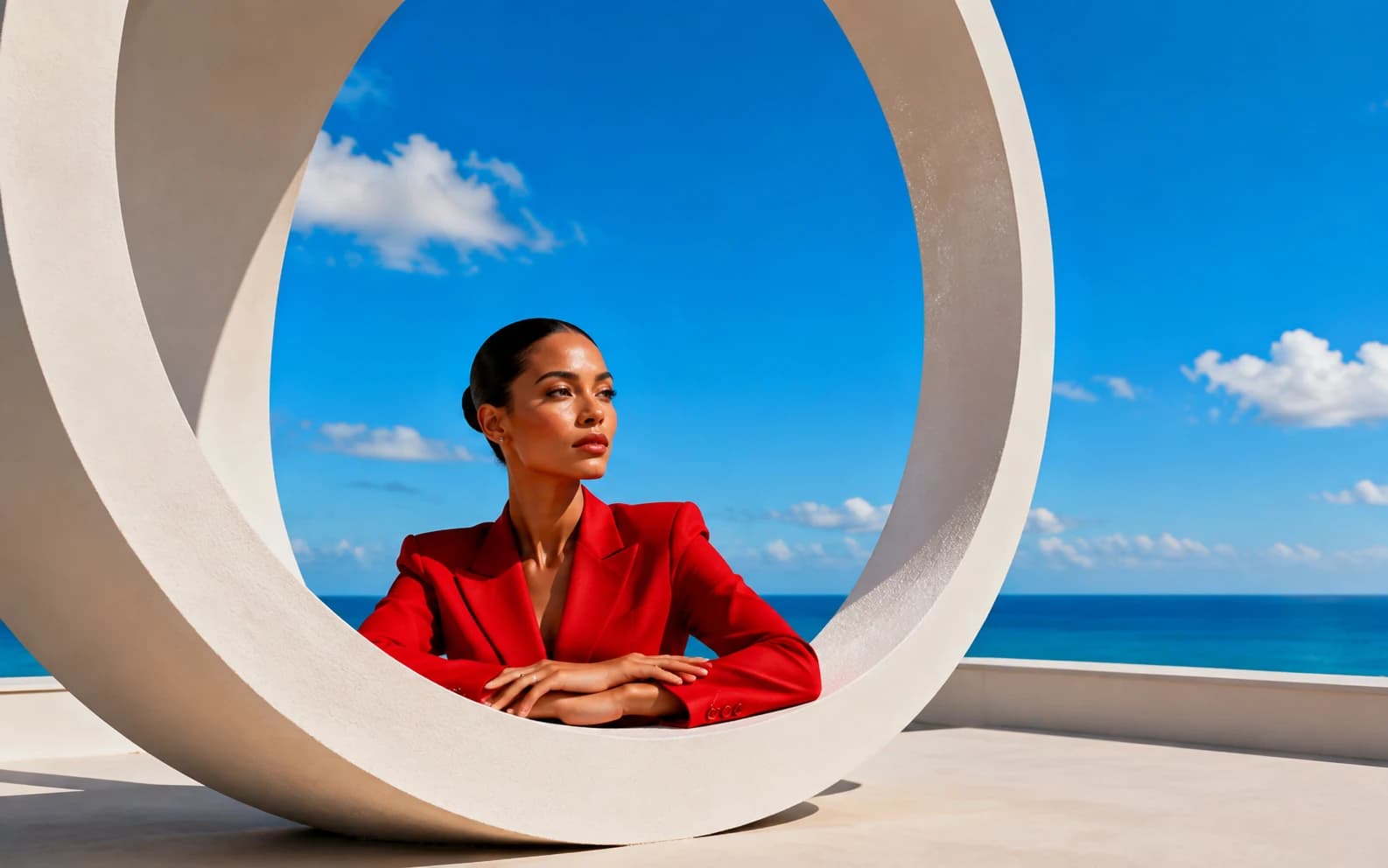
Nano Banana generates studio-quality headshots from text prompts alone. A traditional headshot session costs $150-600 for 3-5 edited photos. On Morphed, you can generate unlimited variations with full control over lighting, wardrobe, background, and framing for a fraction of that cost. This guide covers 30+ tested prompts, the portrait photography techniques behind each, and the prompt engineering mistakes that separate convincing headshots from obvious AI renders.
Quick reference: Which prompt category do you need?
| Category | Best For | Prompts |
|---|---|---|
| Corporate and LinkedIn | Job seekers, professionals, executives | 6 prompts |
| Creative and Portfolio | Actors, designers, musicians, freelancers | 5 prompts |
| Casual and Social Media | Instagram, dating apps, personal branding | 5 prompts |
| Display Picture (DP) | WhatsApp, Slack, X, Discord profile photos | 3 prompts |
| Industry-Specific | Doctors, lawyers, real estate agents, speakers | 5 prompts |
| Black and White | Editorial, fine art, dramatic portraits | 3 prompts |
Both Nano Banana and Nano Banana 2 are available on Morphed. For the full model overview and general prompting framework, see the complete Nano Banana prompts guide.
How Nano Banana Compares to Midjourney, DALL-E, and Flux for Portraits
Different AI models handle portraits differently. Choosing the wrong one wastes time and credits.
Nano Banana vs. Midjourney: Midjourney adds artistic stylization to everything, including portraits. For creative headshots that is sometimes an advantage. For LinkedIn and corporate headshots where the image must look like a real photograph, Midjourney's artistic bias works against you. Users on r/StableDiffusion report Midjourney "fights" simple requests. One user needed 23 attempts for a basic white-background shot because Midjourney kept adding unwanted color grading.
Nano Banana vs. DALL-E (GPT Image): DALL-E produces clean portraits but with a noticeably synthetic quality. Skin looks slightly too smooth, lighting slightly too even. Nano Banana renders visible skin pores, subtle asymmetry, and natural imperfections that make portraits pass closer inspection.
Nano Banana vs. Flux: Flux matches Nano Banana on photorealism but requires technical setup for local use. On Morphed, both are accessible with zero configuration.
| Feature | Nano Banana | Midjourney | DALL-E / GPT Image | Flux |
|---|---|---|---|---|
| Skin texture realism | Visible pores, natural imperfections | Smooth, stylized | Clean but synthetic | Comparable to Nano Banana |
| Prompt literalness | High (follows instructions closely) | Low (adds artistic interpretation) | Medium | High |
| Hand consistency | Good (v2 is better) | Variable | Good | Good |
| Setup required | None on Morphed | Discord or web app | ChatGPT Plus or API | Local install or hosted |
| Best for headshots | Corporate, LinkedIn, any photorealistic style | Creative, editorial | Quick drafts | Photorealistic (if you have the setup) |
Corporate and LinkedIn Headshot Prompts
These prompts target professional business contexts where polish and approachability matter most. LinkedIn profiles with professional photos receive 21x more profile views and 9x more connection requests, so getting this right has direct career impact.
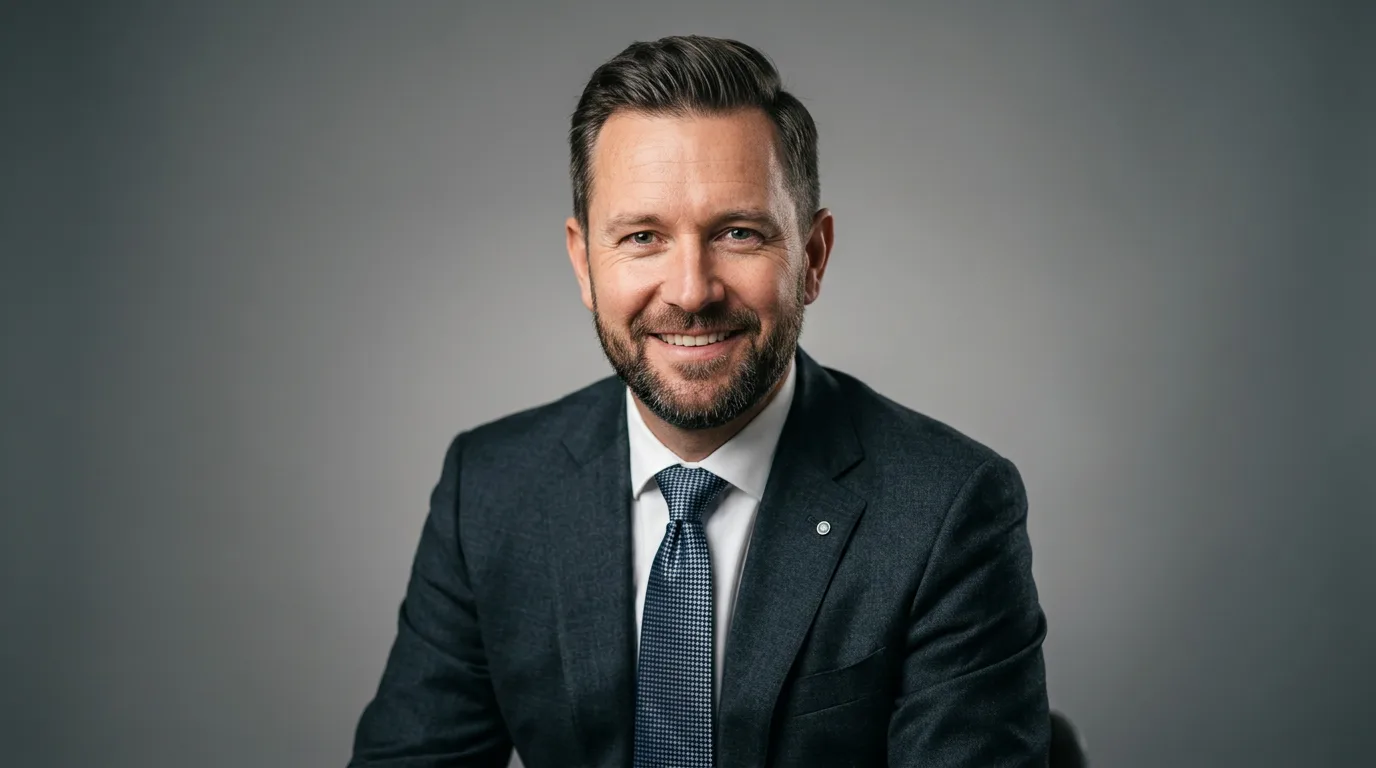
Prompt: "Professional corporate headshot of a man in his 40s wearing a charcoal suit and blue tie, warm confident smile, studio key light from 45 degrees with soft fill light, neutral gray gradient backdrop, shallow depth of field, Canon EOS R5 85mm f/1.4"
The 45-degree key light creates flattering dimension on the face, while the fill light softens harsh shadows without flattening them. Specifying the camera and lens tells Nano Banana to replicate the bokeh and color rendering of that exact setup.
Prompt: "Professional LinkedIn headshot of a woman in a white blouse with a navy cardigan, natural and approachable expression, clean white background, soft even lighting without harsh shadows, upper body framing, shot on Sony A7IV 50mm f/1.8"
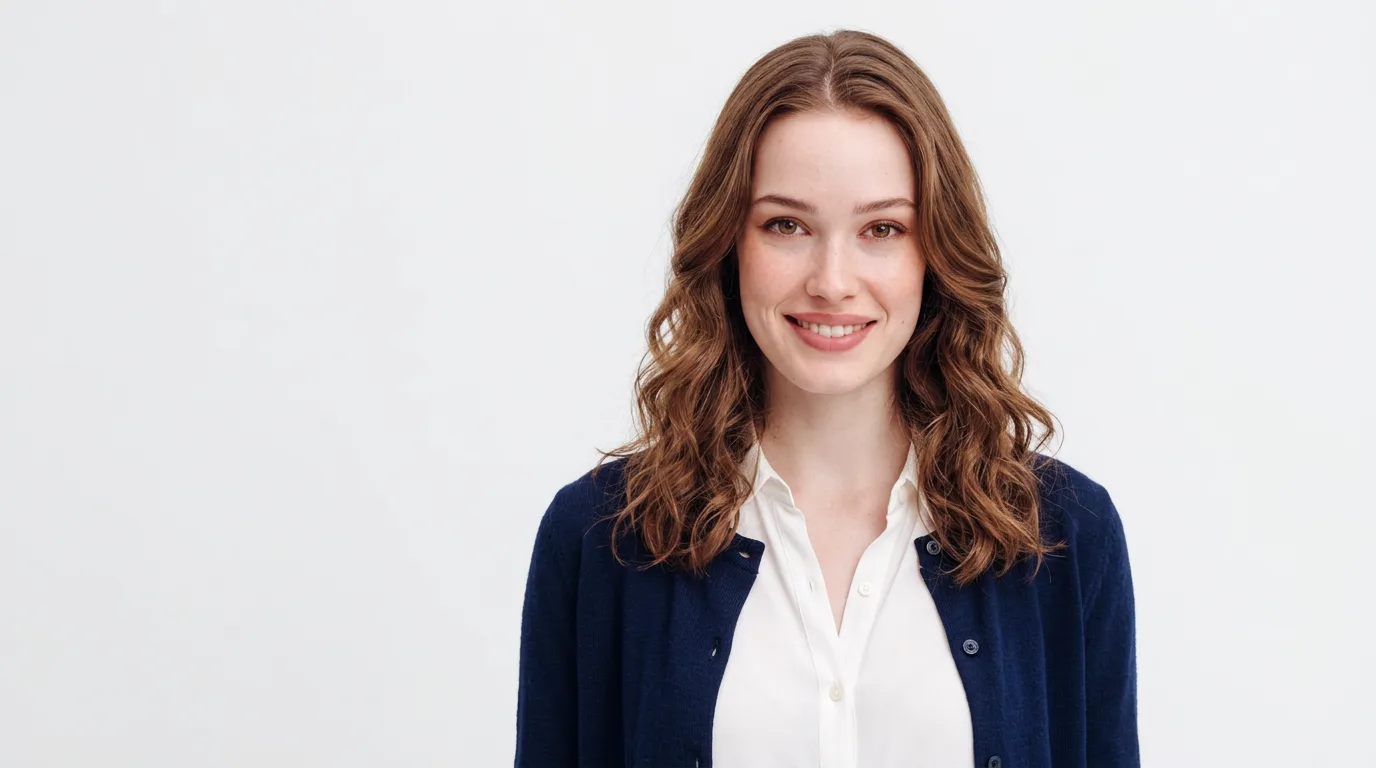
The white background is LinkedIn's most popular backdrop choice because it keeps the focus entirely on the subject. Specifying "approachable expression" helps avoid the overly serious look that AI portraits sometimes default to.
Prompt: "Business casual headshot of a young professional in a light blue Oxford shirt, no tie, sleeves slightly rolled up, leaning casually against a modern office wall, natural window light, relaxed confidence, environmental portrait style"
This moves beyond the traditional studio setup into an environmental portrait, which feels more modern and personable for startups and tech industry profiles.
Prompt: "Executive portrait of a woman CEO in a tailored black blazer, seated at a mahogany desk with hands folded, warm ambient office lighting, bookshelf softly blurred in background, editorial business photography, Hasselblad medium format quality"
Medium format references produce a slightly different look than 35mm. The depth of field compression and color rendering have a premium, editorial quality that works well for senior leadership portraits.
Prompt: "Confident startup founder headshot, person in a smart casual blazer over a crew-neck t-shirt, standing in a bright co-working space, natural daylight from floor-to-ceiling windows, shallow depth of field, contemporary editorial style, shot on Fuji X-T5"
Prompt: "Professional headshot for a real estate agent, warm trustworthy smile, navy blazer over an open-collar shirt, outdoor urban background softly blurred with modern buildings, golden hour side light, approachable and polished, commercial portrait photography"
Upload tip for LinkedIn: LinkedIn crops profile photos into a circle from center. Keep the face centered in the upper half of the frame with space around the edges. Upload at 800x800 pixels or larger for sharp display on Retina screens. Export JPEG at 85-95% quality in sRGB color space.
Creative and Portfolio Headshot Prompts
For actors, designers, musicians, and anyone who needs a headshot with more personality than a corporate backdrop provides.
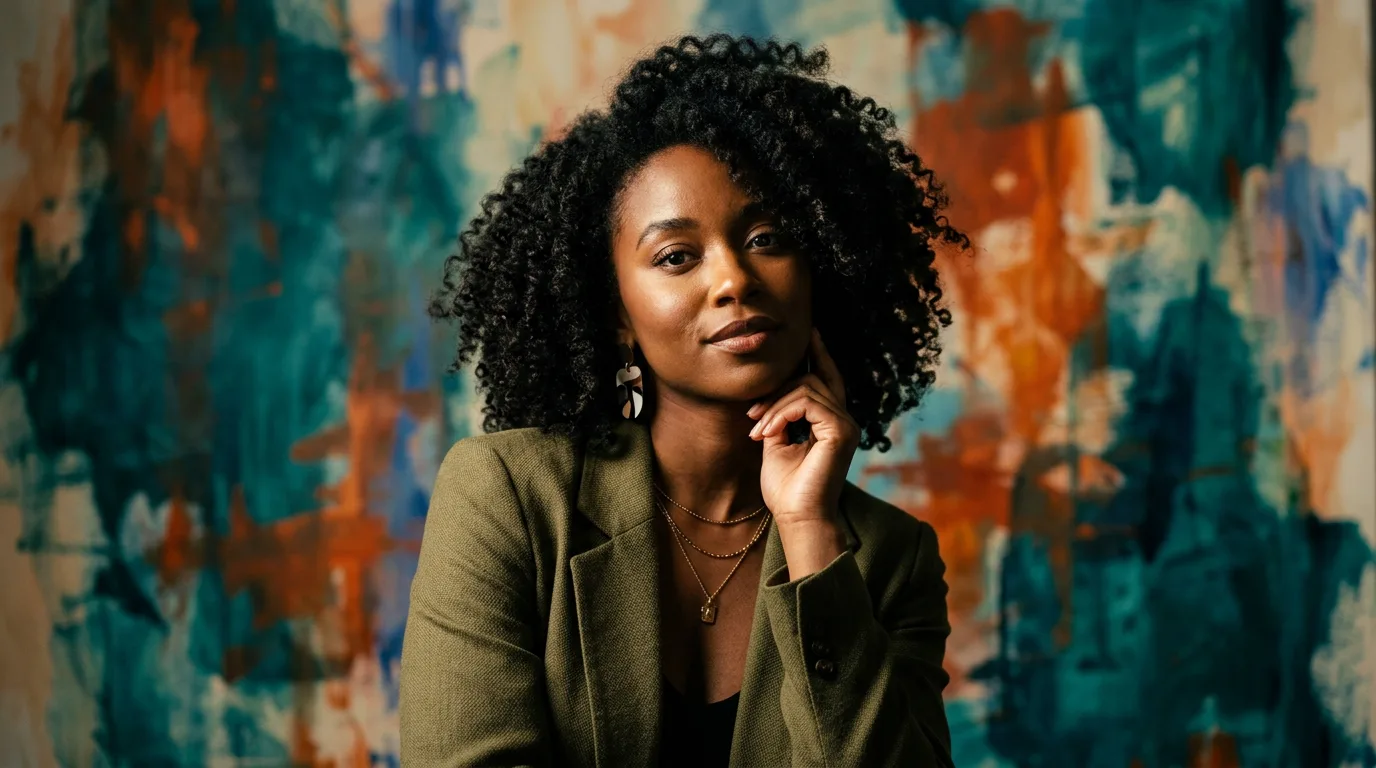
Prompt: "Creative headshot of a young woman with natural curly hair, olive green blazer, one hand near her chin, colorful abstract painting backdrop in teal and burnt orange, artistic dramatic lighting with soft shadows, editorial portrait photography"
Prompt: "Actor's headshot of a man in his 30s, black crew neck t-shirt, intense but warm expression, simple dark background, Rembrandt lighting pattern with a single catch light in each eye, black and white with rich midtones, shot on Leica M11"
Rembrandt lighting (the triangle of light on the shadowed cheek) is a classic portrait technique that adds dramatic depth. Specifying it by name ensures the model replicates this specific pattern rather than flat, even lighting.
Prompt: "Musician portrait of a woman holding an acoustic guitar, seated on a vintage stool, exposed brick wall background, warm tungsten lighting mixed with cool daylight from a side window, candid expression like mid-conversation, documentary portrait style"
Prompt: "Fashion designer headshot in their studio workspace, wearing all black with statement glasses, fabric swatches and mood boards softly blurred in background, directional side light creating sharp jawline definition, contemporary editorial style"
Prompt: "Filmmaker portrait with camera visible in frame, cinematic lighting setup visible in background, dramatic side light, wearing a black turtleneck, Leica M6 film photography aesthetic with subtle grain, moody and introspective"
The key to creative headshots is establishing context. Showing the subject's world through carefully chosen background elements (instruments, tools, workspace) adds narrative depth that a blank backdrop cannot provide.
Casual and Social Media Profile Prompts
Not every portrait needs to be buttoned-up. These prompts produce natural, relatable images perfect for Instagram, dating apps, and personal branding.
Prompt: "Casual portrait of a young man in a denim jacket, outdoor natural setting with trees in soft focus, golden hour side lighting creating warm skin tones, genuine relaxed smile, iPhone-quality natural look but sharper, lifestyle photography"
Prompt: "Warm portrait of a woman in an oversized cream sweater, holding a coffee mug with both hands, cozy cafe interior background with fairy lights, soft ambient lighting, Instagram-ready aesthetic, shallow depth of field"
Prompt: "Outdoor portrait of a man in a black leather jacket, urban city street background with moody overcast sky, editorial street photography style, desaturated with lifted blacks, cool color grading, profile picture aesthetic"
Prompt: "Natural light portrait of a woman sitting on stone steps in a European old town, wearing a sundress and straw hat, afternoon Mediterranean light, travel photography style, candid and effortless vibe"
Prompt: "Coffee shop portrait, person looking out the window with hands wrapped around a mug, warm side light from window, reflections on glass, candid moment, Fujifilm X-T5 color science, warm and contemplative"
For social media, the "effortless" look actually requires careful prompting. Specifying "candid" and referencing lifestyle or travel photography styles prevents the stiff, over-produced feel that signals AI generation. For more social-media-focused prompts, see our Nano Banana social media prompts guide.
Display Picture (DP) and Avatar Prompts
Profile pictures need to read well at small sizes. Strong composition and clear facial features are non-negotiable at 48x48 pixel thumbnails.
Prompt: "Tight crop portrait headshot, clean-shaven young man with defined jawline, simple solid dark blue background, centered composition, soft studio lighting, sharp focus on eyes, professional quality ID photo style but more flattering"
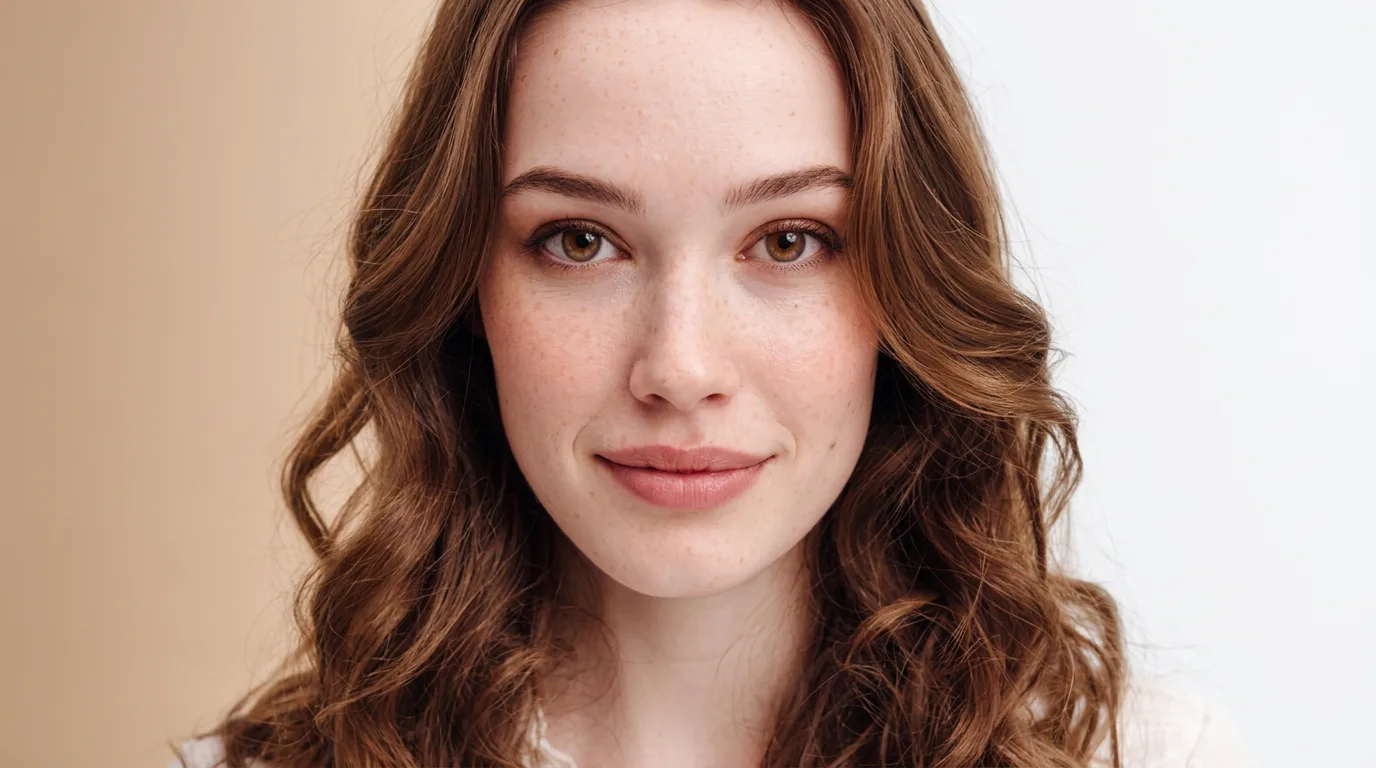
Prompt: "Close-up portrait of a woman with subtle natural makeup, looking slightly off-camera, neutral expression with a hint of a smile, gradient background from warm beige to white, beauty photography lighting, clean and minimal"
Prompt: "Profile view portrait of a man with a well-groomed beard, dark turtleneck, dramatic side lighting against a black background, high contrast, elegant and mysterious mood, fine art portrait style"
Profile views work surprisingly well for DPs because they create a strong silhouette that reads clearly even at thumbnail size. For selfie-style profile pictures, see our Nano Banana selfie prompts.
Industry-Specific Headshot Prompts
Different professions have different visual expectations. A doctor's headshot communicates trust differently than a tech founder's.
Prompt: "Professional headshot of a doctor in white coat with stethoscope, warm and trustworthy expression, clean clinical background with subtle blue tones, soft studio lighting, healthcare professional portrait style"
Prompt: "Attorney portrait, man in dark navy suit with white pocket square, confident but approachable, law firm library softly blurred behind, warm tungsten lighting mixed with soft daylight, editorial corporate style"
Prompt: "Tech keynote speaker portrait, person in a minimalist black turtleneck, dramatic rim lighting separating subject from a deep charcoal background, confident and visionary expression, cinematic quality, 8K resolution detail"
Prompt: "Real estate agent headshot, woman in a tailored burgundy blazer with a gold pendant, warm outdoor light with a modern cityscape softly blurred in background, trustworthy approachable smile, commercial portrait, shot on Canon R5 85mm"
Prompt: "University professor portrait, person wearing a tweed blazer with an open-collar shirt, academic library environment with warm ambient light, thoughtful and knowledgeable expression, editorial documentary style, medium format quality"
The visual conventions for each profession are well-established. Doctors need clinical warmth. Lawyers need authoritative calm. Tech founders need forward-looking confidence. Matching the prompt to these expectations produces headshots that feel right for the context without being generic.
Black and White Portrait Prompts
Black and white strips away color distractions and puts all emphasis on expression, lighting, and form. These prompts produce dramatic, editorial-quality portraits.
Prompt: "Black and white portrait, woman with strong cheekbones, split lighting with one half of the face in shadow, high contrast with deep blacks and bright highlights, Tri-X 400 film grain, fine art portrait, shot on Hasselblad 500C"
Prompt: "Monochrome headshot of a man with salt-and-pepper hair, butterfly lighting from directly above, soft shadows under the nose and chin, classic Hollywood glamour style, rich midtones, smooth tonal gradation, Ilford HP5 aesthetic"
Prompt: "Dramatic black and white close-up, person with expressive eyes, heavy rim light outlining the face against a pure black background, high contrast, minimal fill light, chiaroscuro effect, large format camera quality"
Film stock references matter in black and white. "Tri-X 400" produces gritty, high-contrast grain. "Ilford HP5" gives smoother, more forgiving tones. "Kodak T-MAX" produces fine grain with excellent detail. Each carries a distinct visual character that Nano Banana replicates.
Portrait Lighting Patterns Every Prompter Should Know
Portrait photographers use specific named lighting patterns, and Nano Banana understands all of them. Using the correct name in your prompt produces dramatically better results than generic "good lighting."
| Pattern | Description | Best For | Prompt Keyword |
|---|---|---|---|
| Butterfly | Light directly above, creates shadow under nose | Beauty shots, flattering for all faces | "butterfly lighting" |
| Loop | Slight shadow from nose toward cheek | Most versatile, subtly flattering | "loop lighting pattern" |
| Rembrandt | Triangle of light on the shadow side cheek | Dramatic, artistic portraits | "Rembrandt lighting" |
| Split | Half the face lit, half in shadow | Dramatic, moody, noir | "split lighting" |
| Broad | Lit side of face toward camera | Makes faces appear wider | "broad lighting" |
| Short | Shadow side of face toward camera | Slimming, adds dimension | "short lighting" |
| Rim/Edge | Light from behind outlining the subject | Separates subject from dark background | "rim light" or "edge light" |
Quick decision guide: For LinkedIn and corporate headshots, use butterfly or loop lighting. They are universally flattering and produce clean, professional results. For portfolio and creative headshots, use Rembrandt or split lighting for dramatic depth. For casual portraits, skip named patterns and use "natural window light" or "golden hour" for an organic feel.
What Consistent Prompting Looks Like Across Both Models
Comparing how Nano Banana and Nano Banana 2 on Morphed follow specific lighting and composition instructions across repeated generations surfaces a few consistent patterns.
Key findings:
- Lighting compliance: Nano Banana follows named lighting patterns (Rembrandt, butterfly, split) correctly most of the time. When it fails, it typically defaults to flat, even lighting rather than the wrong pattern. Adding "visible shadow on left cheek" alongside "Rembrandt lighting" noticeably improves compliance.
- Background adherence: Both models follow background descriptions reliably. The most common failure is color bleed from the background into the subject's skin tones, which occasionally happens with colorful-backdrop prompts. Adding "clean separation between subject and background" reduces this.
- Camera/lens rendering: Specifying "85mm f/1.4" consistently produced tighter facial perspective and creamier bokeh than "50mm f/1.8." The 35mm prompts produced noticeably wider environmental framing, as expected.
- Nano Banana 2 advantage: For prompts involving hands near the face (chin rest, hand on cheek), Nano Banana 2 produces noticeably more anatomically correct results than the original. For standard headshots without hands, both perform comparably.
- Expression control: "Warm confident smile" and "approachable expression" produced reliable, distinct results. Vague terms like "nice expression" or "professional look" produced inconsistent outputs. Specific emotional descriptors consistently outperformed generic ones.
5 Mistakes That Make AI Headshots Look Fake (and How to Fix Them)
1. Porcelain Skin with No Texture
The single biggest giveaway. Real photographs show pores, subtle texture, and natural imperfections, especially in close-up headshots. Add "visible skin pores," "natural skin texture," or "slight imperfections" to your prompts. Adding skin texture keywords noticeably reduces the "obvious AI" appearance.
2. Perfect Facial Symmetry
Real human faces are asymmetrical. AI models sometimes default to perfect symmetry, which creates an uncanny mannequin effect that viewers sense even if they cannot articulate why. Adding "natural facial asymmetry" or "candid expression" helps avoid this.
3. Lifeless Eyes with No Catch Light
AI-generated eyes can look technically correct but lifeless. The fix: specify "catch light in each eye" or reference a specific lighting pattern (Rembrandt, butterfly) that naturally creates eye reflections. The catch light is what makes portrait subjects look alive.
4. Stacking Empty Adjectives Instead of Visual Instructions
"Beautiful, stunning, professional, perfect, high-quality portrait" tells Nano Banana nothing useful. Every one of those words is wasted. Replace with specific visual instructions: "soft Rembrandt lighting, visible skin texture, warm confident expression, 85mm shallow depth of field." Specific instructions outperform adjective-heavy prompts every time.
5. Background and Subject Context Mismatch
A corporate headshot against a beach sunset. A casual portrait against a gray gradient. The background sets context and mood. When it contradicts the subject's styling, the image feels wrong even if the viewer cannot immediately pinpoint why. Match wardrobe and lighting to the background: formal attire with studio or office settings, casual clothing with outdoor or lifestyle environments.
When AI Headshots Are Not the Right Choice
AI-generated headshots work well for LinkedIn profiles, company websites, social media, and personal branding. They do not work well in every situation.
Skip AI headshots when:
- You need the headshot to match your exact appearance for identification purposes (conference badges, press credentials, legal documents). Text prompts generate fictional people, not your face.
- Your company requires verified, photographer-attributed images for regulatory or compliance reasons (some financial services and healthcare organizations have these policies).
- You already have a budget for professional photography and want images you can use across print, outdoor advertising, and large-format displays where maximum resolution matters.
If you need a headshot that looks like you specifically, upload a selfie to Morphed's AI Headshot Generator rather than using text prompts. It generates studio-quality results based on your actual face.
The Prompt Structure That Produces Consistent Results
The five-layer structure from our main Nano Banana prompts guide applies directly to portraits. Here is the structure adapted for headshots:
- Subject description: Age range, gender presentation, wardrobe, grooming details. "Man in his 40s wearing a charcoal suit" is far better than "professional person."
- Expression and energy: "Warm confident smile," "intense but approachable," "relaxed and genuine." The emotional descriptor directly controls the face the model generates.
- Lighting pattern: Name the specific pattern (butterfly, Rembrandt, loop) or describe the light source ("natural window light from the left," "golden hour backlight"). This is the single most impactful layer for portrait quality.
- Background and environment: "Neutral gray gradient," "modern office wall," "exposed brick with warm tones." Keep it simple for corporate; add context for creative and lifestyle.
- Technical camera details: "Canon EOS R5 85mm f/1.4," "Hasselblad medium format," "Fuji X-T5 color science." Camera references control bokeh, color rendering, and overall image character.
For additional prompting techniques including negative prompts and iteration strategies, see the Nano Banana prompt engineering framework.
Tips for Getting Better Results on Every Generation
-
Name the lighting pattern. Butterfly, Rembrandt, loop, split. Nano Banana understands them all. Butterfly lighting (light directly above the face) is universally flattering and produces the cleanest corporate headshots.
-
Specify exact framing. "Tight crop from mid-chest up" gives a different result than "full upper body shot." Be explicit about how much of the subject you want visible.
-
Control the expression with specifics. "Warm confident smile" produces a different face than "subtle hint of a smile" or "serious and composed." The emotional descriptor matters more than any other single element.
-
Match the background to the context. Gray gradients for corporate, colorful for creative, environmental for casual. The background sets the tone before the viewer registers the subject's face.
-
Reference specific camera gear. "85mm f/1.4" produces creamier bokeh and tighter facial perspective than "35mm f/2.8," which gives more environmental context. The lens choice changes the entire feel.
-
Use film stocks for mood. "Kodak Portra 400" gives warm, flattering skin tones. "Ilford HP5" produces gritty black and white. "Fuji Pro 400H" gives pastel, airy tones. Each carries a distinct character.
-
Add imperfections on purpose. "Stray hairs catching the light," "slight film grain," "natural skin texture with visible pores." These details separate convincing AI portraits from obvious renders.
-
Iterate with one change at a time. Keep 80-90% of the prompt identical between generations. Change only one or two attributes per iteration. Changing everything at once makes it impossible to identify what improved or degraded the result.
Frequently Asked Questions
What makes Nano Banana good for headshots?
Nano Banana is powered by Google's Gemini and specifically excels at rendering realistic human faces, skin texture, and lighting. Unlike many AI models that produce waxy or uncanny portraits, Nano Banana consistently generates natural-looking skin tones, accurate eye reflections, and proper anatomical proportions. It also follows lighting instructions more literally than Midjourney, which adds artistic interpretation you may not want in a professional headshot.
Can I use AI-generated headshots on LinkedIn?
Yes. Many professionals now use AI-generated headshots for their LinkedIn profiles. The key is generating an image that looks natural and professional rather than obviously AI-generated. Use the corporate prompts in this guide with skin texture and imperfection details for the most convincing results. LinkedIn recommends profile photos at 400x400 pixels minimum, but upload at 800x800 or larger for sharp display on Retina screens.
How do I get a headshot that looks like me?
These prompts generate fictional people. If you want a headshot that resembles you specifically, upload a reference photo on Morphed's AI Headshot Generator, which creates personalized professional headshots from a single selfie. For more on AI headshot tools, see our best AI headshot generators comparison.
What resolution should Nano Banana headshots be?
Resolution depends on the platform. On Morphed, generate at standard resolution and then use the AI upscaler to enhance up to 8x for print-ready quality. For LinkedIn, 800x800 pixels is optimal. For company websites, 1200x1200 provides flexibility for different display contexts.
Is Nano Banana 2 better than the original for headshots?
Nano Banana 2 provides more consistent results, especially for complex poses and hand positioning near the face. Nano Banana 2 produces noticeably more anatomically correct hand-near-face results than the original. For standard headshots without hands in frame, both perform comparably.
What is the best lighting pattern for AI headshots?
For corporate and LinkedIn headshots: butterfly or loop lighting on a gray or white background. For creative and portfolio headshots: Rembrandt or split lighting with environmental backgrounds. For casual and social portraits: natural window light with shallow depth of field. See the lighting patterns table above for the full breakdown.
How much do AI headshots cost compared to professional photography?
A traditional studio headshot session costs $150-600 for 3-5 edited photos, with retouching adding $25-75 per image. AI headshot generators like Morphed produce dozens of variations for a fraction of that cost. For corporate teams, the savings multiply significantly. See our best AI headshot generators guide for a full pricing comparison.
Generate Professional Headshots on Morphed
For headshots based on your own face rather than fictional people, Morphed's AI Headshot Generator creates studio-quality results from a single selfie. Choose from 20+ styles including corporate, creative, and casual.
For fictional headshots and portraits, run any of these Nano Banana prompts directly on Morphed with both model versions available. Full control over lighting, style, composition, and wardrobe.
Related guides: Nano Banana prompts (complete guide) | Nano Banana 2 prompts | Selfie prompts | Social media prompts | Best AI headshot generators