

A LinkedIn photo that works at 120 pixels
LinkedIn crops your photo to a small circle and shows it next to your name in feeds, search results, and InMail. Most photos fall apart at that size. Upload one clear selfie and get a headshot composed to survive the crop.


Powered by the world's best AI models
100+ models · commercial use included
LinkedIn is not a photo gallery. It is a 120-pixel circle.
Almost every guide to LinkedIn photos is written as though someone will open your profile, click your picture, and study it. That is not how the platform works. Your photo appears at roughly 120 pixels on a profile page and far smaller than that in the feed, in search results, in connection requests, and in the sidebar of every InMail you send. It is cropped to a circle, which means the corners of whatever you upload are simply discarded.
This changes what a good LinkedIn photo is. Detail stops mattering. Contrast, framing, and the size of your face inside the frame start mattering enormously. A beautiful full-length shot from a friend's wedding becomes an unrecognisable smudge. A busy office background becomes visual noise. A photo where your head occupies a quarter of the frame becomes a photo of nothing in particular.
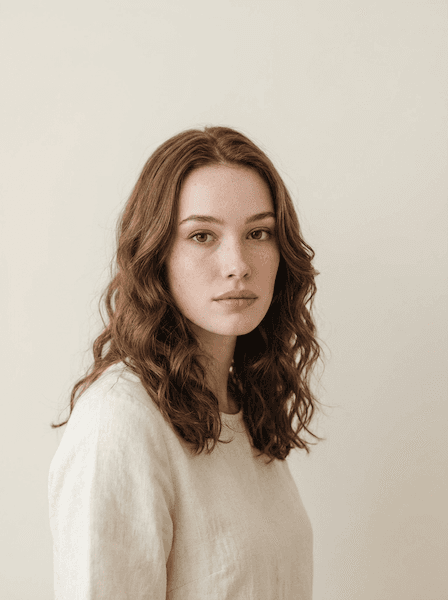
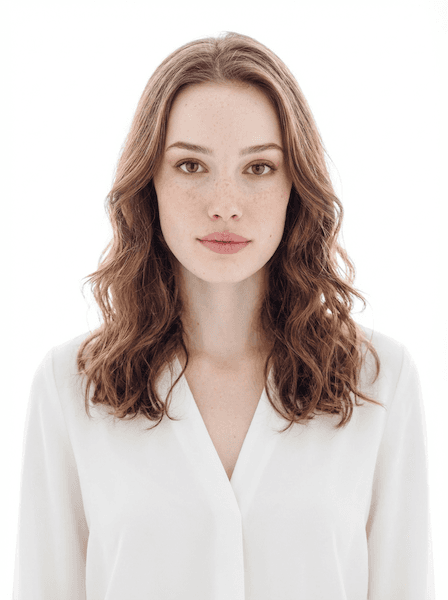
The studio composes for that constraint. You upload one clear, front-facing photo, choose a style, and get back up to four variations framed as a tight head-and-shoulders shot on a clean background — the composition that stays legible when LinkedIn shrinks it and cuts it into a circle.
Why most LinkedIn photos underperform
Not because they are bad photos. Because they were never composed for the place they end up.
The cropped-out group photo
You were at a conference, someone took a good picture, and you cropped yourself out of it. The resolution was never there for a tight crop, so LinkedIn upscales a soft, grainy square. It reads as improvised, which is exactly the impression you are trying to avoid on a profile people check before a call.
Too much room around your head
A photographer framing a portrait leaves breathing room. LinkedIn then crops a circle out of the middle and shrinks it. By the time a recruiter sees it in a search result, your face is a few dozen pixels wide. Tight head-and-shoulders framing is not a stylistic preference here — it is the only framing that survives.
Backgrounds that compete with you
Bookshelves, whiteboards, brick walls, colleagues walking past. At full size they read as personality. At thumbnail size they read as clutter, and the eye cannot separate you from them fast enough. Plain, evenly lit backgrounds win specifically because they carry no information.
Lighting from the wrong direction
Overhead office lighting drops shadows into your eye sockets. A window behind you turns you into a silhouette. Neither is obvious on your phone screen and both are brutal in a small circle, because the first thing the crop destroys is subtle tonal detail around the eyes.
What your profile photo is actually doing
A LinkedIn photo is rarely the reason someone hires you, and it is frequently the reason someone hesitates. It runs alongside your name in every context where a stranger is deciding how much attention to give you: a recruiter scanning a list of forty candidates, a prospect deciding whether to open your message, a hiring manager checking who is joining the call in three minutes.
In every one of those moments the photo answers a small set of questions before your headline gets read. It is doing the work of a handshake — quick, mostly unconscious, and hard to undo.
- Does this person look like they belong in the room I am inviting them into?
- Is this a current photo, or one from a job three roles ago?
- Did they put any care into how they present themselves?
- Are they approachable enough that messaging them feels low-risk?
From selfie to profile photo
One source photo, one style, and a result you can upload the same afternoon.
Upload one photo
Upload one clear, front-facing photo. Good even lighting, no sunglasses or hats, and recent enough that it still looks like you.
Choose a style
Pick LinkedIn Ready, or any of the 65 styles, and optionally set lighting, background, attire, and expression.
Download your pick
Get up to four variations in about 30 seconds. Download the one that reads best when you shrink it to a circle.
What to wear and what to stand in front of
You can set these in the studio, but it helps to know what you are aiming for before you generate.
- Dress one notch above your daily office
- The convention across most white-collar fields is to look slightly more put-together than a normal Tuesday. If your team wears polos, a collared shirt or a knit works. If your team wears business casual, a blazer works. Overshooting into black tie reads as stock photography; undershooting reads as careless.
- Avoid tight patterns and logos
- Fine checks, thin stripes, and small prints alias badly when an image is scaled down, producing a shimmering moiré effect. Solid, mid-to-dark colours hold their shape at any size. Visible company logos also date the photo the moment you change jobs.
- Choose a background with nothing in it
- Clean white, neutral grey, or a soft gradient. All three are backgrounds in the studio. If you want environmental context, the blurred modern office option keeps the shape of a workplace without any readable detail fighting your face.
- Soft, front-weighted light
- Soft Studio and Ring Light are the two lighting options that most reliably keep the eyes bright and the shadows shallow. Bright eyes are the single feature that survives aggressive downscaling, which is why portrait photographers obsess over catchlights.
- A real smile, or a composed one — not a forced one
- Friendly Smile and Approachable both read as warm at small sizes. Serious Professional works if your field trades on gravitas, but on LinkedIn specifically, warmth correlates with people being willing to start a conversation with you.
- Square it up before you upload
- LinkedIn wants a square image of at least 400×400 pixels and will crop it to a circle. Generate at the 3:4 default if you also want a version for a company bio page, then crop square for LinkedIn itself.
Styles that work on LinkedIn
Four of the 65 studio styles, chosen for how they hold up in a small circular crop.
Update it, then leave it alone for a year
The most common failure mode is not a bad photo. It is a photo that stopped being current three roles ago and now creates a small mismatch every time someone meets you. A profile photo has a useful life of roughly a year or two, or until something about how you look changes noticeably.
Because each run returns up to four variations, the practical move is to generate a set, pick the one that survives the circle best, and keep a second in reserve for your company bio page or a conference speaker listing so your presence stays consistent across the places people check you.
Frequently asked questions
Keep looking around
Create your LinkedIn headshot
One photo in, up to four variations out, in about 30 seconds.