

A team page that stops falling apart
Your team page was consistent on launch day. Then people joined, people left, and someone dropped in a cropped group shot. Invite your team to one workspace, agree on one style, and everyone generates their own photo from their own source image.

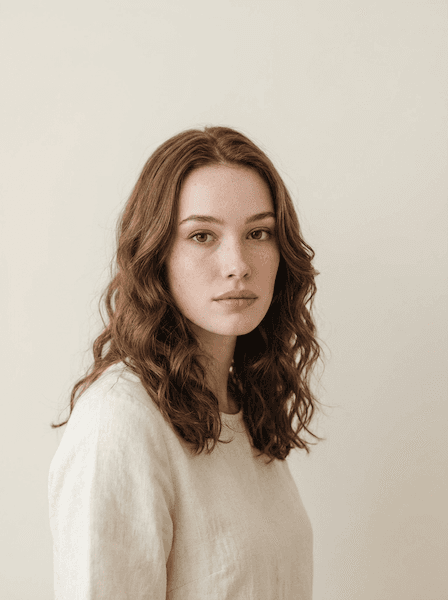
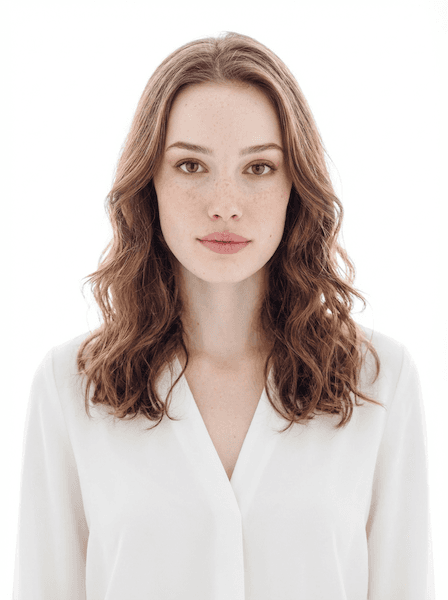

Powered by the world's best AI models
100+ models · commercial use included
The problem with your team page is drift, not quality
Open almost any company About page and you can date the photos like tree rings. Three people were shot at the 2023 offsite and share the same warm ballroom light. Two were done later against a different wall in a different office. One is visibly cropped out of a group photo and slightly soft as a result. Four are grey circles with initials in them, because those people joined after the last time anyone thought about this.
None of those photos is bad. Individually most are fine. The failure is that they were never a set, and a team page is only ever read as a set. The eye scans a row of portraits and registers the inconsistencies — different backgrounds, different crops, different colour temperatures — long before it registers any single face. What that inconsistency communicates is not carelessness about photography. It is that nobody owns this page.
And it decays by design. Every hire, every departure, every re-org pushes the set further apart, and a photo day fixes it only until the next person starts. For a distributed team, one photographer on one day was never a possibility to begin with. The unit of the problem is the set, and the only durable fix is a process each new person can repeat on their first week without anyone organising anything.
Where team photos come apart
Four situations where the inconsistency stops being cosmetic and starts costing you something.
Week one, and there is no photo
A new hire needs a picture for Slack, the internal directory, and the intro post on day two — roughly ten months before the next time anyone organises a photo session. So they use whatever is on their phone. That improvised photo is now permanently in the directory, and it is the only one of the twelve that was taken in a car.
The redesign the photos cannot support
The new site has a clean grid of uniform square portraits on white. The design comps look excellent. Then the real photos go in and half of them have busy backgrounds, three are landscape, and two cannot be cropped square without cutting off a chin. The layout gets watered down to accommodate the assets, which is a design decision made by accident.
The proposal where the team sits in a row
A pitch deck or a sales proposal puts the account team on one slide, four photos side by side. This is the least forgiving context there is, because the comparison is direct and unavoidable. A client reading that slide is forming an impression of how organised you are, using the only evidence in front of them.
The conference speaker page
Three of your people are speaking. The event page shows them in three visual worlds: one studio portrait, one outdoor snapshot, one very dark photo from a bar. Every other company on that page has a matching set, and the difference is legible from across the room on a projector.
What "consistent" concretely means
Consistency is not a vague quality. It is four specific, checkable things, and when a team page looks right it is because those four things agree across every portrait. Get them aligned and the set holds together even though every photo was made by a different person on a different day.
This is also why coordination has to happen before anyone generates rather than after. There is no way to retrofit a matching background onto an existing set, and no amount of individual photo quality compensates for twelve people standing in twelve different places. Decide the four variables once, write them down where a new hire will find them, and the set stays intact through every future change to the team.
- The same background — one colour, one treatment, across every person.
- The same crop — heads the same size in frame, eyes at roughly the same height.
- The same lighting direction and softness, so the shadows fall the same way.
- The same tonality — matched warmth and contrast, so no one photo reads colder than the rest.
How a team actually does this
Each person runs the studio themselves. The consistency comes from everyone choosing the same settings.
Upload one photo
Each person uploads one clear, front-facing photo of themselves — one photo per run, no folder of selfies, no training step.
Choose a style
Everyone picks the same agreed style, background, lighting and framing, so the results share a visual language.
Download your pick
Each person gets up to four variations in about 30 seconds and picks the best one for the directory, the site, and the deck.
Running this across a team
A short internal standard beats a long one. Six decisions and you are done.
- Write down one style and stop debating it
- Pick one of the 65 styles, name it in your onboarding doc, and treat it as settled. Team Page, Corporate Classic, High Key and LinkedIn Ready are the four that hold up in a grid. A team that revisits this decision per person will end up with a page that looks exactly like the one you are trying to replace.
- Lock the background first
- Background is the variable people notice first and the one that varies most. Clean White, Neutral Grey or Soft Gradient all work; the point is that everyone uses the same one. Avoid Modern Office and Urban Brick for team sets — environmental backgrounds are lovely alone and never match each other across twelve runs.
- Agree on lighting and expression too
- Soft Studio or Ring Light keeps shadows shallow and consistent between people. For expression, pick one register for the whole team: Confident and Friendly Smile both work, but a page where half the team is smiling and half is not reads as two departments. Serious Professional suits legal and finance teams.
- Set attire by convention, not by rule
- Give people a range rather than a uniform — Business Casual and Smart Casual Blazer, say, or Navy Suit and Charcoal Suit if that is your field. Colours within one family keep the row calm. Mandating one exact garment produces a page that looks like a stock photo set and makes people resent the exercise.
- Generate at 3:4, then crop square
- Most systems want something square: Slack, the internal directory, most CMS team components. The studio default is 3:4, which gives you a portrait for the website and enough headroom to crop a clean square for everything else. Ask people to keep both files rather than only the crop they needed that day.
- Make it a line in the onboarding checklist
- This is the part that stops the drift. Put the style name, background, lighting and framing in the same document that covers laptop setup and payroll forms. A new hire generating their own matching photo in week one is the entire mechanism by which the set stays consistent for years.
Styles that hold together in a grid
Four of the 65 studio styles, chosen because they still match each other across a dozen people.
One workspace, one bill, one agreed look
The billing side is straightforward. You invite your team into a shared workspace and pay once instead of chasing individual receipts. The Business plan is $99 a month with 10,000 credits and lists up to 10 seats; the Studio plan is $149 a month with 16,000 credits and lists up to 25. The default headshot model costs 11.5 credits per image, so a team has room to try several styles before settling on one.
What the workspace does not do is take the photos for you. Each person still uploads their own source image and runs the studio themselves, and the matching comes from everyone using the same style, background and framing. That is a smaller promise than a photo day, and a more durable one: it works for someone in a different time zone, it works on their first Tuesday, and it works again the next time your team changes.
Frequently asked questions
Keep looking around
Create your team headshot
One photo in, up to four variations out, in about 30 seconds.