

A portrait that holds up in the annual report
Senior portraits get reused by people who never ask permission: comms, investor relations, conference organisers, trade press. Upload one current photo, pick a style, and get a portrait composed to survive every one of those crops.
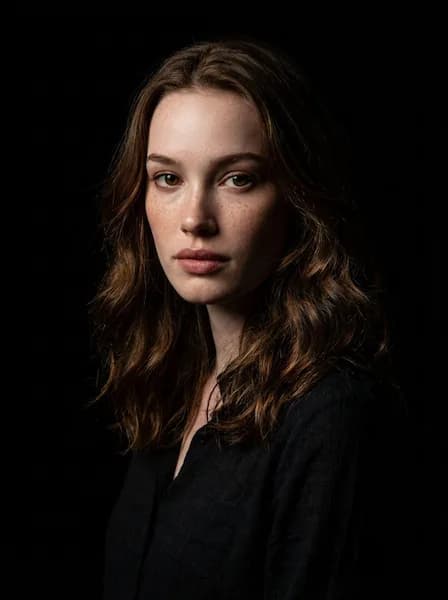
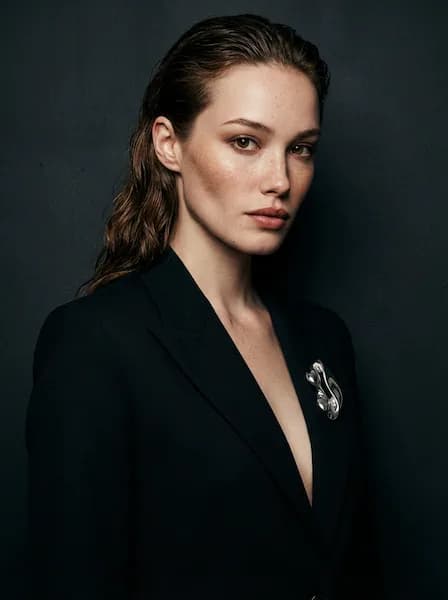
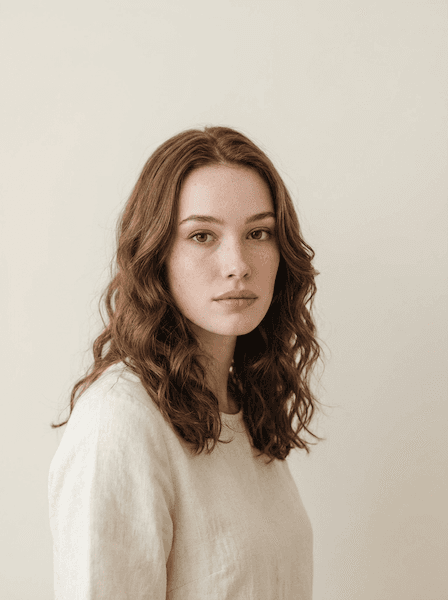

Powered by the world's best AI models
100+ models · commercial use included
Your executive photo is company property in everything but name.
By the time someone reaches the C-suite, their photograph stops behaving like a personal item and starts behaving like collateral. It sits in the leadership section of the annual report and on the team slide of every deck that raises money. Comms attaches it to the press release announcing your appointment, and from there it travels: a trade publication runs it beside a paragraph you did not write, a conference posts it at a crop you did not choose. You approve it once, and after that you have no control over where it lands.
That changes the specification. A personal headshot only has to work in the one place you put it. An executive portrait has to survive being cropped square, converted to greyscale for a print run, laid over a dark slide at low resolution, and reproduced at postage-stamp size in a board listing. It also has to sit next to the portraits of your peers without looking like it came from a different decade.
And it has to look like you today. The common failure at this level is not a bad photograph, it is a good one taken two titles ago, when you ran a team of eight. People arrive at the meeting having formed an impression from a picture that no longer matches the person in the chair. The studio takes one current photo and returns up to four variations in a style you pick, which turns replacing a stale portrait into a twenty-minute task rather than a quarter-long calendar negotiation.
Where executive portraits go wrong
Rarely at the shoot. Almost always afterwards, in a use nobody planned for.
The photo from two titles ago
Senior portraits lag seniority by years, because the last one was taken when the company last hired a photographer. A VP-era photo under a CEO title creates a persistent small mismatch: the person who walks in is older, greyer, or simply different from the one on the board page.
Authority that reads as coldness
The instinct at this level is to remove all warmth in the name of gravitas. The result is a portrait that looks like it was taken under duress. Boards and journalists are not looking for severity, they are looking for someone who could reasonably be handed a difficult decision and a room full of people at the same time.
A composition that breaks in someone else's template
Conference sites crop to a circle. Press kits crop to a square. Slide templates cut off the shoulders. A portrait with the head off-centre or the framing loose enough to be artistic will be mangled by at least one of them, and you will not see it happen until someone sends you the link.
A leadership page with no through-line
Four executives photographed in four different years, against three backgrounds, in two levels of formality. Nobody reads it as personality. It reads as a company that does not keep its own materials current, which is a strange impression to give on the page investors check first.
What a leadership portrait is asked to prove
An executive photograph almost never wins anything on its own. It confirms or undermines a claim made somewhere else: a headline about a funding round, a bio that says twenty years in the sector, a title on a board listing. The reader has a hypothesis about who you are before they see your face, and the photo either supports it or introduces a doubt.
The brief that actually describes this is approachable authority, and both halves are load-bearing. Authority alone reads as a man in a boardroom photograph from 1994. Approachability alone reads as someone two levels down. The narrow band where both are true is where senior portraits live.
- Could this person hold a room of people who are all more senior than the last room?
- Do they look like the description in the press release, or a decade behind it?
- Would a journalist run this image without asking for a different one?
- Is there enough warmth here that a difficult conversation feels survivable?
From one photo to a portrait comms can use
No shoot to schedule, no studio to book, no half-day out of your calendar.
Upload one photo
Upload one current, front-facing photo. Even lighting, no sunglasses or hats, and recent enough that it matches how you look in meetings this quarter.
Choose a style
Pick Executive, or any of the 65 styles, then set lighting, background, attire and expression to match how your leadership page already looks.
Download your pick
Get up to four variations in about 30 seconds. Keep one for the site and one for press, and send both to whoever maintains the bio pages.
What to specify before you generate
The defaults are sensible. These are the choices that separate a senior portrait from a generic one.
- Charcoal before navy
- Both Charcoal Suit and Navy Suit are attire options in the studio. Charcoal is the marginally more senior of the two: it reproduces well in greyscale print and does not compete with a dark slide background.
- Confident, not Serious Professional
- The expression options are close cousins and the difference matters here. Confident holds direct eye contact with the mouth relaxed. Serious Professional closes the face down. For a CEO or board portrait, Confident is almost always the right call, and Thoughtful works if you are being photographed for a longer-form profile.
- Directional light, kept under control
- Rembrandt and Dramatic both build the modelling that reads as substance rather than flat corporate lighting. Neither should be pushed far. In print or on a projector, deep shadow blocks up and you lose the eye on one side, so Soft Studio stays the safer default for anything headed to a press kit.
- Pick a background that reproduces
- Neutral Grey and Dark Elegant are the two backgrounds that behave predictably across the places an executive photo ends up. Dark Elegant is the stronger choice for a dark-themed site or a press image. Neutral Grey is the one to pick if you do not know what template the photo is going into, which is most of the time.
- Leave shoulders in the frame
- Third-party crops cut inward, never outward. A portrait framed with the shoulders visible and a little air above the head can be cropped to a square, a circle, or a tall bio slot without losing the head. Set framing to a close headshot rather than a tight face crop, and generate at the 3:4 default.
- Kill the small patterns
- Fine checks, thin stripes, tie prints and lapel pins all break down when an image is scaled for a directory row. Solid shirt, solid or barely textured tie, no visible branding. The same goes for jewellery: anything that catches a highlight will find the one crop where it becomes the brightest thing in frame.
Four styles that carry seniority
Drawn from the 65 studio styles, chosen for how they behave in decks, print and press.
Keep two versions, not one
The practical failure of executive photography is not quality, it is availability. Someone asks for a headshot at short notice, the only file to hand is the one from three years ago, and it ships. Every extra place that photo appears makes it harder to retire, because now the update is a project rather than a swap.
Because each run returns up to four variations, the sensible move is to generate a formal version for institutional use and a slightly warmer one for press and speaking, then send both to whoever maintains the site. The next time a journalist asks, the answer is a link rather than a photo shoot.
Frequently asked questions
Keep looking around
Create your executive portrait
One photo in, up to four variations out, in about 30 seconds.