

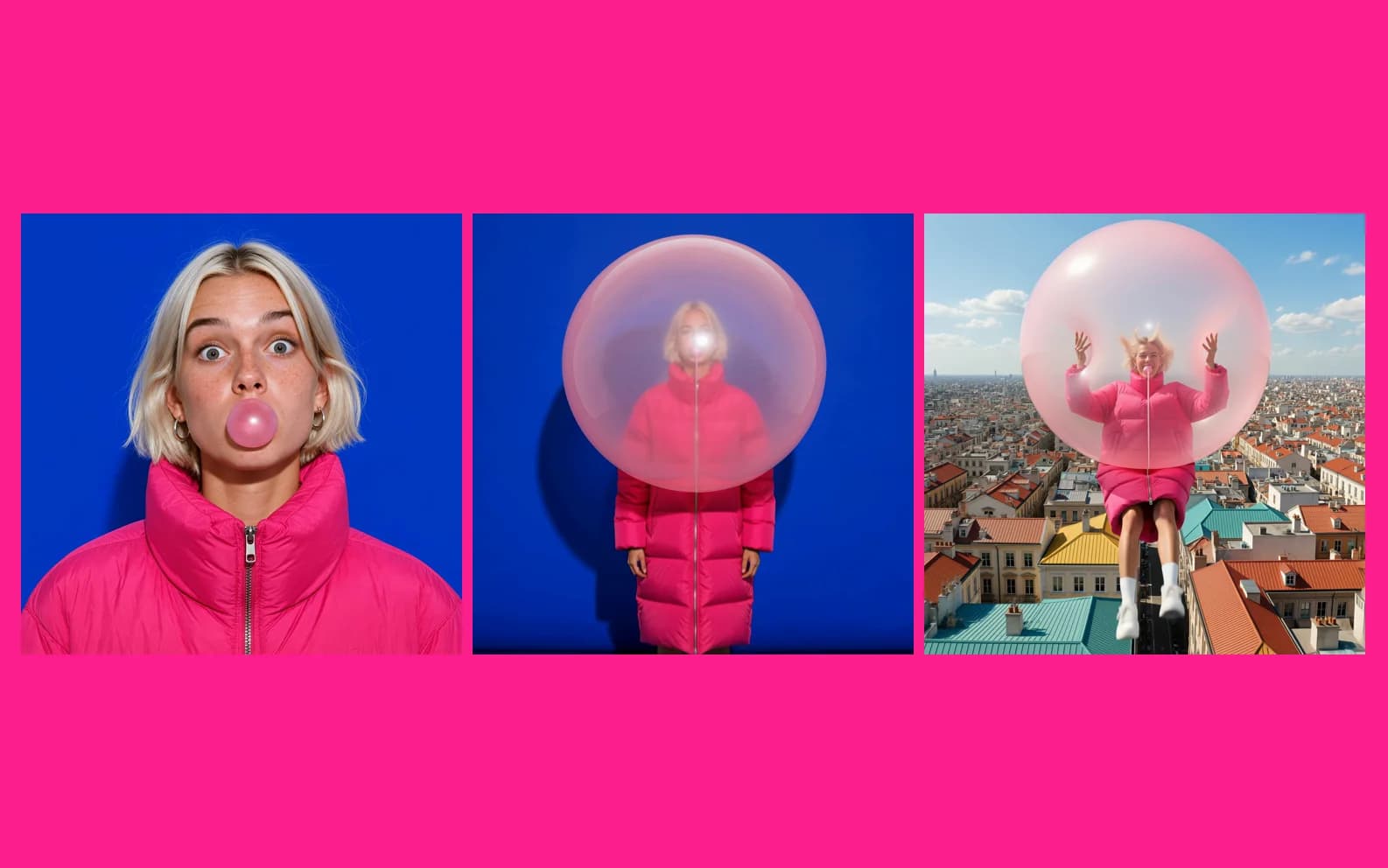
Kling 4.0 is the one to use for the clip you plan to keep. It turns text or an image into a 3 to 30 second video with native audio, at 720p for 31 credits per second or 1080p for 46. If you are still finding the idea, start on Kling 4.0 Flash instead.
Kling 4.0 is on Morphed now. This post covers what it does here, what it costs, and where it stops. It also gives you the exact prompt from our own test.
What Kling 4.0 does on Morphed
| Feature | Kling 4.0 |
|---|---|
| Modes | Text-to-video, image-to-video, reference-to-video, video editing |
| Length | 3 to 30 seconds |
| Resolution | 720p or 1080p |
| Cost | 31 credits per second at 720p, 46 at 1080p |
| Audio | Native audio, always on |
| Aspect ratios | 16:9, 9:16, 1:1, 21:9 for text-to-video. Image-to-video follows the input image. |
| Frames | Optional start and end frame on image-to-video |
| Video editing | Source clips of 3 to 30 seconds, 38 credits per second at 720p, 56 at 1080p |
| Reference-to-video | Up to 10 images and 5 videos, with 30 seconds of video in total |
| Plan | Paid plan, Basic or higher |
Two rows matter more than they look. Audio is always on, so every clip has sound and you cannot switch it off. And image-to-video takes its framing from your image, so crop the image to the shape you want before you start.
What a clip costs
Credits are per second, so the math is simple.
| Length | 720p | 1080p |
|---|---|---|
| 5 seconds | 155 credits | 230 credits |
| 10 seconds | 310 credits | 460 credits |
| 20 seconds | 620 credits | 920 credits |
| 30 seconds | 930 credits | 1,380 credits |
A 30 second clip at 1080p is a real spend. Get the idea right on a short clip first. Morphed has no free generation, so every draft costs credits.
When to use Kling 4.0
- The clip is the final one. It had the cleaner tear and richer colour in our small test.
- You need 1080p. Flash stops at 720p.
- You need more than 20 seconds. Flash stops at 20. Kling 4.0 goes to 30.
- You need to land on a set frame. Image-to-video takes an end frame as well as a start frame. Flash takes a start frame only.
When not to use it
- You are still exploring. A second at 1080p costs more than twice a second on Flash, and our 1080p takes ran for minutes. Use Flash until the idea works.
- You want a silent clip. Audio is always on.
Comparing it with Google's newest video model? Read our Gemini Omni 1.2 Flash guide.
What we saw in our test
We gave Kling 4.0 one frame and one prompt, and asked for a 10 second clip at 1:1 and 1080p. We ran two takes. Each cost 460 credits and took 8 to 10 minutes.
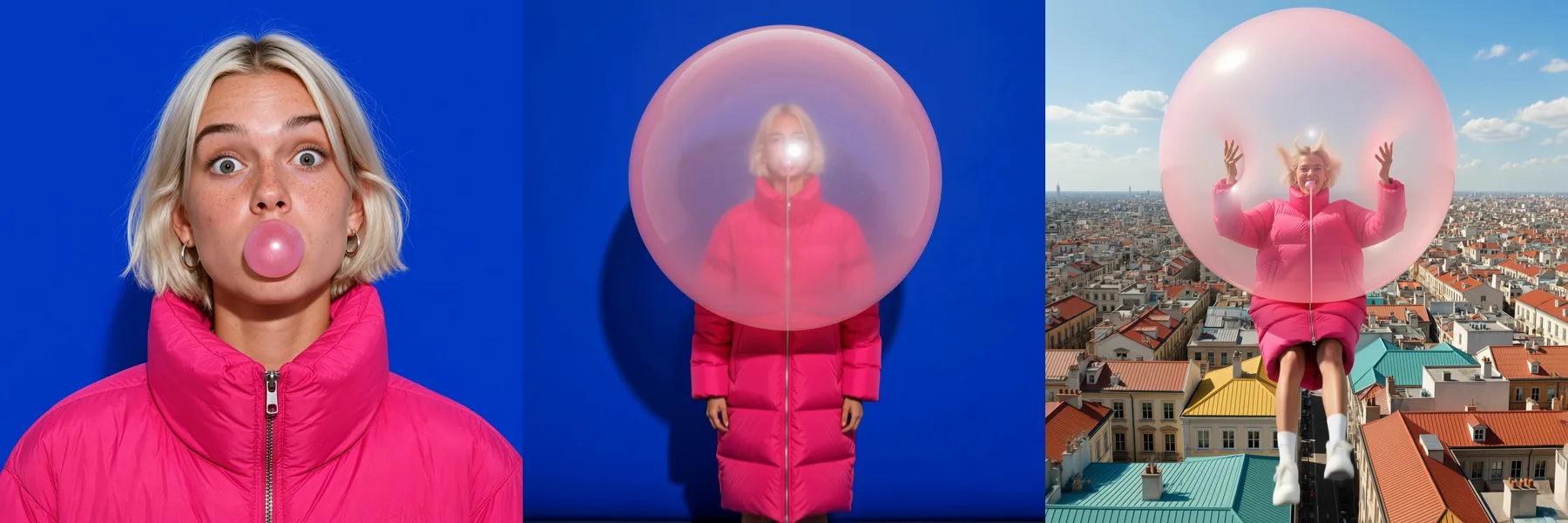
The story held. The bubble grows, the wall tears open, she floats out over the rooftops. Next to Flash on the same frame and prompt, Kling 4.0 had the cleaner tear and the richer colour. That is our read, not a score.
Two takes is a small sample. We made these clips by calling the same models directly through the providers, not in the Morphed app, so your timings will vary. The side-by-side numbers are in Kling 4.0 Flash vs Kling 4.0.
The prompt we used
The start frame is the first frame of a GPT Image 2.6 GIF, sharpened with a GPT Image 2.6 edit. This is the whole prompt.
[STYLE + CAMERA + ATMOSPHERE]
Bright, saturated commercial film look, crisp detail, hard studio light. One continuous camera move, single unbroken take, no cuts.
Audio: wet rubbery stretching creak of bubblegum, a rising squeak as it swells, wind rushing in, a distant sunny city, her muffled laugh. No music.

[TIMELINE SECOND BY SECOND]
0-2s: [Close, centered] She holds the small pink bubble at her lips, eyes on the camera, and raises one eyebrow.
2-5s: [Slow pull back] She keeps blowing. The bubble swells past her face, bigger than her head, bigger than her jacket, glossy and stretched thin. It does not pop.
5-7s: [Continuous crane up] The giant bubble lifts her off the floor. The cobalt blue wall behind her tears open like paper and bright daylight pours in.
7-10s: [Continuous crane up, wide] She floats out through the tear, both hands on the giant pink bubble, over sunny colourful rooftops, legs kicking, laughing.

[QUALITY]
Photorealistic, coherent physics on hair, jacket and gum, stable character identity, no text, no logos.
Three habits worth stealing from it:
- Time every beat. Each action gets its own range of seconds. Nothing is left to "and then".
- Name the camera. One continuous move, no cuts, and each beat says what the camera does.
- Write the sound. Audio is always on, so the prompt says what to hear, and it says "No music".
For more on writing motion, read our Kling prompt guide. It was written for Kling V3 and 2.6.
Try it
Open Kling 4.0. It needs a paid plan, Basic or higher. Start with a short clip at 720p, and move to 1080p once the idea works.