

Gemini Omni 1.2 Flash makes 3 to 15 second clips with native audio, from text, an image, or up to 10 reference images. It runs from 360p to 4K, at 6 to 42 credits per second. Use it when 16:9 or 9:16 is fine and 15 seconds is enough. For longer clips or other shapes, use Kling 4.0.
Gemini Omni 1.2 Flash runs on Google directly. This post covers what it does on Morphed, what it costs, what we timed, and where it stops.
What Google says
Google released the model on November 5, 2026, and calls it the first generally available Gemini Omni. In its announcement, Google says it is 30% cheaper than 1.1, and that clips now run up to 15 seconds, up from 10. Google also claims better consistency from first to last frame, more natural dialogue and lip-sync, and fewer unwanted jump cuts in continuous camera moves.
Google says it is still working on fast sports action, rapid script changes, and complex physics. These are all Google's statements, not our measurements.
What it does on Morphed
| Feature | Gemini Omni 1.2 Flash |
|---|---|
| Modes | Text-to-video, image-to-video, reference-to-video, video editing, extend |
| Image-to-video | Optional end frame |
| Reference-to-video | Up to 10 reference images |
| Length | 3 to 15 seconds, in one-second steps. 10 seconds with an end frame. |
| Resolution | 360p, 720p, 1080p, 4K |
| Aspect ratios | 16:9 and 9:16 only |
| Audio | Native audio, always on |
| Video editing | Source clips of 3 to 15 seconds, 16:9 or 9:16 |
| Extend | Adds 3 to 10 seconds to a clip of up to 15 seconds, and returns the joined clip |
| Reference videos | Up to 3 of 3 seconds each, or 1 for clips over 10 seconds |
| Plan | Paid plan |
What a clip costs
| Resolution | Text-to-video, per second | Image and reference, per second | 15 second text-to-video clip |
|---|---|---|---|
| 360p | 6 credits | 6 credits | 90 credits |
| 720p | 14 credits | 15 credits | 210 credits |
| 1080p | 21 credits | 22 credits | 315 credits |
| 4K | 41 credits | 42 credits | 615 credits |
Read the 30% claim with care. On Morphed, Omni 1.1 cost 15 credits per second at 720p, and 1.2 costs 14. The bigger change at that resolution is length, because 1.1 topped out at 10 seconds.
The 360p tier is the useful surprise. At 6 credits per second, you can check a whole 15 second idea for 90 credits.
Editing and extending
| Resolution | Edit, per second of source |
|---|---|
| 360p | 8 credits |
| 720p | 16 credits |
| 1080p | 23 credits |
| 4K | 43 credits |
An edit keeps the source length and its audio. Extend costs the usual rate per added second, plus 2 credits per second of source, counting at most the last 10 seconds. Reference videos also add 2 credits per second.
Google has no separate upscale mode in its API, so pick 1080p or 4K when you generate or edit. Google also does not take audio files as input.
What we timed
We called Google's API directly, not the Morphed app, with one run each. Speeds will vary.
| Clip | Output size | Time |
|---|---|---|
| 3 seconds, 360p | 640x360 | 20 seconds |
| 3 seconds, 720p | 1280x720 | 34 seconds |
| 3 seconds, 1080p | 1920x1080 | 49 seconds |
| 3 seconds, 4K | 3840x2160 | 119 seconds |
| 15 seconds, 720p | 1280x720 | 71 seconds |
All of them came back with audio. One run each is not a benchmark, so treat these as a rough guide. Still, the 15 second clip took about twice as long as the 3 second clip at the same resolution, not five times.
We also tried the end frame limit. A 12 second clip with an end frame failed. A 10 second one worked.
A real prompt
This is the prompt from our test. It is one sentence of action and one of look.
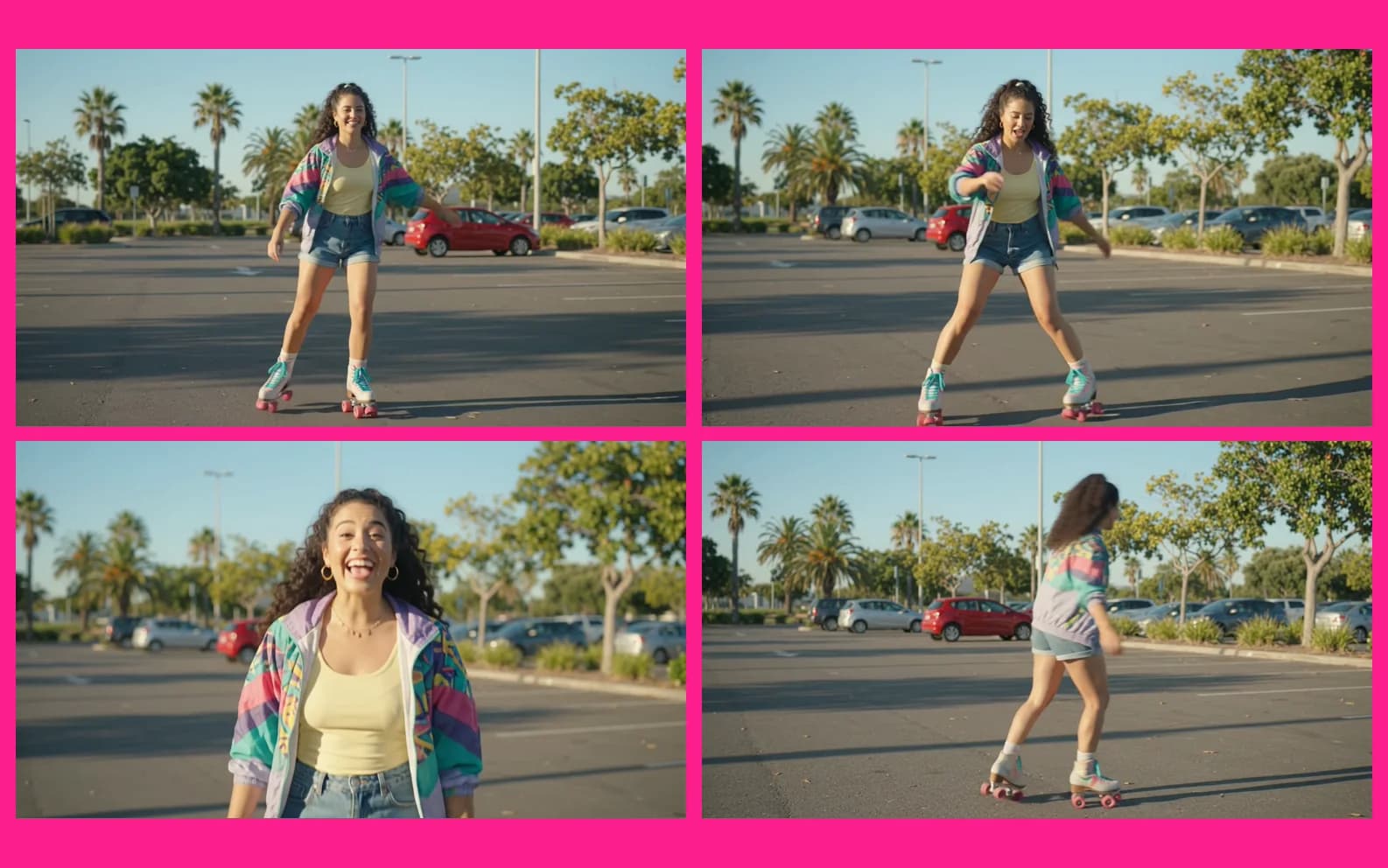
A young woman on roller skates spins once in a sunny car park, says 'Again!', and laughs. Bright, saturated colours.

Put the spoken line in the prompt, in quotes, because audio is always on and it is part of the clip.
When to use it
- You want to pick your resolution. It goes from a 360p draft to 4K in one model.
- You work in 16:9 or 9:16. Those are the only two shapes.
- You have reference images. Reference-to-video takes up to 10.
- Your clip fits in 15 seconds. That is the ceiling.
When not to use it
- You need 1:1 or 21:9. Use Kling 4.0 or Kling 4.0 Flash.
- You need more than 15 seconds. Kling 4.0 goes to 30.
- You need an end frame on a clip over 10 seconds. The limit is 10.
- The shot is fast sports, rapid script changes, or complex physics. Google says it is still working on these.
- You want a silent clip. Audio is always on.
Gemini Omni 1.2 or Kling 4.0?
| Feature | Gemini Omni 1.2 Flash | Kling 4.0 |
|---|---|---|
| Length | 3 to 15 seconds | 3 to 30 seconds |
| Top resolution | 4K | 1080p |
| 720p text-to-video | 14 credits per second | 31 credits per second |
| 1080p text-to-video | 21 credits per second | 46 credits per second |
| Aspect ratios | 16:9, 9:16 | 16:9, 9:16, 1:1, 21:9 |
This compares specs and prices, not quality. Run your brief on both before you commit.
Try it
Open Gemini Omni 1.2 Flash. It needs a paid plan, and Morphed has no free generation. Start at 360p, and move up once the idea works.