

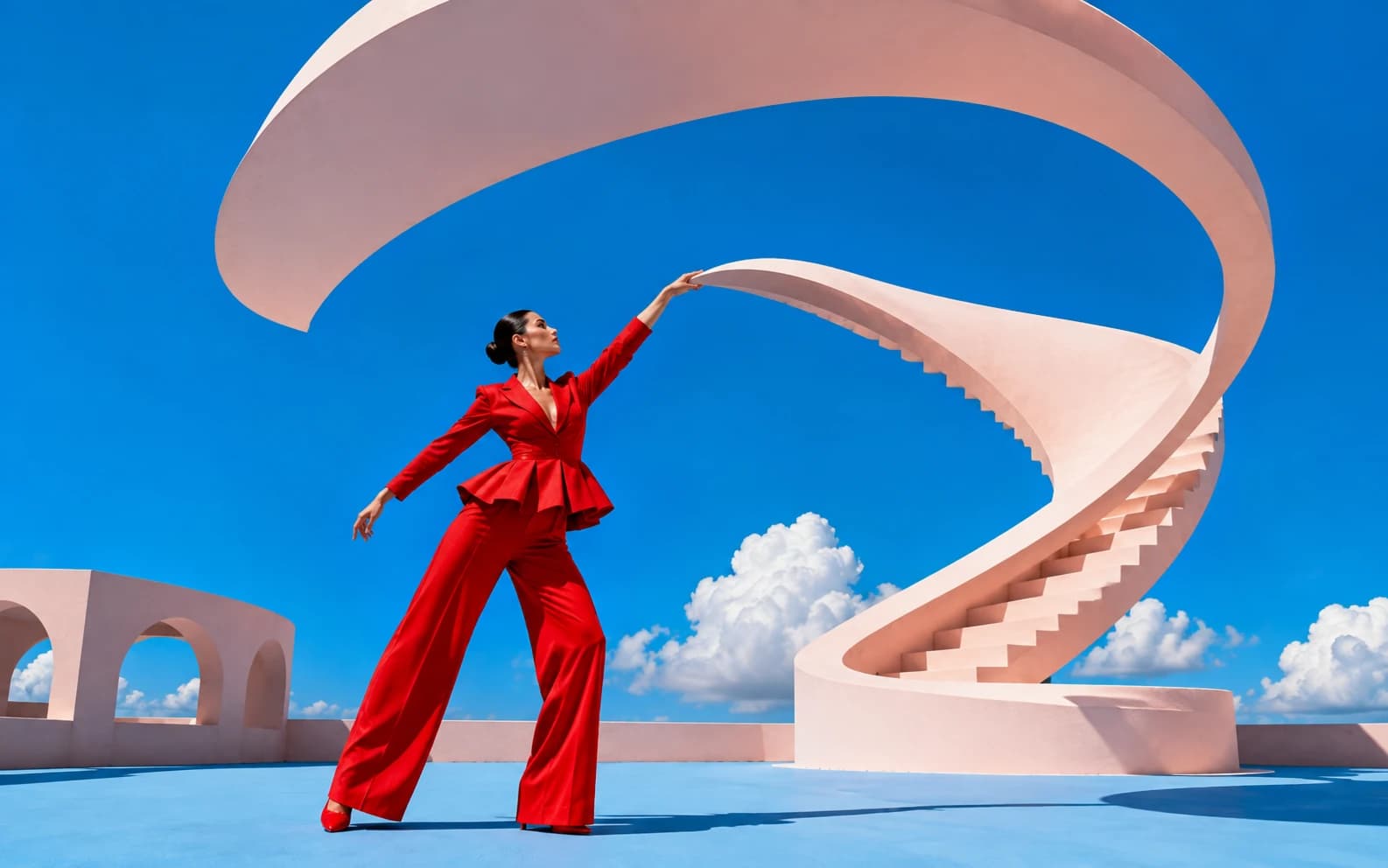
MiniMax H3, known in the consumer app as Hailuo 3.0, launched on July 31, 2026 and renders 5 to 15 second clips at up to 2K and 24fps. It handles text-to-video, image-to-video with first and last frame control, and reference-to-video with up to nine reference images, three video clips, and three audio clips in a single generation. The prompt structure that survives generation is subject, then chronological action beats, then the environment's physical reaction, then one camera move, then lighting, then an ending state. On Morphed it costs 40 credits per second, so a 15-second clip is 600 credits.
| If you want | Start with | Duration | Aspect | Avoid |
|---|---|---|---|---|
| A short-form social clip | one subject, one action beat, centered framing | 5-6s | 9:16 | wide compositions with a small subject |
| A product physics shot | one object, one material event, one camera move | 5-8s | 1:1 or 16:9 | making the product travel between rooms |
| A cinematic scene | a setup beat and a turn, written chronologically | 8-12s | 16:9 or 21:9 | a paragraph of style adjectives |
| Locked character identity | reference mode, one explicit role per asset | 6-10s | any | asking every reference to control everything |
| Generated dialogue or sound | a different model entirely | n/a | n/a | expecting audio out of H3 on Morphed |
Hailuo 3, MiniMax H3, Hailuo 2.3: which name means what
They are not four models. MiniMax H3 is the official name and MiniMax-H3 is the model ID. Hailuo 3.0 and Hailuo 03 are the same model under the consumer brand. Hailuo is the app and product line, H3 is the model powering it. The naming split is why search results for this model are scattered across five different phrasings.
| Name you will see | What it refers to | Use it when |
|---|---|---|
| MiniMax H3 | Official model name, API model ID MiniMax-H3 | Writing docs, API calls, anything technical |
| Hailuo 3.0 / Hailuo 03 | Consumer and community name for the same model | Talking to creators, searching for prompt examples |
| H3-Base | The 33B open-weight checkpoint posted to Hugging Face on August 3, 2026 | Discussing local deployment specifically |
| Hailuo 2.3 | The previous generation, still a distinct model | Comparing generations, not as a synonym |
| Hailuo 01 / 02 | Earlier generations, the "eating noodles" physics era | Historical context only |
The practical consequence: prompt guides written for Hailuo 02 and 2.3 still circulate and still get recommended for H3. Most of their advice transfers, but their bracket camera syntax does not carry a documented guarantee in H3. More on that below.
One more distinction worth understanding before you write anything. Only H3-Base is open. The 2K upscaler (H3-Regenerate-2K) and the Context-IR orchestration layer that handles multi-reference generation stayed closed and API-only. A local run of the open weights is not the same product as a hosted generation, which is the single most common misunderstanding in the community threads right now.
How the prompt skeleton works
A reliable H3 prompt has six parts in a fixed order: subject, chronological action beats, environment reaction, camera movement, lighting and style, ending state. Aim for 50 to 120 words. The API accepts far longer prompts, up to roughly 7,000 characters, but length past about 120 words stops adding control and starts adding contradictions.
| Part | Job | Example fragment |
|---|---|---|
| Subject | Who or what, with two or three concrete physical details | "a woman in a cropped denim jacket, hair tied back" |
| Action beats | Chronological sequence with connectors | "first she lifts the cup, then steam catches the light, as she turns" |
| Environment reaction | What the world does back | "condensation streaks down the glass, dust drifts through the beam" |
| Camera | Exactly one move | "slow push-in from chest height" |
| Lighting and style | Direction plus quality, not mood words | "hard side light from a window at 45 degrees, cool shadows" |
| Ending state | Where the clip should land | "ends on her looking off-frame, cup lowered" |
The chronological connectors carry more weight here than in most video models. "First, then, as, finally" give H3 an explicit beat order. Without them the model has to guess whether your three described events happen in sequence or simultaneously, and it usually picks simultaneously, which is what produces the mushy, everything-at-once clips people complain about.
Weak prompt to strong prompt, rewritten
Here is a prompt in the shape most people actually write:
cinematic shot of a woman drinking coffee in a cafe, beautiful lighting, 4k, highly detailed, cinematic, moody atmosphere
Six style adjectives, one vague action, no camera, no timing, no ending. H3 will produce something, and it will look like a stock clip because that is the only unambiguous instruction in there.
The same idea rebuilt on the skeleton:
A woman in a grey wool coat sits at a corner cafe table, both hands around a white ceramic cup. First she lifts the cup toward her face, then steam curls upward and catches the window light, as she pauses and looks out at the street. Condensation fogs the inside of the window beside her and a car passes behind the glass. The camera pushes in slowly from chest height, ending at a tight three-quarter framing. Hard morning light from the left window, deep shadows on the right side of her face, warm highlights on the cup rim. Ends with the cup lowered to the table and her gaze still off-frame.
That is 110 words and it does five things the first prompt did not: it names the material of the coat and cup, it orders the beats, it gives the environment something to physically do (steam, condensation, a passing car), it commits to one camera move with a start and end position, and it specifies where the clip stops. Nothing in it is a mood word.
Which camera language actually works
Two camera paradigms coexist in the H3 community and only one is documented. Plain physical description is what MiniMax's own material demonstrates, and it is what you should default to. The bracket syntax carried over from Hailuo 02 and 2.3 still appears in most prompt guides, and camera control is surfaced as Director Mode in the Hailuo app, but the bracket tokens are community convention rather than a confirmed H3-native instruction format.
| Paradigm | Syntax | Status | When to use |
|---|---|---|---|
| Natural language | "slow smooth 180-degree orbit around the bottle" | Demonstrated in official material | Default for everything, especially mixed prompts |
| Bracket / Director Mode | [Push in], [Pan left], [Truck right], [Pedestal up], [Tilt down], [Zoom in] | Carried from Hailuo 02 and 2.3, not confirmed H3-native | Short prompts where you want one unambiguous move, and you are willing to test |
If you use brackets, the community convention is a maximum of three combined moves. Past three the model tends to average them into a drift. Honestly, three combined camera moves in a 6-second clip is bad direction anyway.
The natural-language versions that behave most consistently share a pattern: they state the camera's height, its path, and its speed. "Camera tracking low beside the skateboard, matching its speed" gives three constraints. "Dynamic camera" gives none. A useful habit is to write the camera line as if you were telling a human operator where to stand.
One thing worth stating plainly: do not spend prompt words on sound. Morphed's H3 integration does not advertise audio output, so audio cues in the prompt are wasted tokens that could have gone to physical detail. If you need generated dialogue or synced sound, use FLUX 3 Video instead.
Vertical prompts for short-form and creator content
These are built for 9:16 at 5 to 6 seconds, which is the duration and shape that actually holds on a feed. Centered action, one beat, readable subject at thumbnail size.
1. Skincare hand-off
A pair of hands lifts a frosted glass serum bottle from a marble counter. First the dropper is pulled out, then a single drop falls and lands on an open palm, as the hand tilts slightly to catch the light. Water beads sit on the counter beside the bottle. Camera holds static at counter height, slight push-in over the last second. Soft diffused overhead light, cool white surfaces. Ends with the palm centered in frame.
2. Barista counter pass
A barista in a black apron slides a paper cup across a wooden counter toward camera. First the cup is set down, then a hand pushes it forward, as steam rises from the lid vent. Flour dust and crumbs are visible on the counter surface. Camera is low and static at counter level, subject centered vertically. Warm tungsten overhead with a cool window spill from the left. Ends with the cup filling the lower third of frame.
3. Gym mirror check
A person in a grey sleeveless top adjusts a wrist wrap in front of a gym mirror. First the wrap is pulled tight, then they roll their shoulder back, as they exhale and look up into the mirror. Chalk dust hangs in the air near the rack behind them. Camera is static, framed on the mirror reflection, centered. Overhead industrial light with cool shadow fill. Ends on the upward look, shoulders squared.
4. Outfit turn
A person in an oversized wool coat and boots stands on a wet city sidewalk. First they step forward, then they turn a full rotation, as the coat hem lifts and settles with the momentum. Puddle reflections shift under their feet. Camera is static at chest height, subject centered with headroom above. Overcast diffused daylight, no hard shadows. Ends facing camera, coat still settling.
5. Desk setup reveal
A hand places a mechanical keyboard onto a dark wood desk beside a monitor. First the keyboard is set down, then the hand withdraws, as the monitor backlight fades up and casts a glow across the keycaps. A small plant leaf shifts in the airflow. Camera tilts down slowly from monitor to keyboard. Warm desk lamp from the right, cool screen light from the front. Ends framed on the lit keycaps.
6. Pour shot for a food page
A ladle pours dark broth into a deep ceramic bowl of noodles. First the ladle tips, then the broth streams down and the surface ripples, as steam rises and the noodles shift under the flow. Scallion slices rotate on the surface. Camera is locked overhead looking straight down, bowl centered. Warm side light from the left creating steam highlights. Ends with the ladle lifted out of frame and the surface settling.
7. Balcony reveal
A person in a linen shirt pushes open a set of balcony doors from inside a hotel room. First the doors swing outward, then curtain fabric billows inward with the pressure change, as they step through into the light. Distant sea haze fills the opening. Camera follows forward through the doorway at eye height, one continuous move. Blown-out midday exterior against a dim interior. Ends on the open view with the curtain still moving.
Product-in-motion prompts that use the physics engine
The Hailuo line built its reputation on physical plausibility, which means liquids, cloth, hair, and material contact. Product prompts should give the model exactly one material event to solve. That is where the model's advantage over generic video generators actually shows.
8. Perfume under water
A faceted glass perfume bottle sits on black stone as water falls from above. First the stream hits the bottle cap, then water sheets down the faceted sides and splits at each edge, as droplets scatter onto the stone. A shallow pool forms and spreads outward. Camera orbits slowly 90 degrees to the right at bottle height. Hard backlight through the water, dark background, strong specular highlights on the glass. Ends with the stream cut and water still running off the base.
9. Sneaker in wet sand
A white leather sneaker presses down into wet dark sand. First the sole makes contact, then the sand compresses and displaces around the edge, as water seeps up into the impression. Loose grains stick to the midsole. Camera is low and static at ground level, shoe filling the right two-thirds of frame. Late-afternoon side light raking across the sand texture. Ends with the shoe lifted slightly, sand clinging and falling.
10. Chocolate snap
Two hands hold a dark chocolate bar over a slate board. First the bar is flexed, then it snaps cleanly along a scored line, as fine cocoa crumbs fall to the board. The broken edges show a matte fracture surface. Camera is static in tight macro on the break point. Hard directional light from the upper left, deep shadow beneath the board. Ends with both halves separated and crumbs settling.
11. Watch through condensation
A steel dive watch rests behind a pane of fogged glass. First a finger wipes a clear stripe across the condensation, then the watch face becomes readable through the gap, as remaining droplets run down the pane. The bezel catches light through the cleared stripe. Camera pushes in slowly through the cleared area. Cool blue key light from the left, dark background. Ends framed tight on the dial.
12. Silk over headphones
A length of dark red silk falls across a pair of matte black over-ear headphones on a concrete plinth. First the fabric drops into frame, then it drapes over the ear cup and conforms to the curve, as the trailing edge settles onto the concrete. The silk holds a soft sheen along its folds. Camera cranes down slowly from above to a three-quarter view. Single soft key from the right, black background. Ends with the fabric fully at rest.
13. Ice into whiskey
A large clear ice cube drops into a heavy tumbler holding amber whiskey. First the cube breaks the surface, then liquid displaces up the glass wall and swirls back, as fine bubbles trail off the ice edges. A thin condensation ring forms on the wood beneath. Camera is static at glass height, slight push-in over the last two seconds. Warm backlight through the whiskey, dark surround. Ends with the cube floating and the surface still moving.
Cinematic scene prompts for longer clips
These are written for 8 to 12 seconds at 16:9 or 21:9. A cinematic prompt needs a turn, meaning the clip should not be the same thing at second 10 that it was at second 1.
14. Corridor rain
A man in a wet overcoat walks down a narrow corridor lit by a single flickering fixture. First he passes under the light, then it stutters and drops the corridor into near dark, as he stops and turns his head toward a door. Water drips from his coat hem onto tile. Camera tracks backward ahead of him at eye height, then holds when he stops. Hard overhead source, long shadows down the corridor. Ends on his profile in the half-light.
15. Desert stop
A woman with a canvas bag stands alone at a roadside bus shelter in flat desert scrub. First a distant heat shimmer distorts the road, then wind pushes dust across the frame, as she shields her eyes and looks toward the horizon. Loose sand skates across the asphalt. Camera holds a wide static frame with the shelter on the right third. Harsh overhead noon sun, short hard shadows. Ends with her hand lowering, road still empty.
16. Dawn boat
An old fishing boat cuts through flat grey water before sunrise. First the bow lifts over a low swell, then spray sheets off the hull, as a lone figure at the stern adjusts a rope. Mist sits on the water surface ahead. Camera tracks alongside at water level, matching the boat's speed. Cold blue pre-dawn light with a thin warm band at the horizon. Ends with the boat crossing out of frame right.
17. Library beam
An older man in a cardigan pulls a book from a high shelf in a wood-panelled library. First he tilts the spine out, then dust lifts from the shelf edge, as the particles drift into a hard shaft of window light. He opens the book against his forearm. Camera pushes in slowly from a low three-quarter angle. Single hard window beam, everything else in deep shadow. Ends on the open pages catching the light.
18. Rooftop antenna
A technician in a harness works on a rooftop antenna array above a dense city. First they tighten a bolt, then wind pushes a loose cable into a slow arc, as they straighten and look out across the skyline. Distant traffic moves far below. Camera orbits 120 degrees around them at roof level, revealing the city behind. Low golden sun from behind the skyline, long rooftop shadows. Ends with the city filling the background and the figure in silhouette.
19. Snow tracking
A wolf moves at a steady trot through a dense snow-covered pine forest. First it passes between two trunks, then snow shakes loose from a branch overhead, as it pauses and lifts its head to scent the air. Powder drifts down through the frame. Camera tracks laterally alongside at chest height through the trees. Flat overcast light, cool blue-white palette. Ends with the wolf holding still, breath visible.
Anime and stylized prompts
Stylized output is where the Hailuo line has consistently done better than its general-purpose competitors. For these, name the medium and its physical properties, not just the genre.
20. Ink wash crane
A single crane lifts off from still water in a traditional ink wash painting style. First the wings extend, then water beads fall from its legs, as the ink of the background mountains bleeds slightly at the edges. Brush texture is visible in the wing strokes. Camera tilts up slowly following the ascent. High-key white paper ground, black and grey ink only, one small red seal in the corner. Ends with the crane high in empty white space.
21. Rooftop wind
An anime schoolgirl in a navy uniform stands at a rooftop fence at sunset. First her hair lifts in a gust, then her skirt hem and the fence chain move together, as she pushes hair back behind her ear and turns toward camera. Cloud shadows race across the rooftop below. Camera pushes in slowly from a low angle against the sky. Saturated orange and violet sunset gradient, hard rim light on her hair. Ends on her face three-quarter to camera.
22. Game CG knight
An armored knight kneels in a ruined cathedral in high-fidelity game cinematic style. First the helm is lowered, then dust falls through a broken roof onto the pauldrons, as the knight lifts their head toward a shattered stained-glass window. Cloak fabric settles against the stone. Camera cranes up and over the shoulder toward the window. Coloured light through broken glass, volumetric dust shafts, cold ambient fill. Ends framed on the window from behind the knight.
23. Mecha hangar
A cel-shaded humanoid mech stands in an industrial hangar as service arms retract. First the chest plating seals shut, then the head optics illuminate in sequence, as steam vents from the leg joints. Warning strobes pulse on the hangar wall. Camera trucks right along the mech's full height at low angle. Flat cel shading with hard-edged shadows, orange strobe against blue ambient. Ends looking up at the lit optics.
24. Watercolour market
A crowded morning market rendered in loose watercolour with visible paper grain. First a vendor lifts a woven basket, then steam rises from a nearby pot, as figures move through the background as soft washes. Pigment edges bloom where colours meet. Camera drifts slowly right past the stalls. Warm ochre and teal palette, white paper showing through the highlights. Ends on a stall of stacked fruit.
Movement and dance prompts
Full-body motion is the Hailuo line's other strong suit. The rule for these: describe the motion as a physical sequence, not as a style label. "Contemporary dance" tells the model nothing. "Weight drops to the left knee, then the torso spirals" does.
25. Studio contemporary
A dancer in a loose grey top moves across an empty studio floor. First the weight drops onto the left knee, then the torso spirals open, as one arm extends and the fabric trails behind the movement. Floor dust lifts where the foot pivots. Camera orbits slowly counter-clockwise at floor level. Single hard window light from the left, large soft shadow on the far wall. Ends on the extended arm holding still.
26. Windmill
A breakdancer in a track jacket drops into a windmill on wet concrete. First the shoulder makes contact, then the legs sweep through in a full rotation, as the jacket rides up and water sprays from the surface. Puddle reflections break under the movement. Camera is low and static, subject centered, slight upward angle. Overhead sodium streetlight, orange highlights on wet ground. Ends mid-rotation with legs extended.
27. Theatre turn
A ballet dancer in a white practice skirt executes a slow turn centre stage. First the working leg lifts to passé, then the turn begins and the skirt lifts with centrifugal force, as the head spots back to front. Stage dust drifts through the light. Camera holds a wide static frame from the house, slight push-in. Single hard top spotlight, everything beyond the pool of light in black. Ends with the leg closing and the skirt falling.
28. Beach capoeira
Two capoeiristas move in a circle on hard-packed wet sand at low tide. First one drops into a low sweep, then the other arcs over it, as sand kicks up and a thin sheet of water splashes outward. A shallow tide film reflects both figures. Camera circles the pair at knee height, matching their rotation. Low warm sun from behind, both figures partly silhouetted. Ends with both upright and facing each other.
29. Hair-flip commercial
A woman with long dark hair whips her head from down to up in a studio. First the head drops forward, then it swings up and the hair follows in a full arc, as individual strands separate and catch the light. Fine water droplets release from the ends. Camera is static in medium-close framing, subject centred. Hard rim light from behind and a soft frontal fill, seamless dark background. Ends with the hair falling back onto the shoulders.
Image-to-video prompts
In image-to-video, the image already carries identity, wardrobe, palette, and composition. Do not re-describe them. Spend the entire prompt on motion, camera, and the ending state. H3 also supports first and last frame control, which is the most underused feature in the whole model.
30. Portrait, minimal life
Keep the subject and framing exactly as in the image. She takes a slow breath, then blinks once, as a strand of hair shifts near her temple. Camera holds completely static with a barely perceptible push-in. Nothing else in the scene moves. Ends in the same pose as the starting frame.
31. Packshot rotation
Preserve the product's shape, label, and finish exactly as shown. The object rotates 180 degrees clockwise on its vertical axis at a constant slow speed. Highlights travel across the surface as it turns. Camera stays locked. Background and lighting do not change. Ends with the reverse face toward camera.
32. Landscape weather
Keep the terrain, horizon line, and colour grade from the image unchanged. Cloud shadows move across the valley from left to right, then a wind gust bends the foreground grass, as a thin mist thickens in the far treeline. Camera pushes in very slowly. No people or animals enter the frame. Ends with the mist obscuring the far ridge.
33. First and last frame, door
Start on the first frame with the door closed and the corridor dark. End on the last frame with the door fully open and light spilling across the floor. Between them, the handle turns, then the door swings inward, as dust lifts in the widening light gap. Camera holds static throughout at handle height.
34. Logo pull-back
Preserve the logo lockup and its position exactly. The camera pulls back steadily to reveal the surface the logo is printed on and the space around it. Nothing in the scene animates. Lighting stays consistent through the pull. Ends at a wide framing with the logo small and centered.
35. Group photo to candid
Keep every person's face, clothing, and position from the image. They shift naturally in place, then one turns to speak to the person beside them, as another laughs and looks down. No one leaves or enters frame. Camera holds a static wide. Ends with the group settling back toward the original arrangement.
Reference-to-video prompts using omni-reference
Reference mode is the reason to pick H3 over most alternatives, and it is the mode most people prompt badly. On Morphed's reference model you can attach up to nine images, three video clips, and three audio clips in one generation. The rule is one job per asset, stated explicitly, plus a negative constraint.
36. Identity lock, single subject
Use Image 1 for the subject's face and hair. Use Image 2 for wardrobe. The subject walks into a bright open kitchen, then sets a paper bag on the counter, as they push their sleeves up and look toward the window. Camera tracks in from behind at shoulder height. Match Image 1's face shape, jawline, and hair length exactly. Do not add other people to the scene.
37. Split roles, mood and talent
Use Image 1 for the colour grade and overall mood only, not for content. Use Image 2 for the talent's identity. The subject sits on a concrete step in a wide street, then unzips a jacket, as traffic passes behind them out of focus. Camera holds a static medium. Apply Image 1's palette and contrast to the whole frame. Do not copy any objects or people from Image 1.
38. Product shape lock in a new scene
Use Image 1 for the product's exact silhouette, label typography, and finish. Place that product on a wet stone ledge outdoors at dusk. Rain begins, then droplets bead on the surface, as a thin runoff stream forms at the base. Camera orbits 90 degrees to the left at product height. The label must remain legible and unmodified throughout. Do not change the bottle proportions or add a second product.
39. Motion transfer from a video reference
Use Video 1 for camera movement and pacing only. Use Image 1 for the subject's identity. Recreate Video 1's camera path around a subject standing in an empty warehouse. The subject turns to follow the camera as it passes. Match Video 1's move speed and framing rhythm. Do not copy Video 1's location, wardrobe, or lighting.
40. Timecoded multi-beat ad
Use Image 1 for the talent and Image 2 for the product. [0-2 seconds] The talent picks the product up from a table, camera static medium. [2-5 seconds] Tight insert on their hands turning the product, camera slow push-in. [5-8 seconds] They hold it toward camera and smile, camera pulls back to a medium wide. Match Image 1's face exactly and Image 2's label exactly. Do not add other products or background text.
41. Instruction edit as substitution
Use Video 1 as the base scene. Replace the red mug on the desk with the ceramic mug shown in Image 1, matching its glaze and handle shape. Keep every other element of Video 1 unchanged, including camera movement, lighting, and the subject's motion. Do not alter the desk surface or the objects around the mug.
Two habits separate reference prompts that work from ones that produce averaged mush. First, write edits as substitutions ("replace X with Y") rather than as additions. Second, describe the identity details you care about in words even though the reference image contains them. Saying "match Image 1's jawline and hair length" alongside the reference is redundant on paper and reliably more stable in practice.
What we noticed testing prompt structures on Morphed
We ran the same scene ideas through several prompt shapes on Morphed to see which structures held together, and the pattern was about structure rather than subject matter. These are qualitative observations from our own runs, not a benchmark.
Chronological connectors changed outcomes more than any other single edit. Taking a prompt that listed three events as a comma sequence and rewriting the same three events with "first, then, as" consistently produced clips where the events happened in the intended order instead of overlapping. This was the highest-leverage rewrite we found, and it costs about four words.
Naming a physical reaction beat vague atmosphere words. Prompts that told the environment what to do ("condensation streaks down the glass," "sand compresses around the sole") produced more convincing clips than prompts asking for "atmospheric" or "cinematic" versions of the same scene. This tracks with what the Hailuo line has been known for since the Hailuo 01 and 02 physics demos.
Stacking camera moves degraded results faster than stacking subjects. A prompt with two people in it usually survived. A prompt asking for a push-in, an orbit, and a tilt in a 6-second clip usually turned into a drift with no clear move at all. One camera move per clip is not a stylistic preference, it is the operating limit.
Reference prompts without negative constraints drifted. When we omitted a "do not" line, extra people, extra products, and invented background text showed up often enough to be worth a permanent habit. Adding one negative constraint per reference generation was the cheapest reliability fix in the whole set.
Style adjectives past about three stopped registering. Prompts with six or seven mood words did not look more stylized than the same prompt with two. The extra words appeared to be absorbed rather than applied, which matches the behaviour we have seen in other multimodal video models including Seedance 2.0.
The open weights caveat most guides skip
MiniMax posted H3-Base, a 33 billion parameter checkpoint, to Hugging Face on August 3, 2026. Coverage of that release mostly stopped at "H3 is open source now." Two details change what that actually means.
First, the community license agreement, effective August 2, 2026, excludes the United States, the European Union, the United Kingdom, and South Korea from its definition of applicable territory. If you are in one of those regions, the license does not grant you the right to run the weights locally, and the restriction as written extends to the outputs of a local run. That is a licensing question, not a technical one, and it is not legal advice, but it is the single most consequential fact about the open release for most readers of this page.
Second, only the base model shipped. The H3-Regenerate-2K upscaler and the Context-IR orchestration layer that makes multi-reference generation coherent were not released. A local H3-Base run does not produce the same output as a hosted generation, particularly in reference mode, which is exactly the capability most people want the model for.
That is the practical case for running H3 through a hosted platform. On Morphed's MiniMax H3 page you get the full pipeline including the pieces that stayed closed, with no license territory question and no 42 GB download. Morphed is a paid product with no free tier, and pricing is flat at 40 credits per second regardless of resolution or aspect ratio.
| Clip length | Credits | Typical use |
|---|---|---|
| 5 seconds | 200 | Short-form social, single-beat product shot |
| 8 seconds | 320 | Standard ad cut, one scene with a turn |
| 10 seconds | 400 | Cinematic scene with setup and payoff |
| 15 seconds | 600 | Multi-beat sequence with timecoded direction |
Because cost scales only with duration, the cheapest way to iterate is to test your prompt structure at 5 seconds and only extend once the beats land. Running four 5-second tests before one 15-second final costs 1,400 credits total, versus 1,800 credits for three blind 15-second attempts that may all miss.
When Hailuo 3 is the wrong choice
There are real cases where this model will waste your credits, and no other prompt guide on this keyword says so.
You need generated dialogue or synced sound. Morphed's H3 integration does not advertise audio output. Plan on silent clips plus your own mix. If audio is the point, use FLUX 3 Video instead and stop reading here.
You need a single take longer than 15 seconds. Fifteen seconds is the ceiling. There is no way to prompt around it. Longer sequences mean generating segments and cutting them together, which introduces continuity problems that reference mode reduces but does not eliminate.
You need guaranteed exact text in frame. Product labels, signage, UI text, and captions are not reliable. Reference mode holds an existing label far better than text-to-video invents one, but neither is safe for anything a client will read closely. Composite text in post.
You need frame-exact control over a specific action. Video models direct, they do not choreograph. If the clip must show a precise mechanical sequence in a precise order at precise timing, the timecoded prompt format helps and will still not get you there every run.
You are price-sensitive and exploring. At 40 credits per second, aimless generation is expensive. Nail the prompt skeleton at 5 seconds first. If you are still deciding which model fits your workflow at all, our AI video generator comparison is a better starting point than burning credits here.
Where to go from here
Pick the category above closest to your shot, swap the subject, and keep the skeleton. The structure is the transferable part, not the specific noun. Run it at 5 seconds, check whether the beats landed in order and whether the camera did one thing, then extend.
For text-to-video and image-to-video, start at MiniMax H3 on Morphed. For identity locking, style transfer, and motion transfer, use MiniMax H3 Reference. If you are building short-form specifically, our guide to AI video for TikTok covers the format and pacing side that prompt structure alone does not solve.
Create an account on Morphed to run these prompts on the full hosted pipeline.