

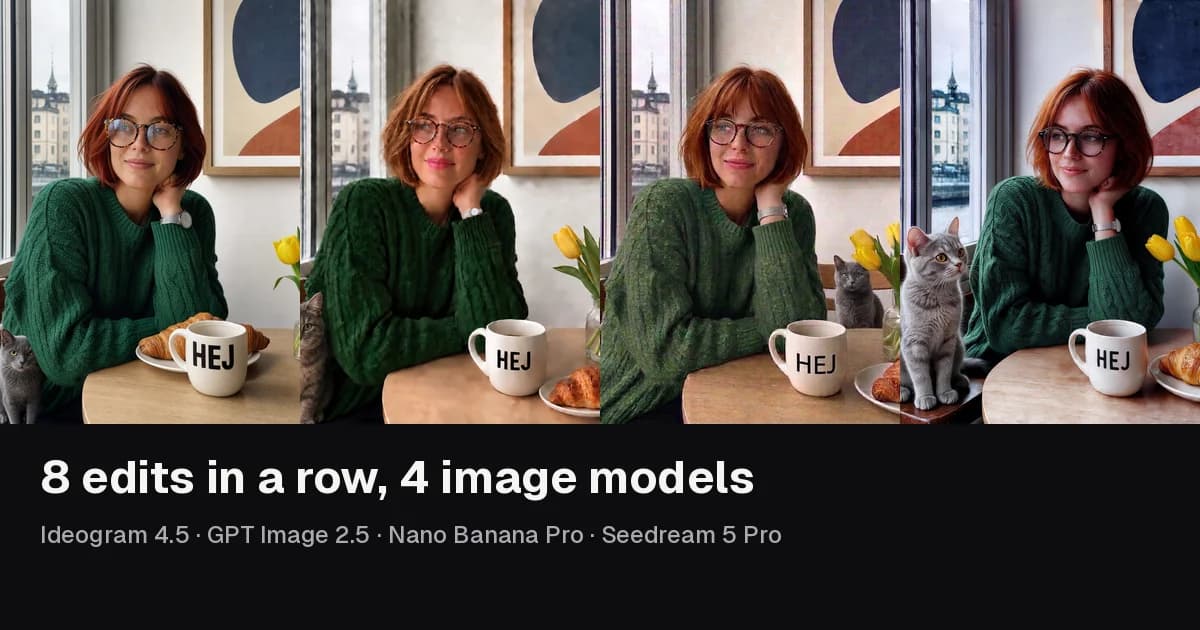
Ideogram launched Ideogram 4.5 on September 30, 2026, with one big claim: you can edit the same image many times without it falling apart. Most image models redraw the whole picture on every edit, so small color shifts and artifacts pile up round after round.
We tested that claim against three other models. Each one got the same start image and the same eight edits, one after another, with each edit applied to its own previous result. Then we measured how much of each image changed that we did not ask to change.
Short answer: Ideogram 4.5 changed only what we asked for. After each edit it left a median of 96% of the portrait and 99% of the ad visually identical, and the areas no edit touched were pixel-identical after all eight rounds. GPT Image 2.5 Sunburst, Nano Banana Pro, and Seedream 5 Pro made every edit too, but each one redrew far more of the image every time, and the drift added up.
What we tested
| Model | Route and settings | Morphed price per edit |
|---|---|---|
| Ideogram 4.5 | fal.ai ideogram/v4.5/edit, high edit precision, Medium quality | 9 credits |
| GPT Image 2.5 Sunburst | fal.ai openai/gpt-image-2.5/sunburst/edit, Medium quality | 12 credits |
| Nano Banana Pro | fal.ai fal-ai/nano-banana-pro/edit, 1K | 21.5 credits |
| Seedream 5 Pro | fal.ai bytedance/seedream/v5/pro/edit, default size | 10 credits |
There is no Nano Banana 3 yet. As of October 1, 2026, Google's newest editing model on fal is Nano Banana Pro.
The two start images came from GPT Image 2, a model outside the test, so no contestant edited its own picture. Every edit prompt ended with "Change nothing else." Each chain ran once, and each step used the first result. Nothing was retouched.
To measure drift, we compared every step with the step before it. A pixel counts as identical when its color moved less than ΔE 2, which is too small to see side by side. Because each edit asks for one local change, a model that respects the instruction should leave most of the image identical. We also checked an area that no edit ever touched and compared it with the start image after the last edit.
Outputs at a different size were resized to the start image first. Resizing alone keeps 97–99% of pixels identical, so it does not explain the gaps below. This is a two-scene test, not a statistical benchmark.
Download the prompts, settings, and per-step numbers to repeat it.
The numbers
Share of the image left visually identical after each edit (median of eight edits):
| Model | Portrait | Ad |
|---|---|---|
| Ideogram 4.5 | 96% | 99% |
| GPT Image 2.5 Sunburst | 75% | 94% |
| Nano Banana Pro | 59% | 88% |
| Seedream 5 Pro | 36% | 81% |
Areas no edit touched, start image vs. after edit 8. SSIM of 1.000 means identical; a ΔE above about 2 is a color shift you can see side by side.
| Model | Portrait SSIM / ΔE | Ad SSIM / ΔE |
|---|---|---|
| Ideogram 4.5 | 1.000 / 0.02 | 1.000 / 0.02 |
| GPT Image 2.5 Sunburst | 0.827 / 5.7 | 0.988 / 2.0 |
| Nano Banana Pro | 0.839 / 7.9 | 0.957 / 2.5 |
| Seedream 5 Pro | 0.654 / 18.4 | 0.953 / 4.5 |
All four models made all eight edits in both scenes. None refused a step.
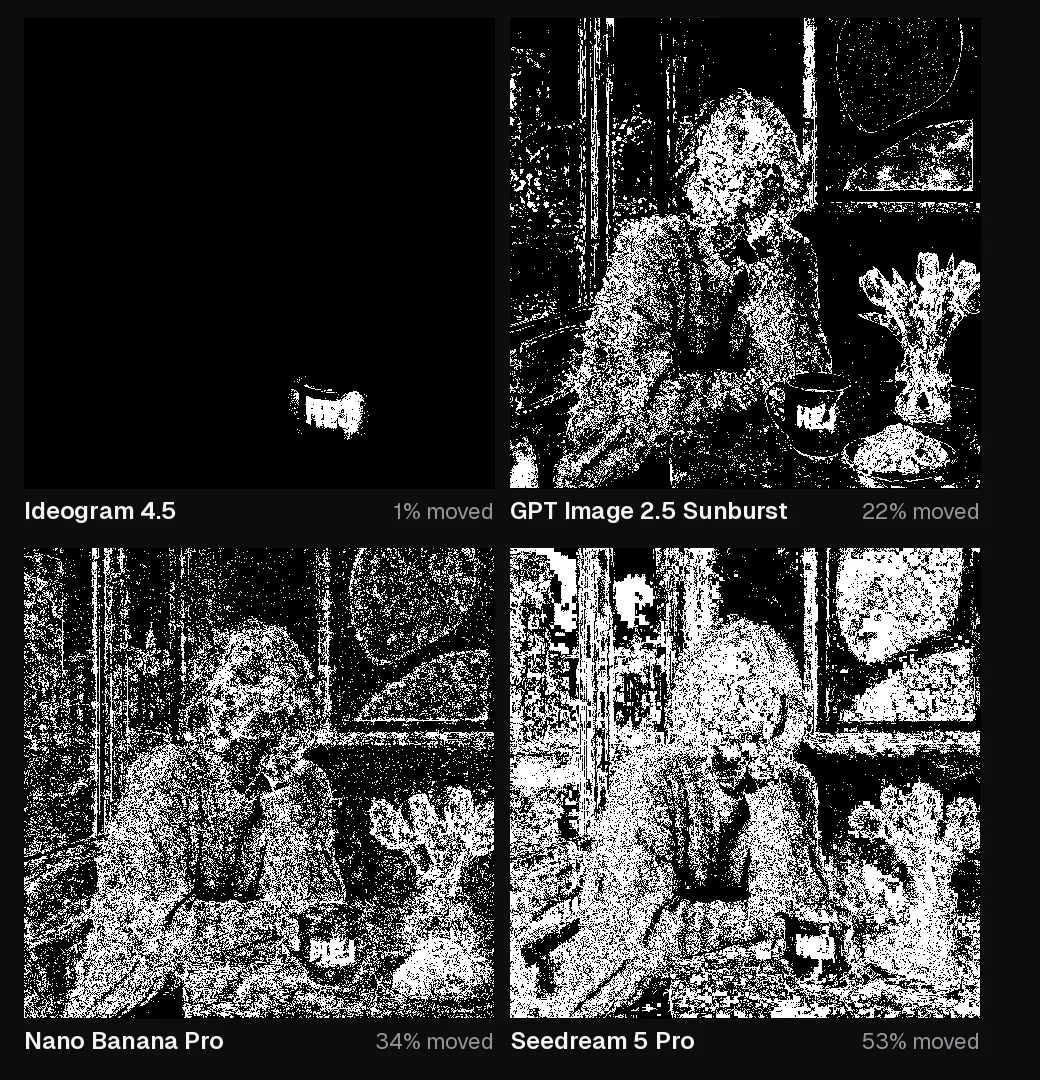
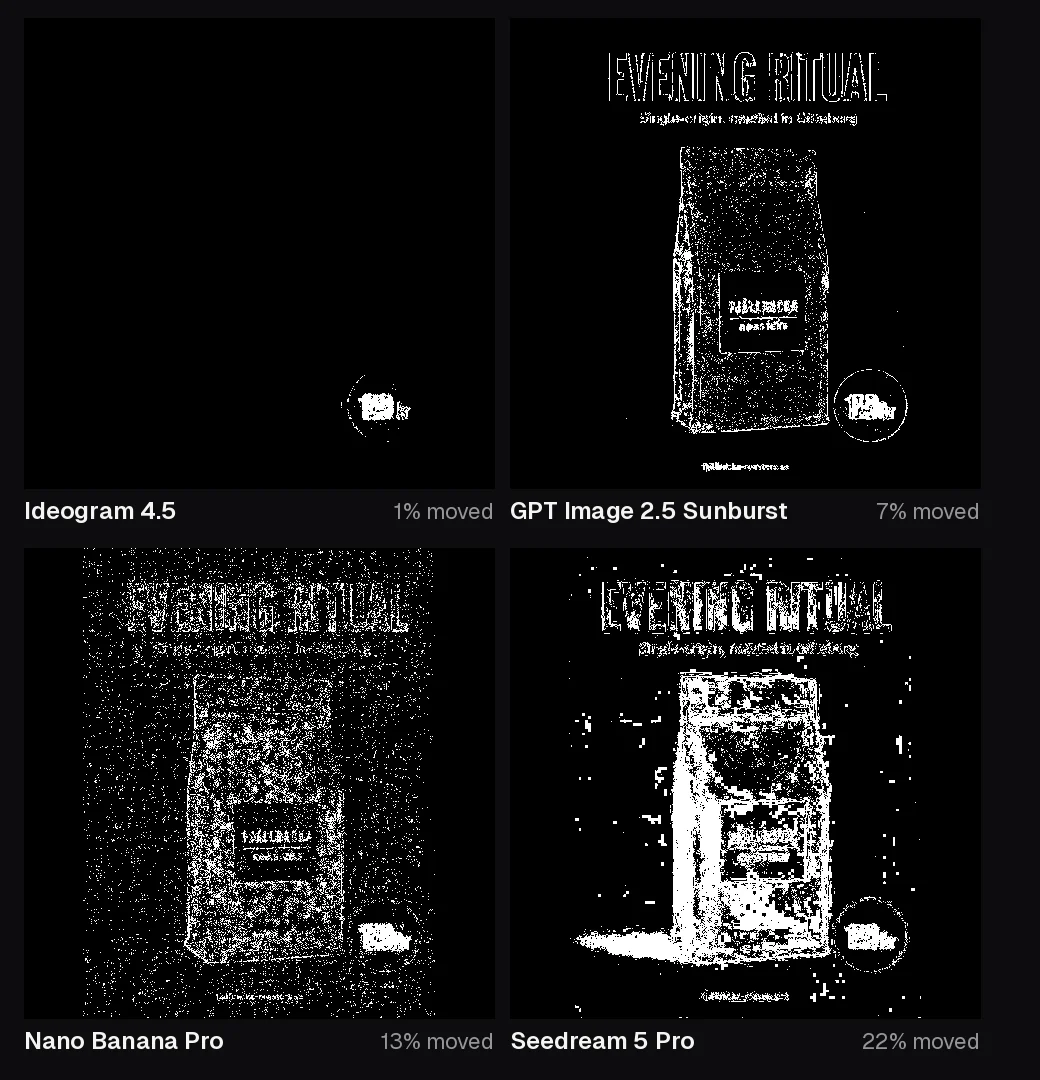
Here is what one small edit looks like. These maps show every pixel that moved when we asked for "HEJ" on the mug (portrait, edit 5) and a new price in the badge (ad, edit 2). White means changed.
Eight edits on a portrait
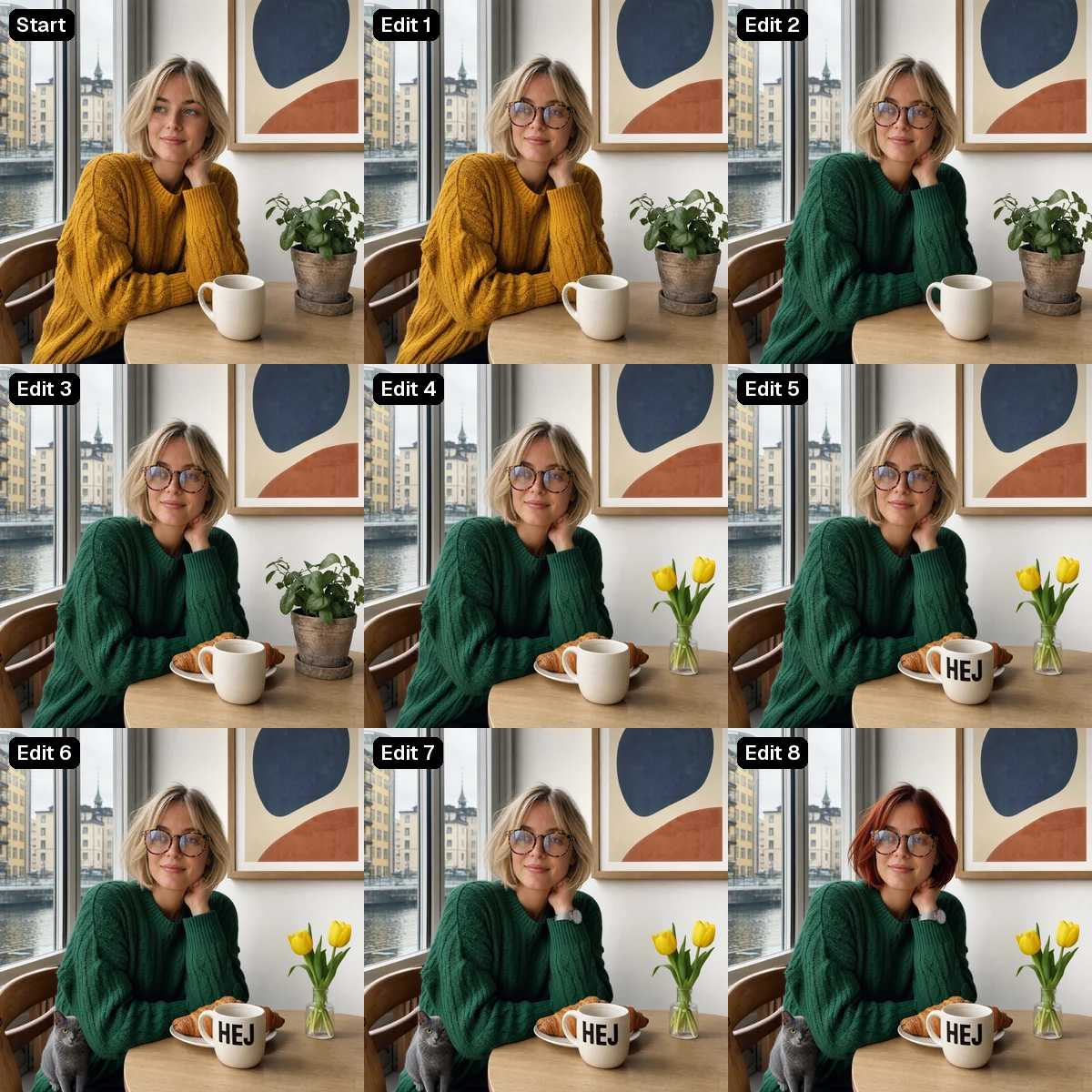
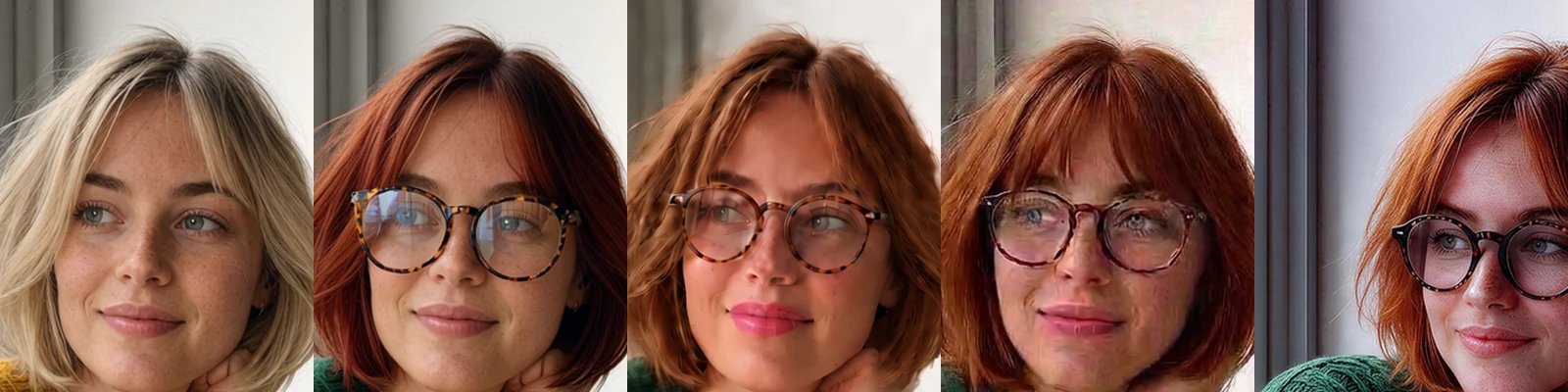
The café chain is the harder test. A face is where small drift is most visible, and the edits move around the frame: glasses, sweater color, a croissant, tulips, text on a mug, a cat, a watch, and finally hair color.
Ideogram 4.5 kept her freckles, skin texture, the print on the wall, and the view out of the window through all eight rounds. It was not perfect: adding the glasses in edit 1 also turned her gaze from off-camera to the lens.
GPT Image 2.5 Sunburst made every change, but a warm pink cast builds from about edit 4, the skin smooths out, and lipstick appears that no prompt asked for. Nano Banana Pro gathers blocky, compression-like noise on the face, and it put the cat behind the table instead of on the chair. Seedream 5 Pro pulled the camera back and recomposed the whole shot when it added the cat, which is why its numbers drop furthest.
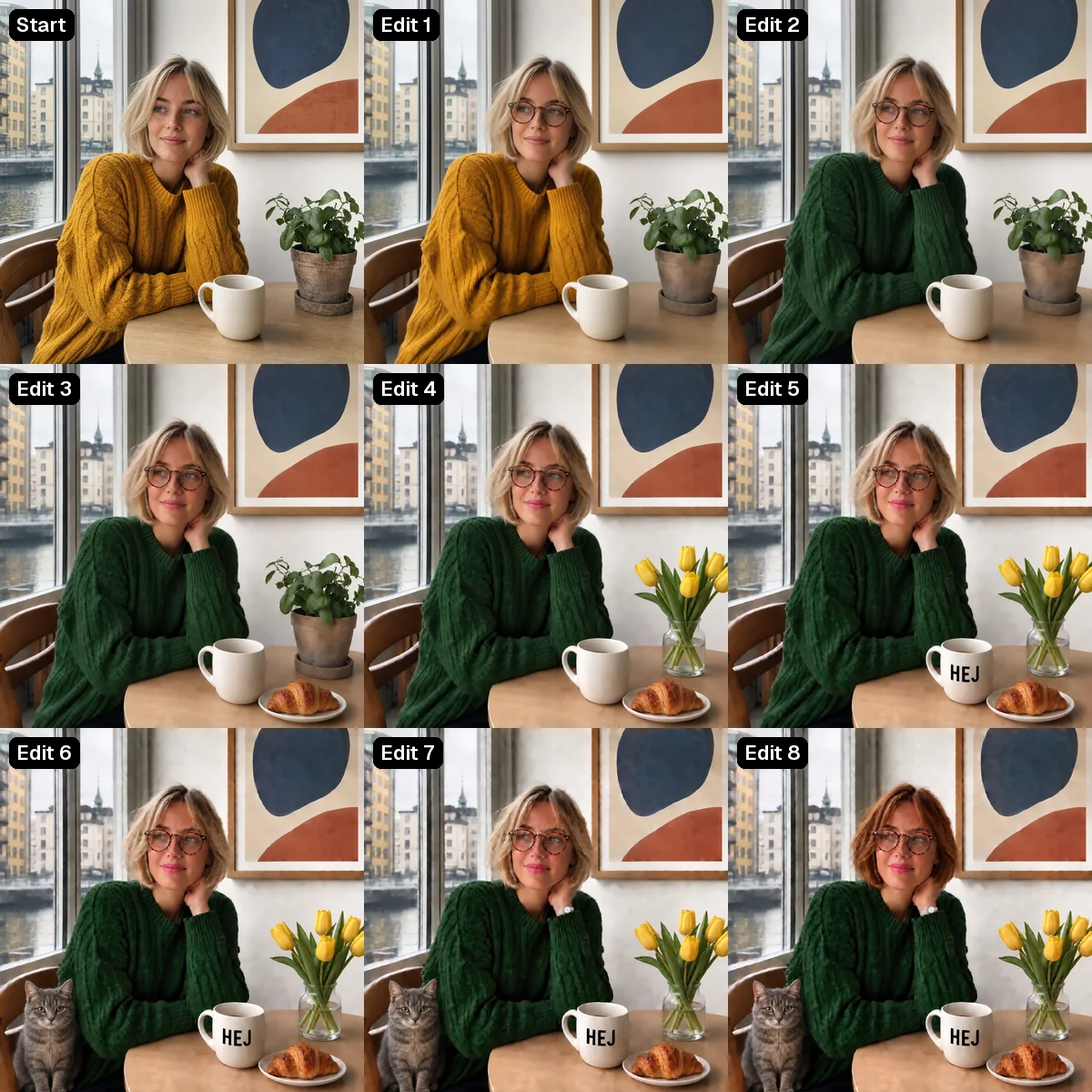
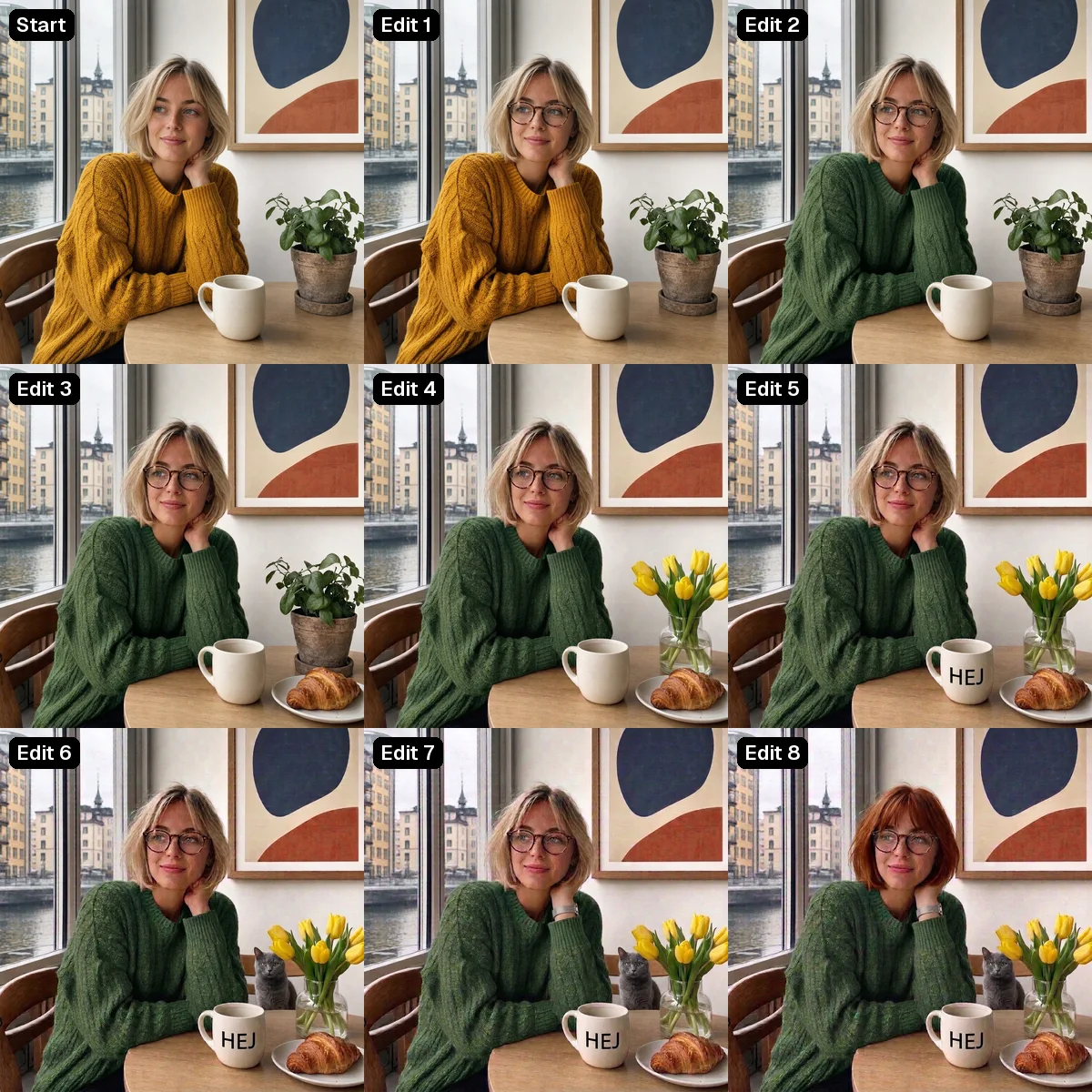
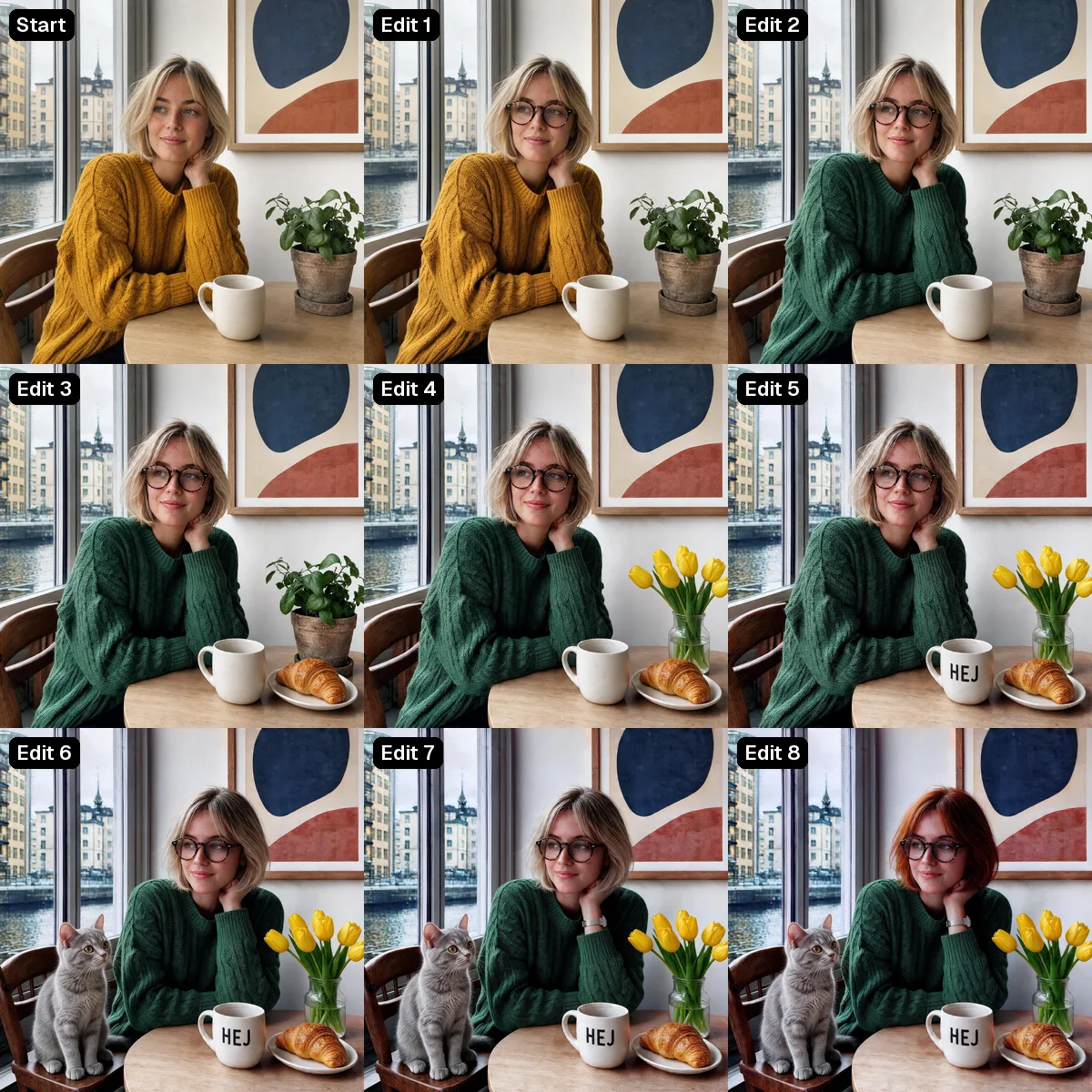
Read the start prompt and the eight edits
START (GPT Image 2, square_hd, high):
Natural editorial photograph of a fictional Scandinavian woman in her late twenties with a short blonde bob and light freckles, wearing a mustard yellow cable-knit sweater, sitting at a light oak table by a large window in a bright Stockholm café, looking slightly off camera with a calm smile. On the table: a plain white ceramic mug and a small potted green plant. Behind her on the white wall hangs a framed abstract print with blue and terracotta shapes. Soft overcast daylight, 50mm lens, eye level, realistic skin texture, no text anywhere in the image.

1. Add round tortoiseshell glasses to her face. Change nothing else.
2. Change her sweater color from mustard yellow to forest green. Keep the knit pattern. Change nothing else.
3. Put a croissant on a small white plate on the table next to the mug. Change nothing else.
4. Replace the potted plant with a small glass vase of yellow tulips. Change nothing else.
5. Print the word HEJ in black capital letters on the front of the mug. Change nothing else.
6. Add a small grey cat sitting on the empty chair beside her. Change nothing else.
7. Add a thin silver watch on her left wrist. Change nothing else.
8. Change her hair color to auburn. Keep the same haircut. Change nothing else.
Eight edits on an ad
The poster chain is closer to real ad work: change the headline, the price, the product color, the tagline language, and the footer, then add a cup, a sticker, and coffee beans.
Every model got every word right here, so the differences are in what else moved. Ideogram 4.5 kept the bag label pixel-identical even when we recolored the bag around it. GPT Image 2.5 and Nano Banana Pro redrew the label each time, and Nano Banana Pro's lettering gets rougher. Seedream 5 Pro turned the flat off-white background into a marbled texture and switched the Swedish line to an italic serif, even though the prompt said to keep the same font.
Two misses for Ideogram 4.5 and GPT Image 2.5 alike: both placed the "NYHET" sticker over the last letter of the headline.
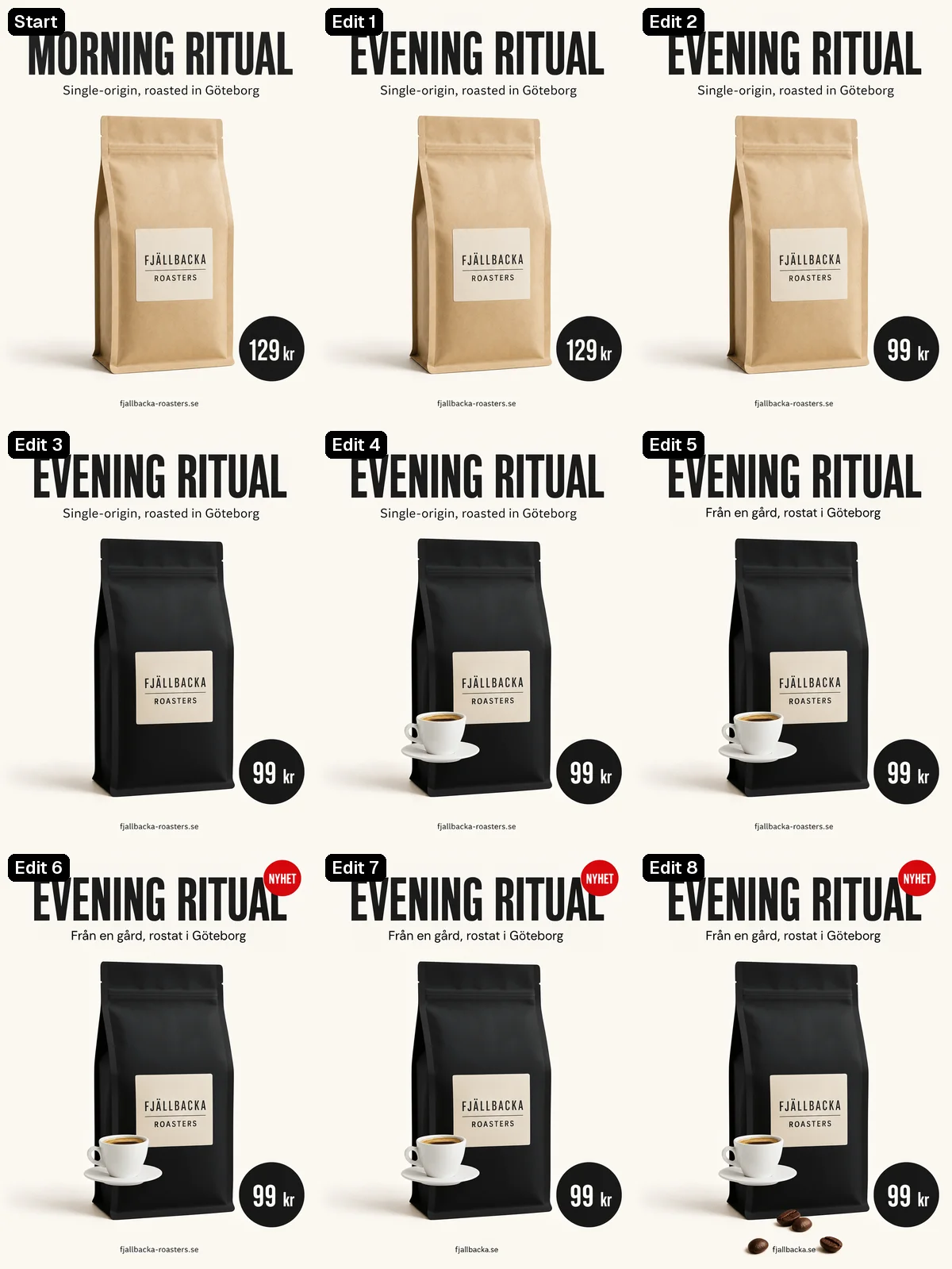
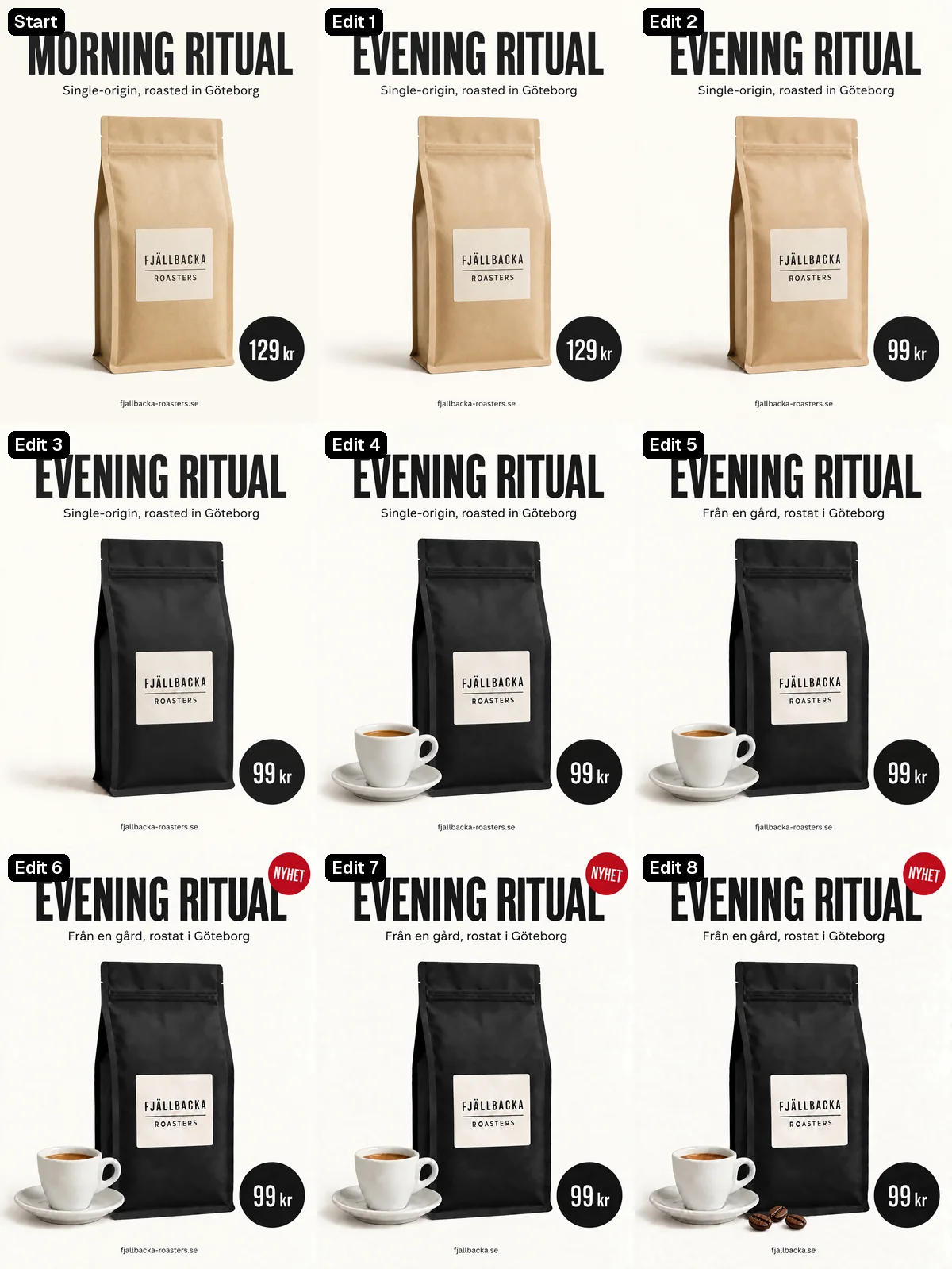
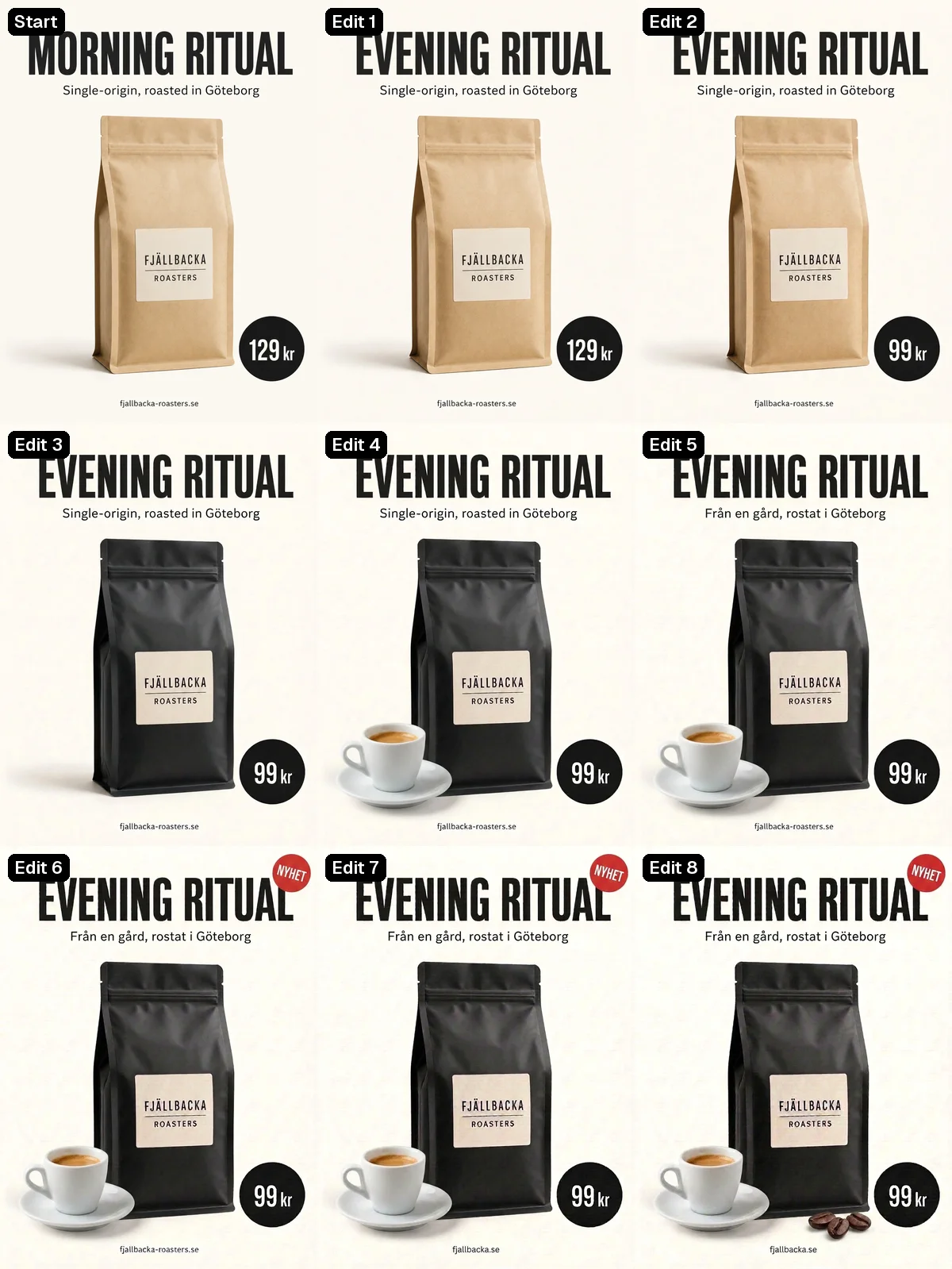
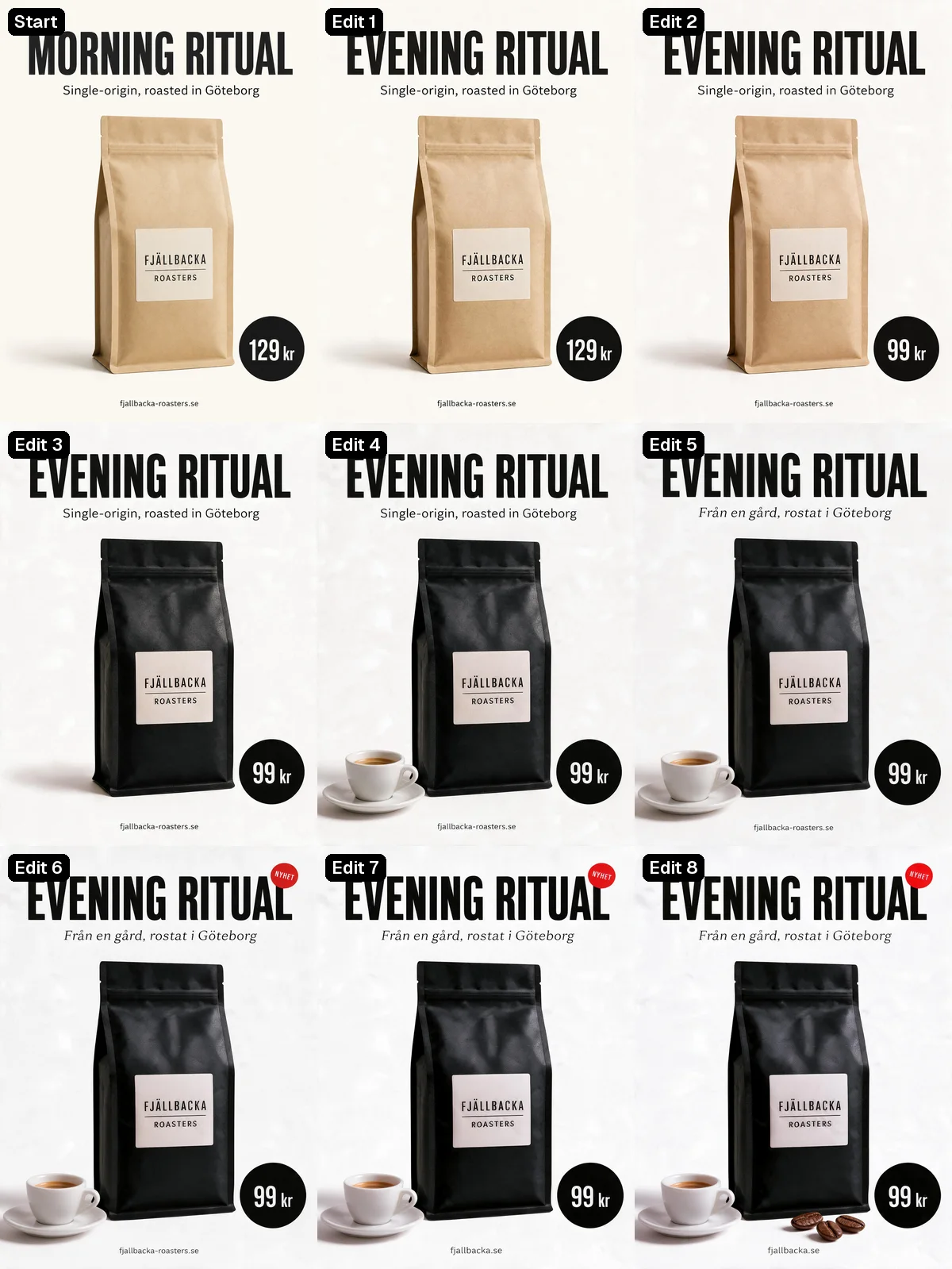
Read the start prompt and the eight edits
START (GPT Image 2, portrait_4_3, high):
Clean minimal print advertisement poster for a fictional coffee roaster. Off-white background. At the top, a large bold black sans-serif headline reading "MORNING RITUAL". Below it, a smaller line reading "Single-origin, roasted in Göteborg". In the center, a kraft paper coffee bag standing upright, photographed with soft studio light and a gentle shadow, with a small label on the bag reading "FJÄLLBACKA ROASTERS". At the lower right, a round black price badge reading "129 kr". At the bottom center, small footer text reading "fjallbacka-roasters.se". Generous margins, Scandinavian graphic design, sharp text.

1. Change the headline text to "EVENING RITUAL". Keep the same font, size and position. Change nothing else.
2. Change the price in the badge to "99 kr". Change nothing else.
3. Change the coffee bag color from kraft brown to matte black. Keep the label and its text. Change nothing else.
4. Add a small white espresso cup on a saucer to the left of the bag. Change nothing else.
5. Change the smaller line under the headline to "Från en gård, rostat i Göteborg". Keep the same font and size. Change nothing else.
6. Add a small red circular sticker reading "NYHET" in the top right corner. Change nothing else.
7. Change the footer text to "fjallbacka.se". Change nothing else.
8. Add three roasted coffee beans on the surface in front of the bag. Change nothing else.
Text from scratch
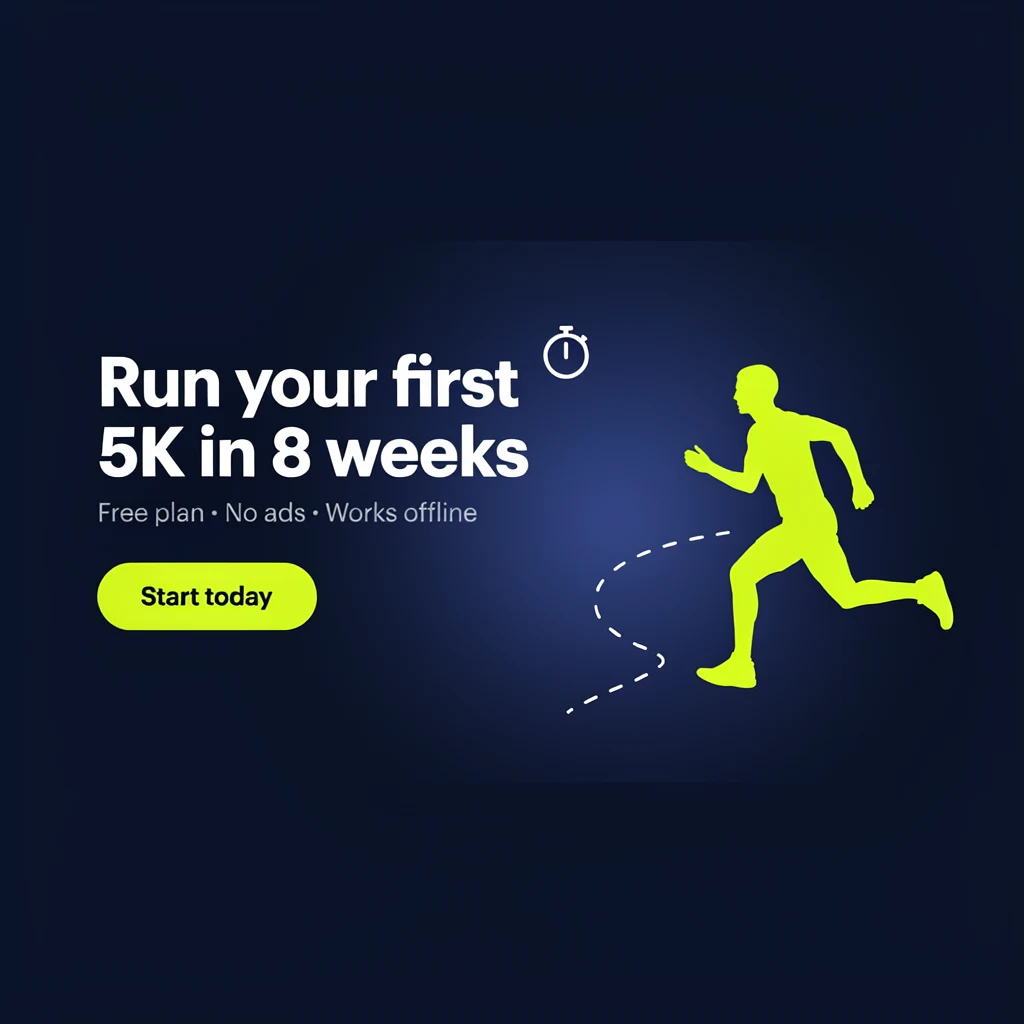
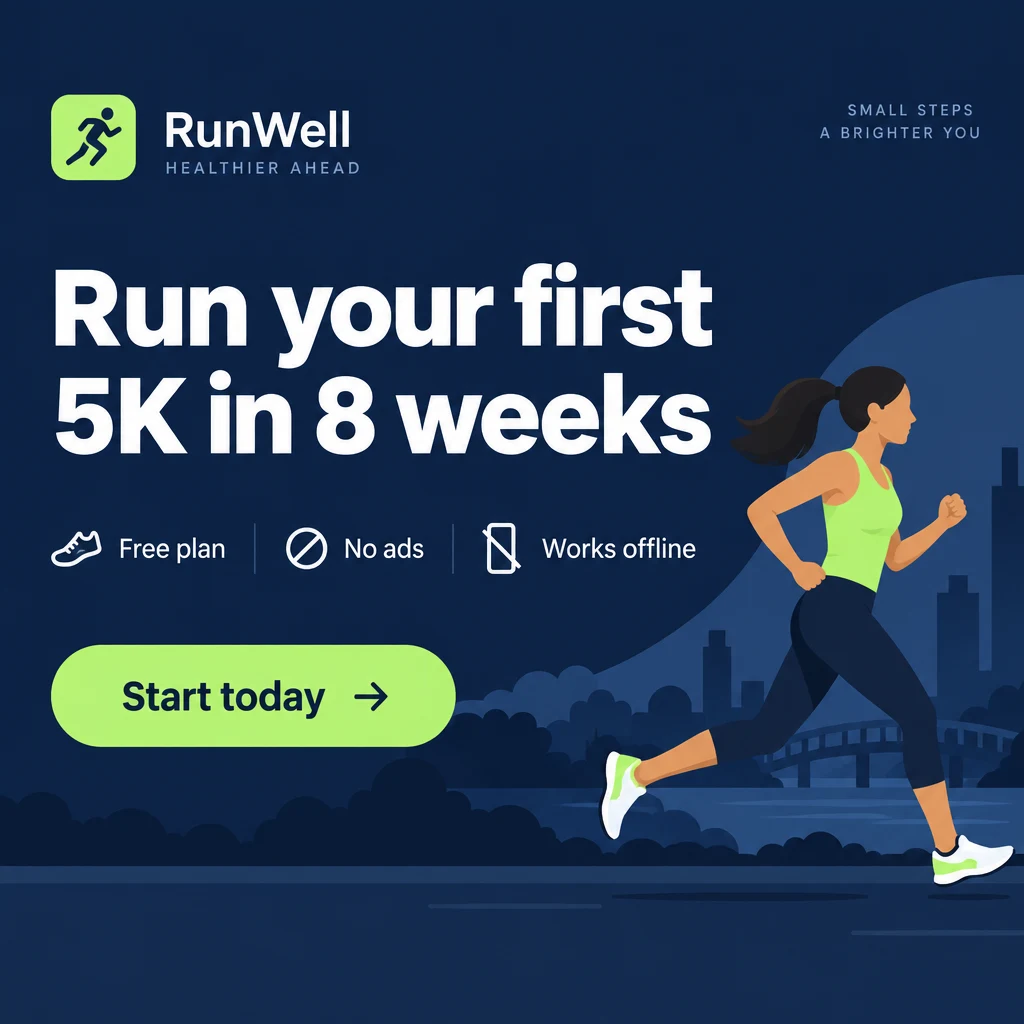
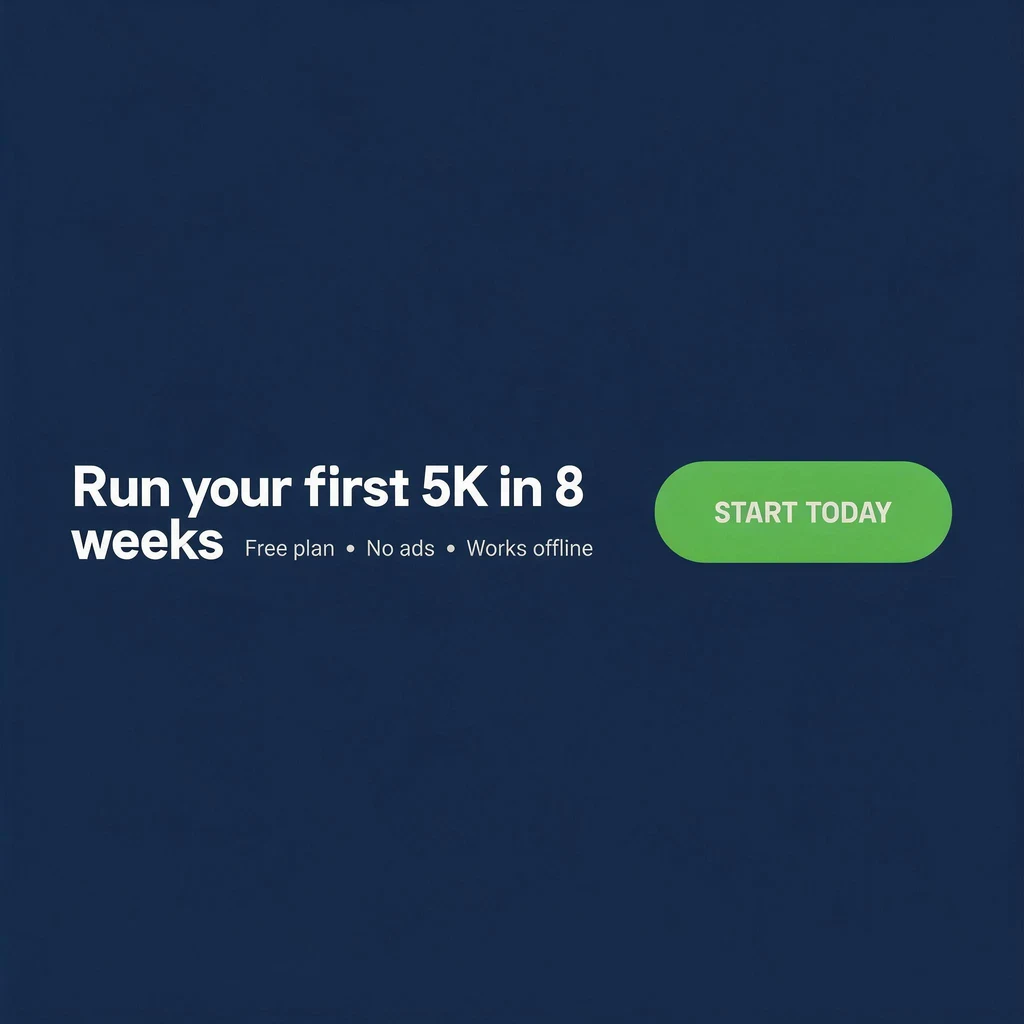
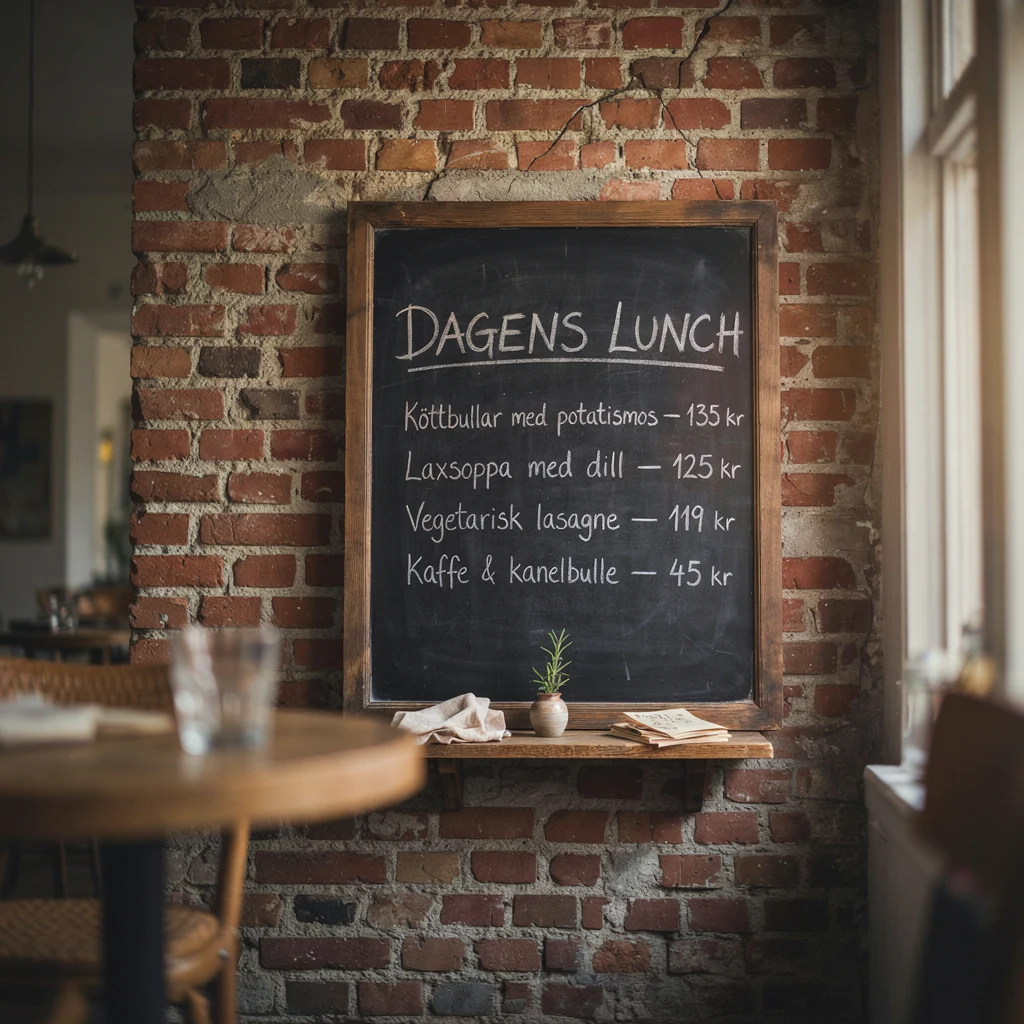
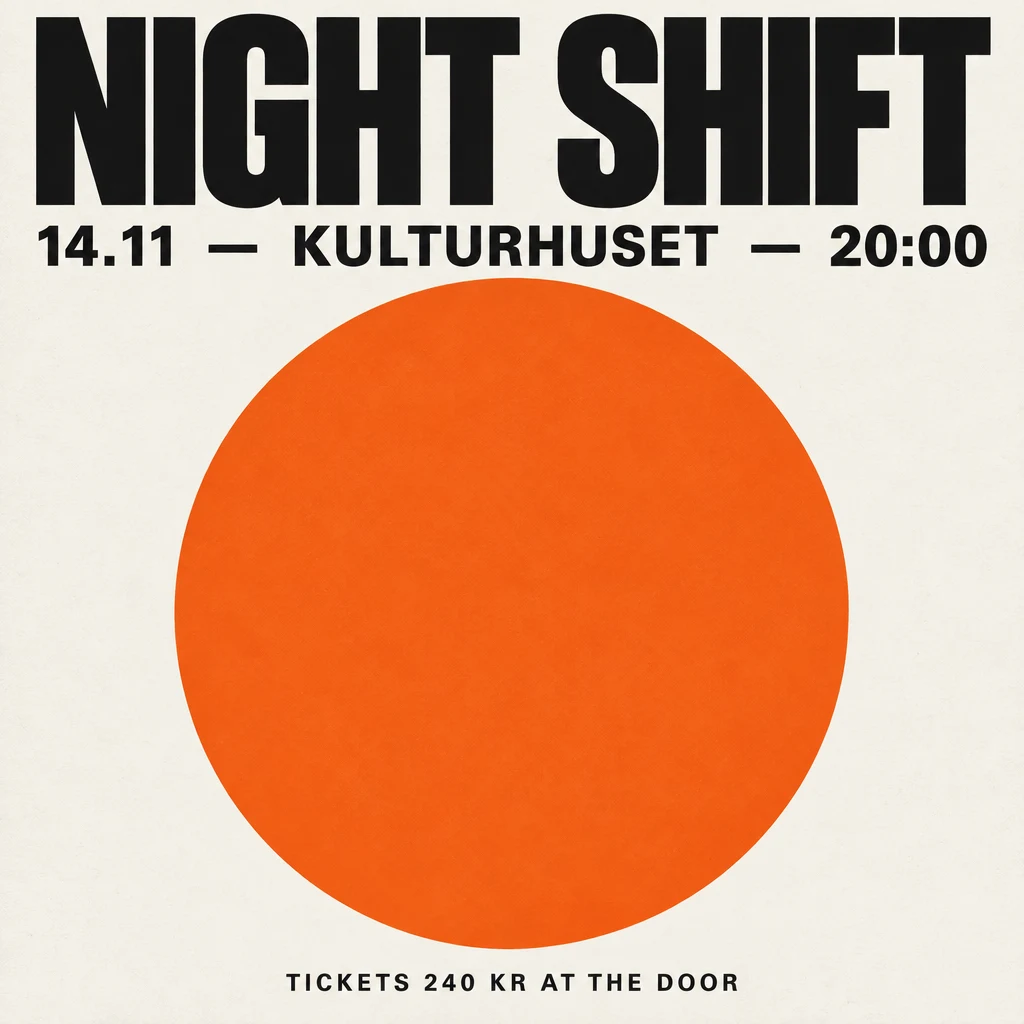
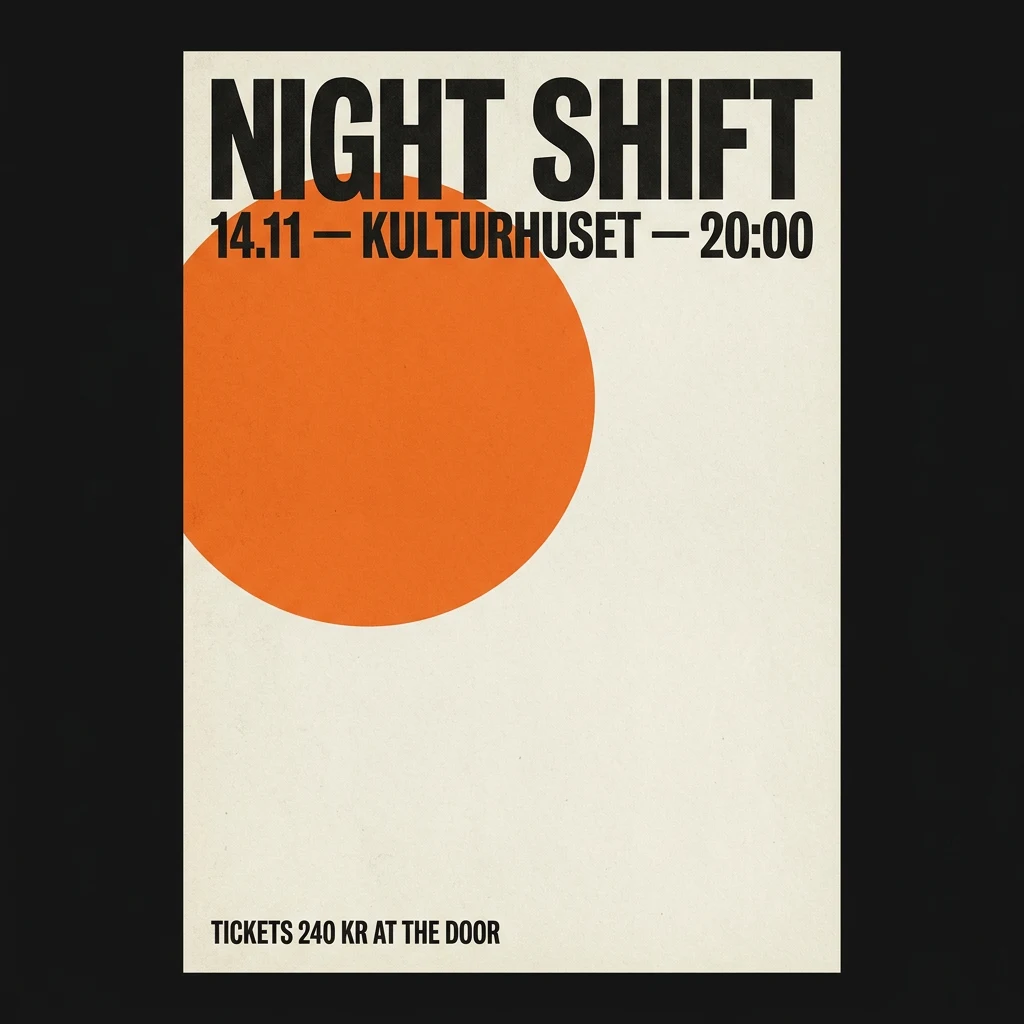
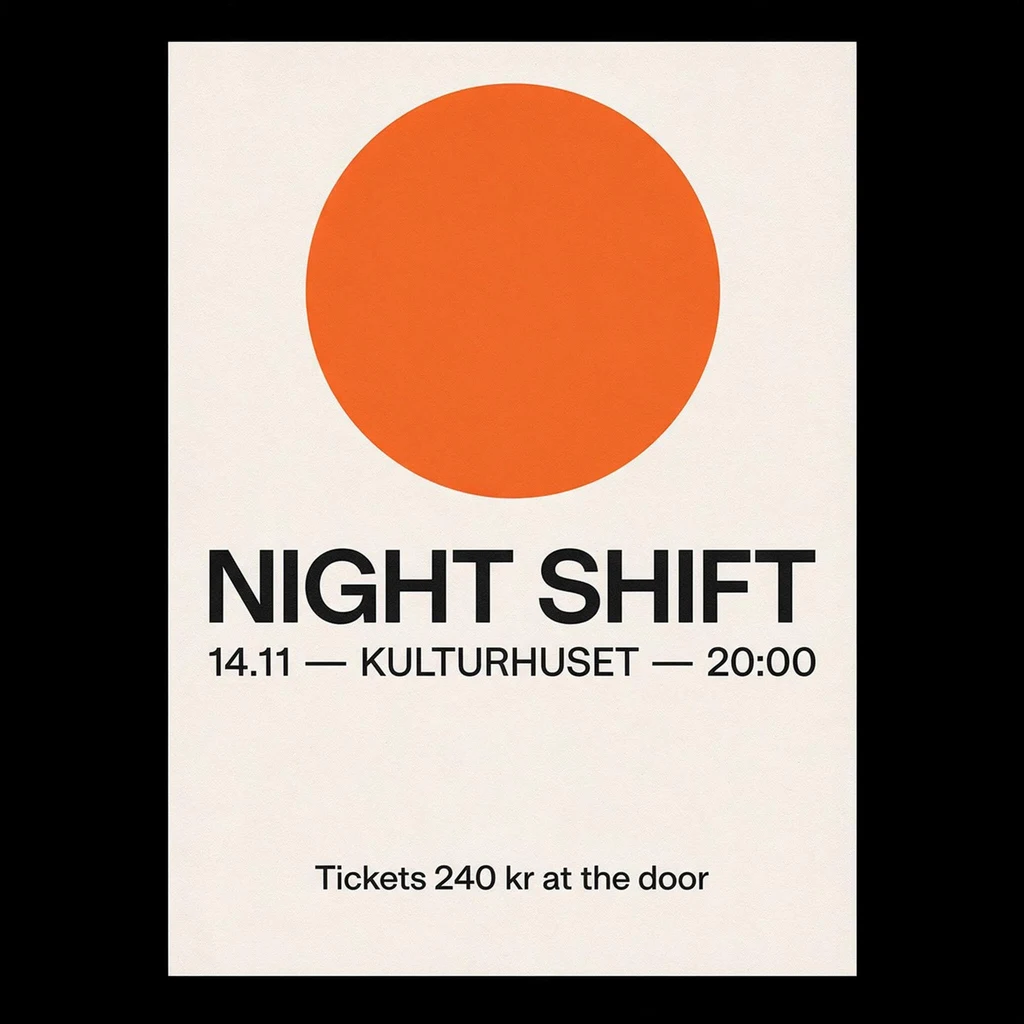
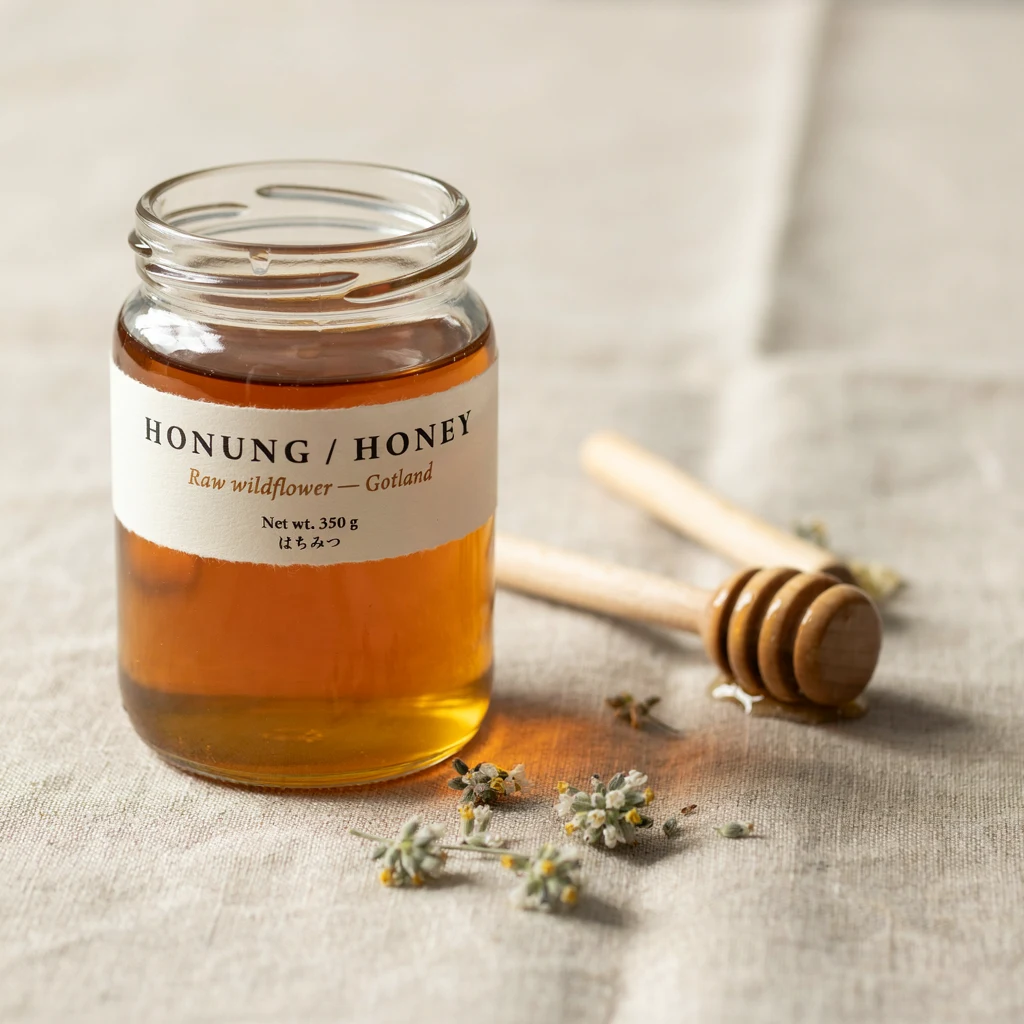
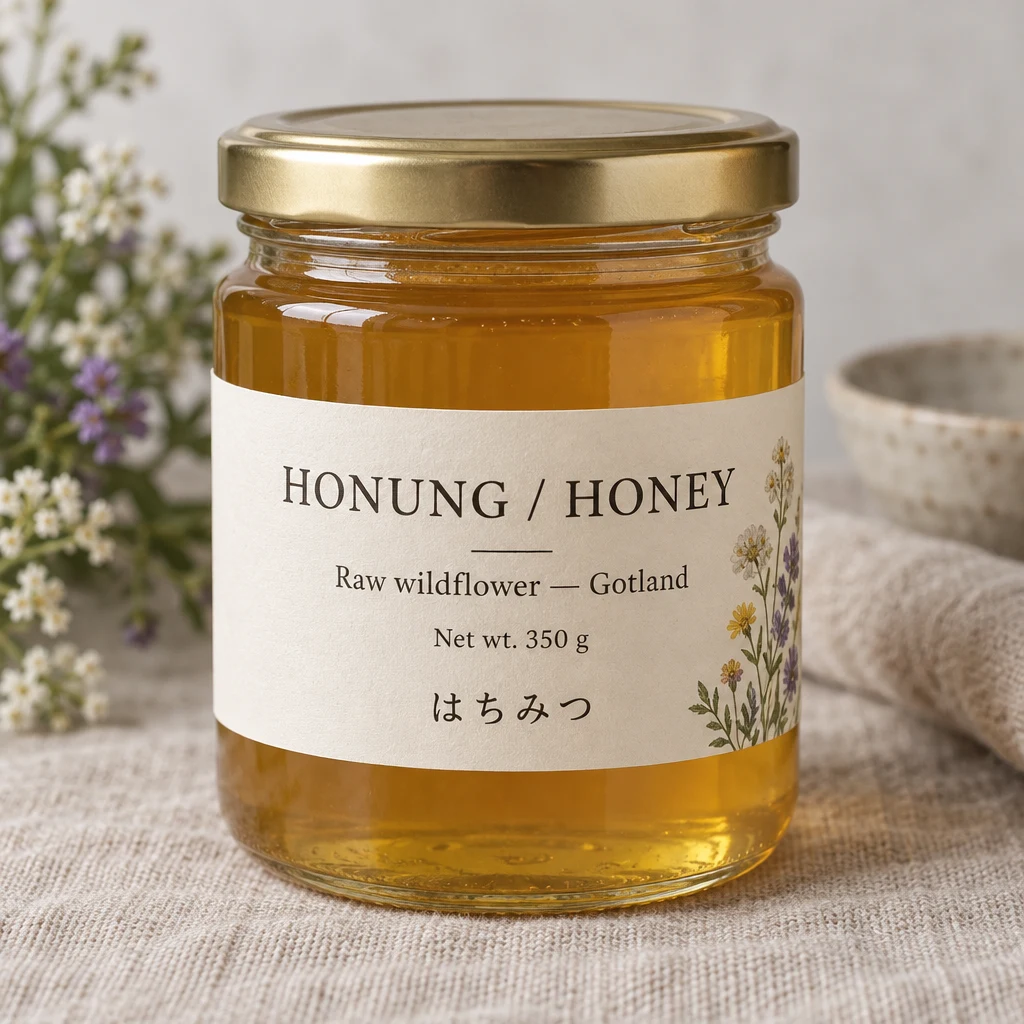
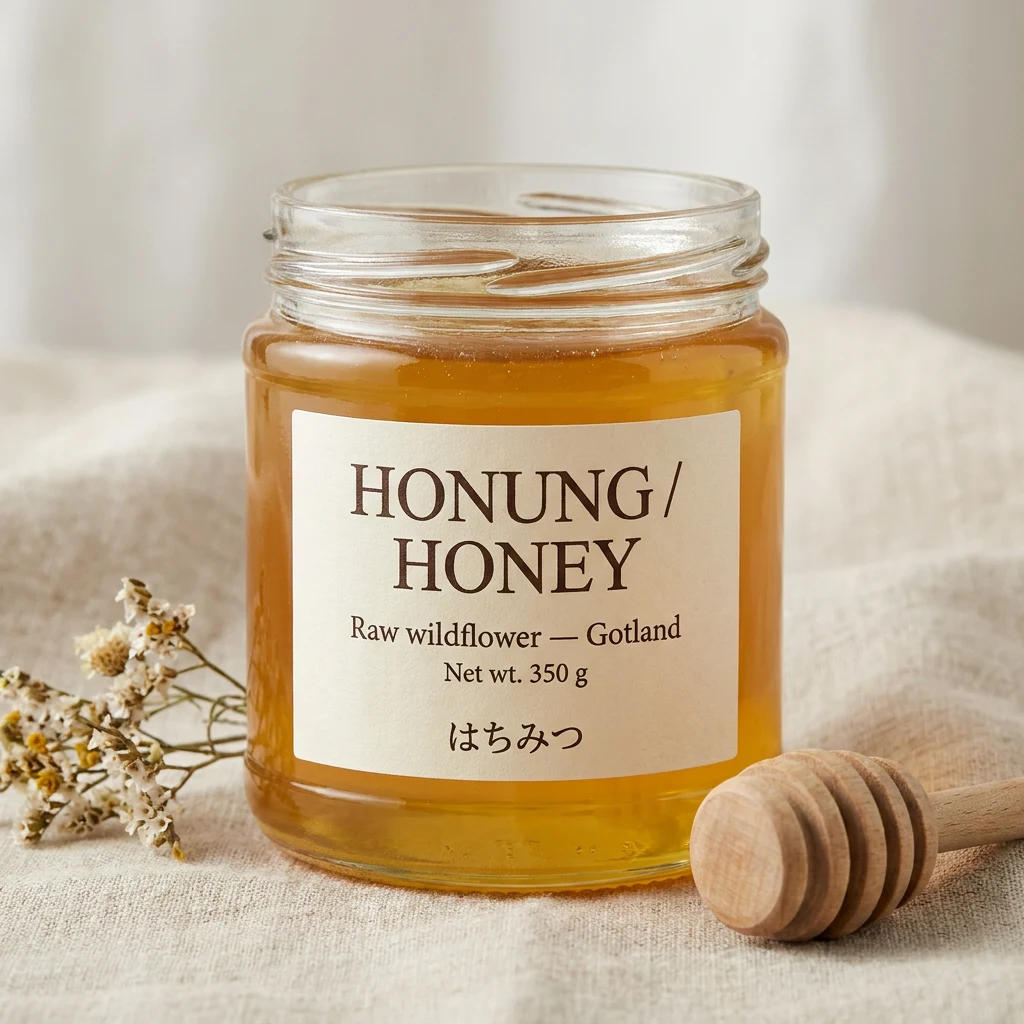
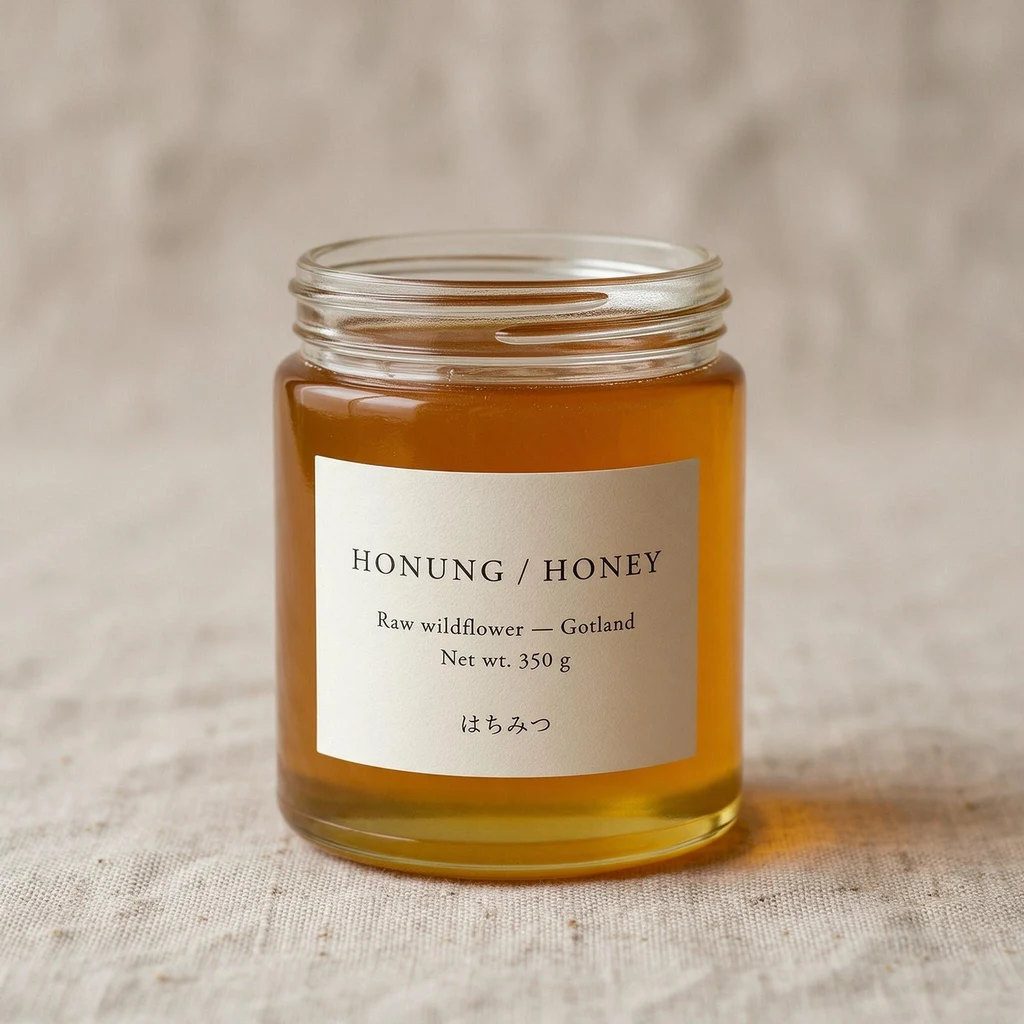
Precise editing is the headline feature, but Ideogram built its name on typography. So we also gave all four models the same four text-heavy prompts, with no editing, one image each.
| Prompt | Ideogram 4.5 | GPT Image 2.5 Sunburst | Nano Banana Pro | Seedream 5 Pro |
|---|---|---|---|---|
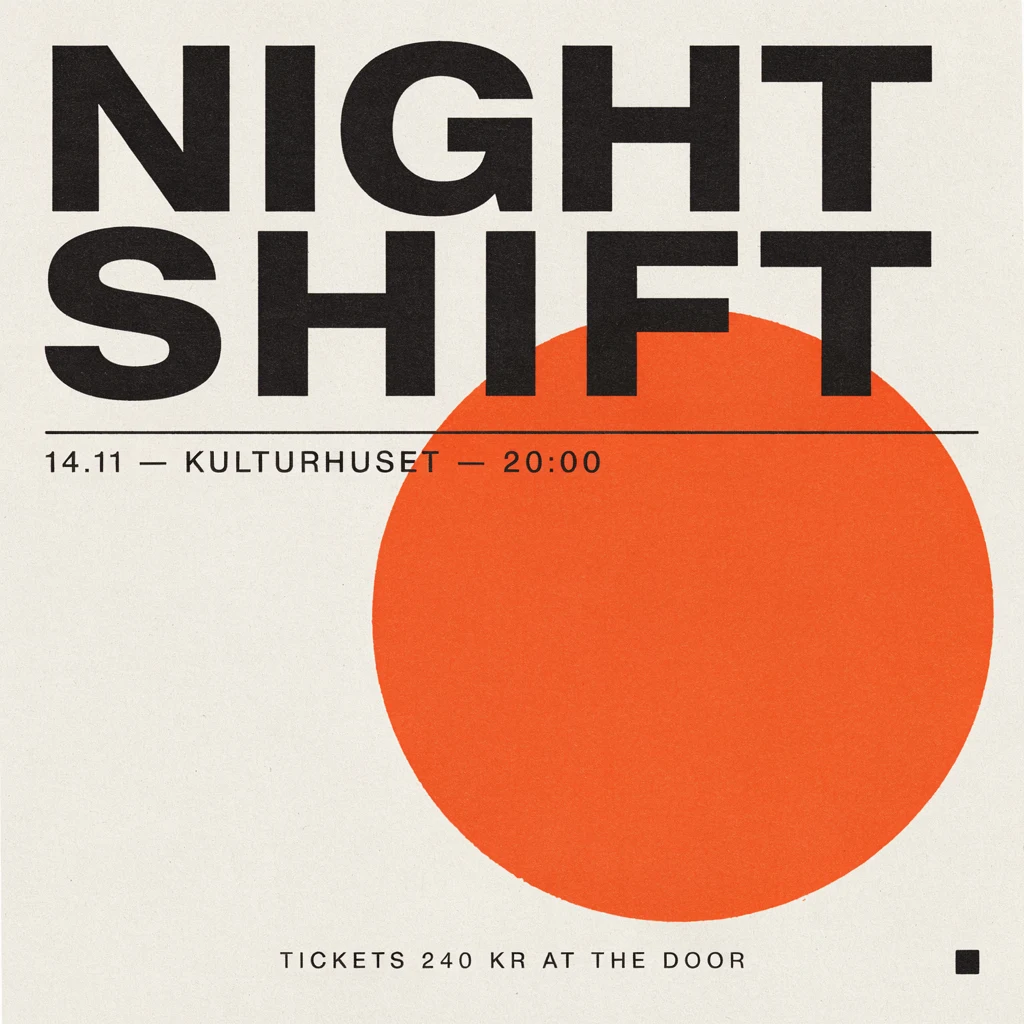
| Gig poster | All text correct | All text correct | All text correct; drew a framed poster instead of the flat print we asked for | All text correct; framed poster |
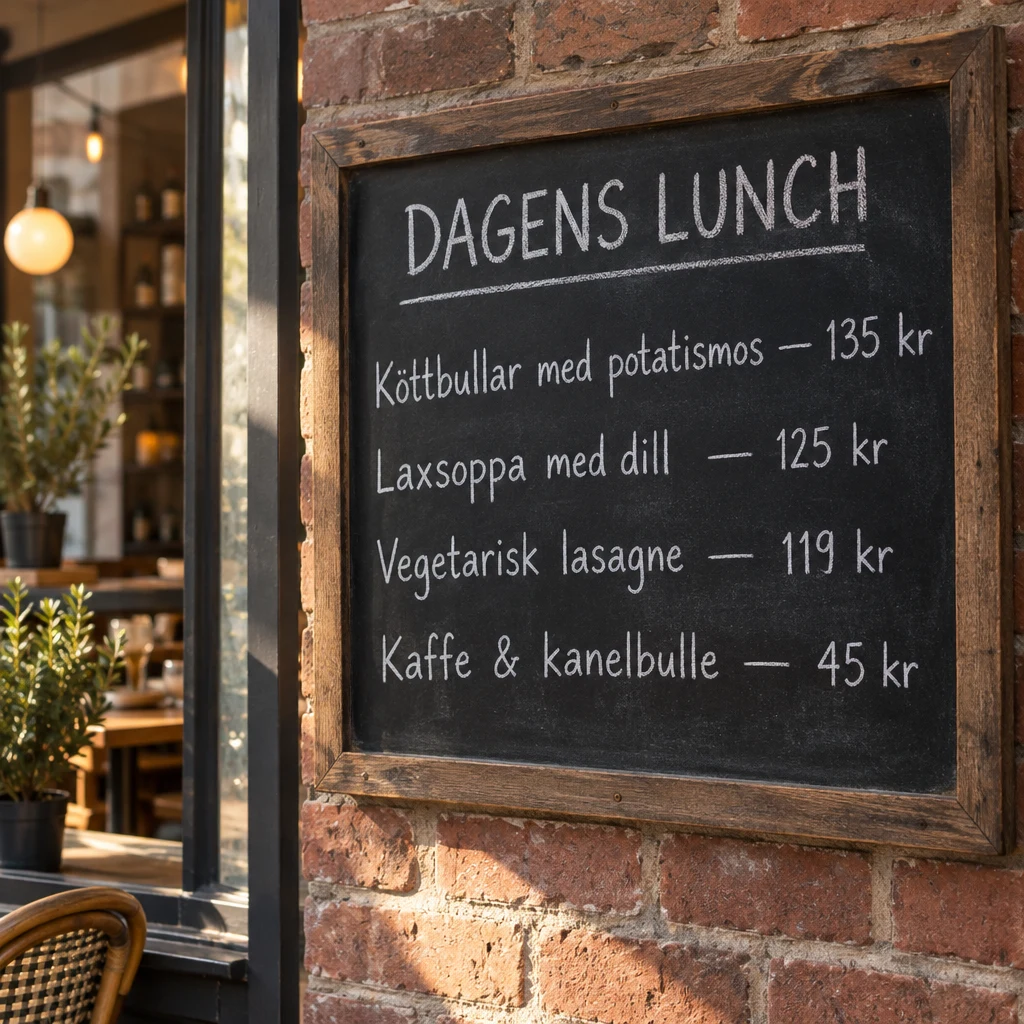
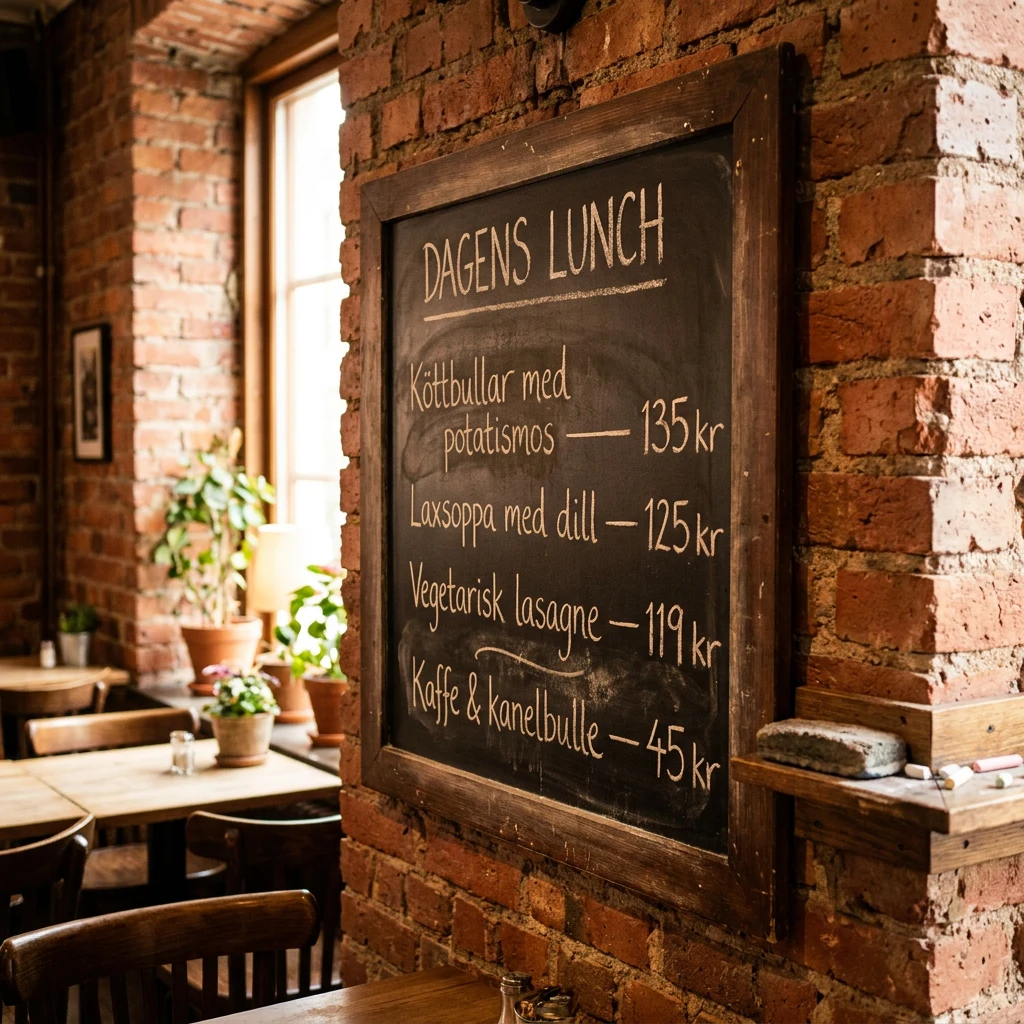
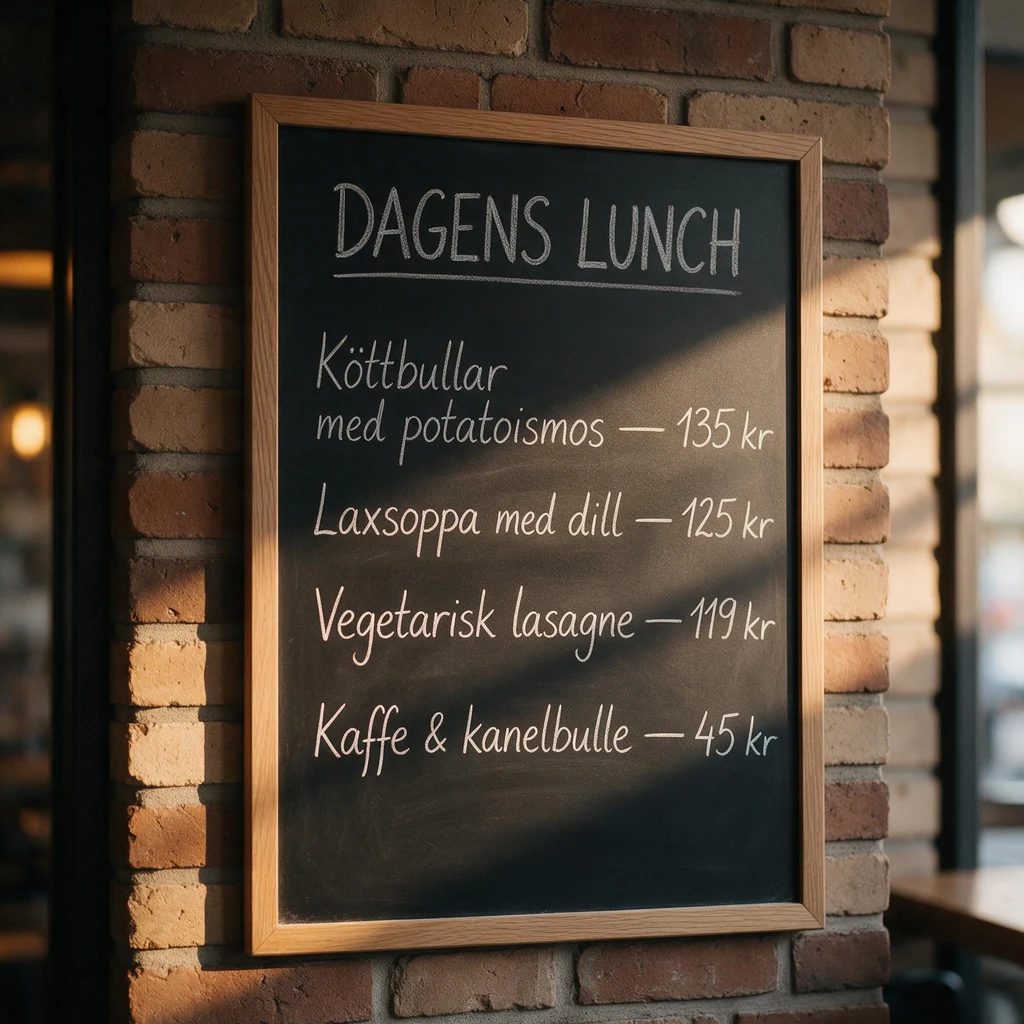
| Swedish menu board | All five lines correct | All five lines correct | All five lines correct | Misspelled "potatismos" as "potatoismos" |
| Honey jar, three languages | All text correct | All text correct; added a lid and illustration | All text correct | All text correct |
| App banner | All text correct | Copy correct, plus an invented brand name and tagline | All text correct | Changed "Start today" to "START TODAY" |
Every model can spell now. The differences are about restraint: GPT Image 2.5 added copy we did not ask for, which is a problem when the layout has to hold exact text. Ideogram 4.5 and Nano Banana Pro did exactly what the prompt said on all four.

Which one should you use?
Use Ideogram 4.5 when you will edit the same image more than once. That covers ad revisions, product colorways, localized copy, and swapping one element at a time. It was also the cheapest model in this test at 9 credits per edit, and it did exactly what each text prompt said.
Use GPT Image 2.5 Sunburst or Nano Banana Pro for one big edit. If you are rebuilding a scene, changing a style, or asking for something that needs reasoning, a model that redraws the whole picture is not a problem. Keep your approved original and do not stack many edits on the result.
Seedream 5 Pro is not an iterative editor. It redrew the most on every step, recomposed the portrait, and was also by far the slowest in this run.
Whatever you use, start a new chain from your approved image rather than from the tenth revision of a draft.
Edit the same image again and again on Morphed
Open the AI image editor, upload an image, and choose Ideogram 4.5 Edit. Describe one change, and end the prompt with "Change nothing else." When the result looks right, press Apply & edit again. The result becomes your new starting image, and the next prompt only changes what it asks for.
Keep each prompt to one change. You can add up to four reference images next to the image you are editing, such as a logo or a product shot, and say where each one goes.
Ideogram 4.5 is available on Morphed for generation and editing, from 5 credits per image.